チーム管理対象プロジェクトの設定の相違点
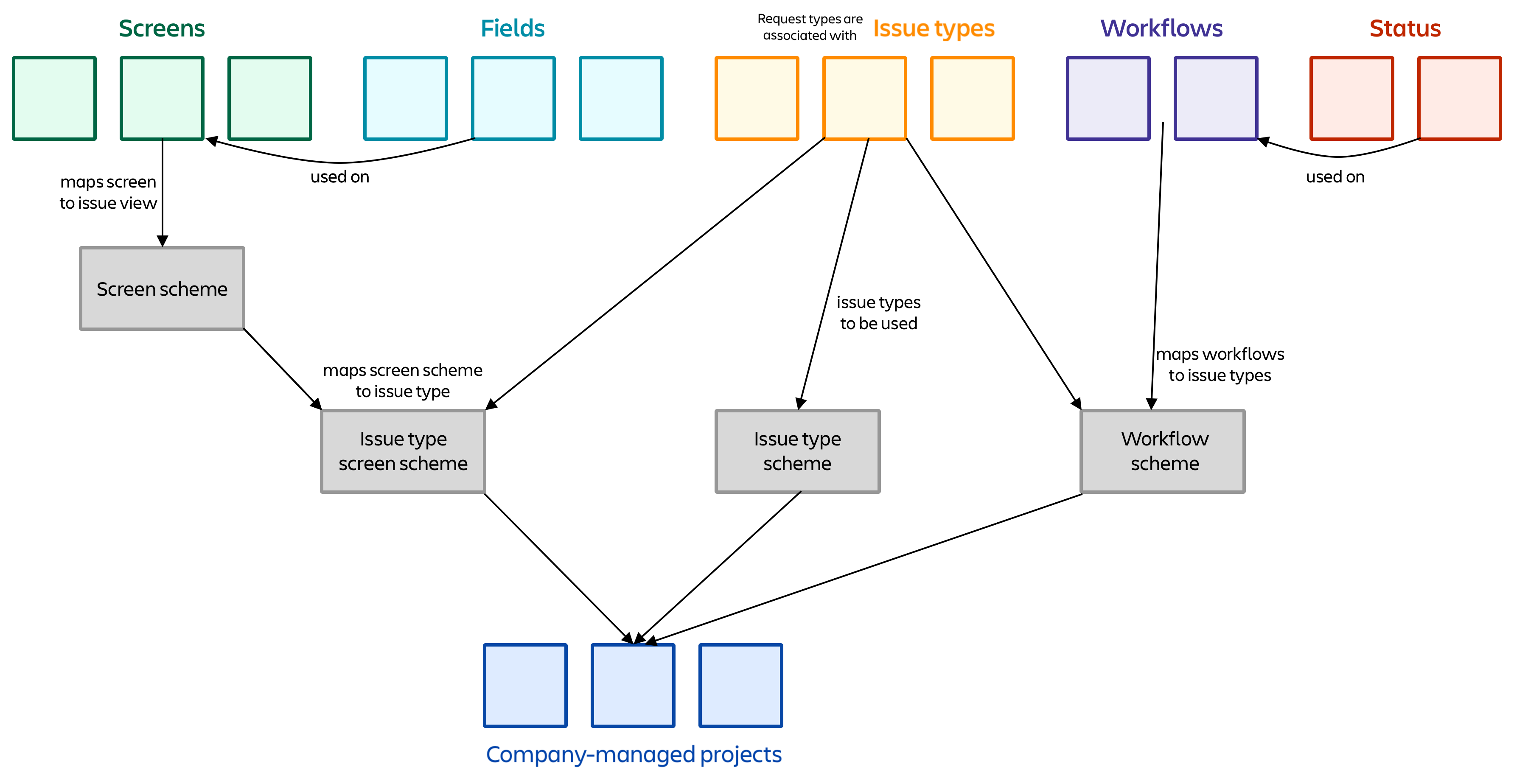
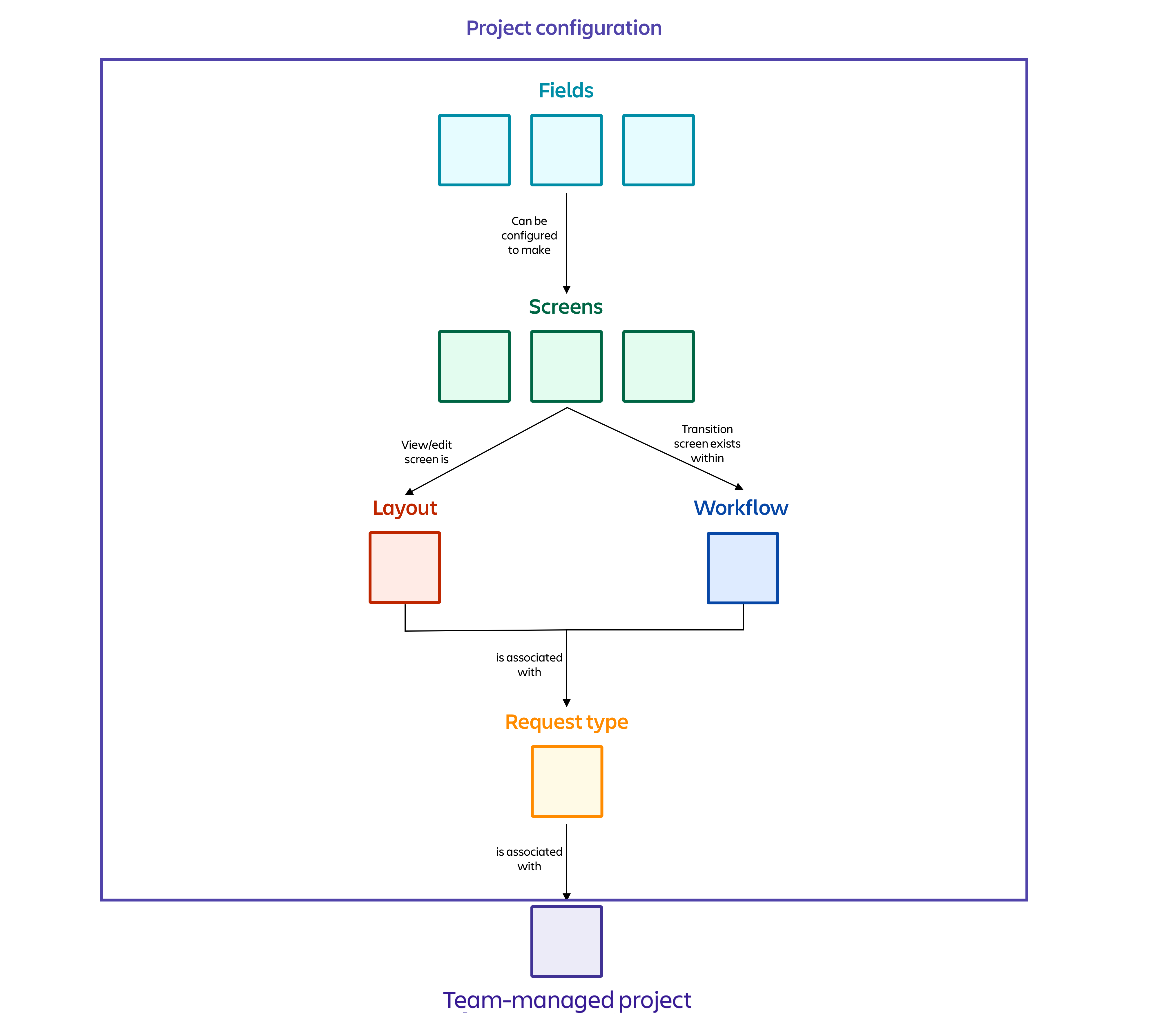
企業管理対象プロジェクトとチーム管理対象プロジェクトの設定方法は異なります。企業管理対象プロジェクトは設定を共有して、チーム管理対象プロジェクトは個別に設定されます。
In company-managed projects, fields are placed on screens. Then, screens, work types, workflows, and statuses are mapped to schemes that are shared across all projects in your Jira instance.
In team-managed projects, admins don’t have to configure schemes and screens. Each project has its own fields, request types, workflows, and statuses: all of which can be configured for that particular project. This means that each project configuration must be configured individually — they can’t currently be shared across projects.
この内容はお役に立ちましたか?
さらにヘルプが必要ですか?
アトラシアン コミュニティをご利用ください。