作業項目を複製する
作業項目を複製するには、“作業項目の作成” スペース権限が必要です。
作業項目の複製を作成する必要がある場合、すべてを手動で実行する必要はありません。複製を作成すると、同じスペース内で作業項目を複製でき、[要約] フィールドや [説明] フィールドなど、作業項目のほとんどの情報がコピーされます。
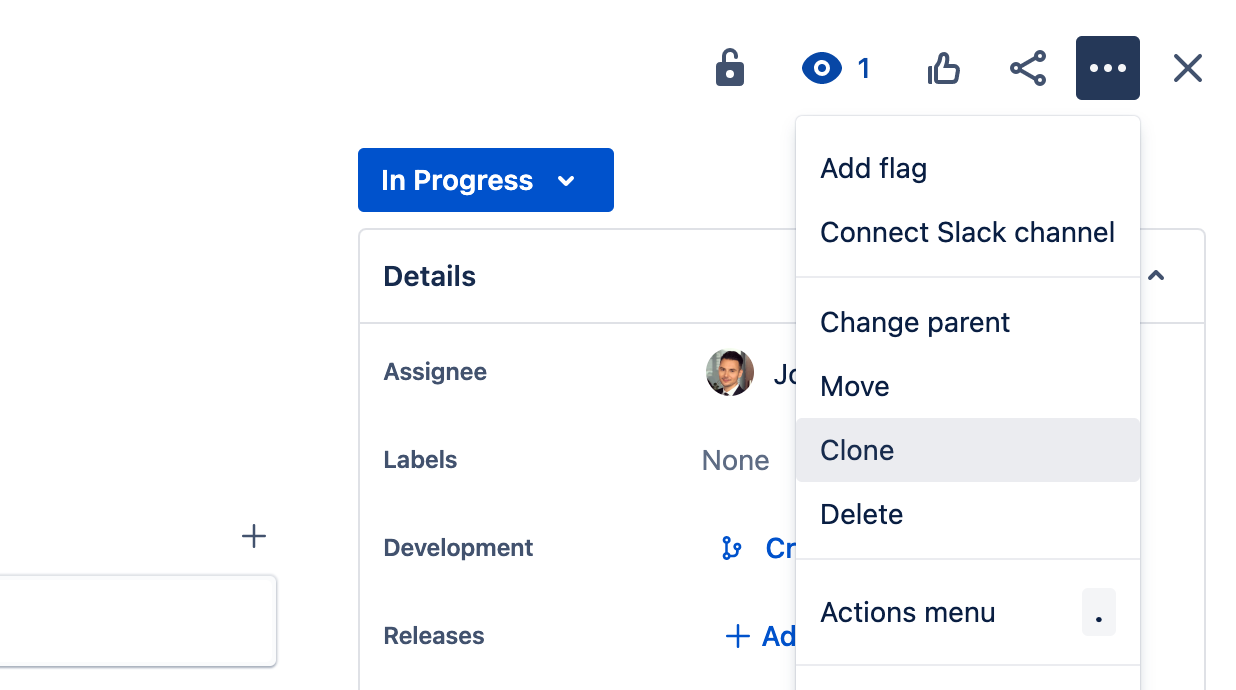
複製された作業項目は、元の作業項目とは分離したエンティティとして存在します。それらの唯一の接続は、複製の作成時に 2 つの作業項目がリンクされることです。ただし、このリンクはいつでも解除できます。
複製の作成プロセスでは、元の作業項目の一部の情報は自動的に複製されませんが、以下を含めることができます。
添付ファイル
サブタスク
リンク
カスタム フィールド (クローンを作成されるようにセットアップされている場合)
コメント
子作業項目 (エピックの場合)。
作業項目を複製するには、次の手順に従います。
作業項目を開きます。
[その他] > [クローン] の順に選択します。
[ 概要 ] を編集します。
担当者と報告者を編集します (必要な場合)。
含めるコンテンツを選択します (ある場合)。
[クローン] を選択します。
複製した作業項目の要約には、プレフィックス Clone が自動で追加されます。
スペース管理者は、自動化によってプレフィックスを一括削除できます。コミュニティからルールの例をご確認ください
作業項目を自動的に複製
Jira 自動化ルールにより、予定に基づいて作業項目を自動的に複製するように設定できます。
複製によって新しい作業項目が作成されると、自動化ルールが継承され、自動的に有効化されます。
この内容はお役に立ちましたか?
さらにヘルプが必要ですか?
アトラシアン コミュニティをご利用ください。