Turn on privacy mode for analytics data
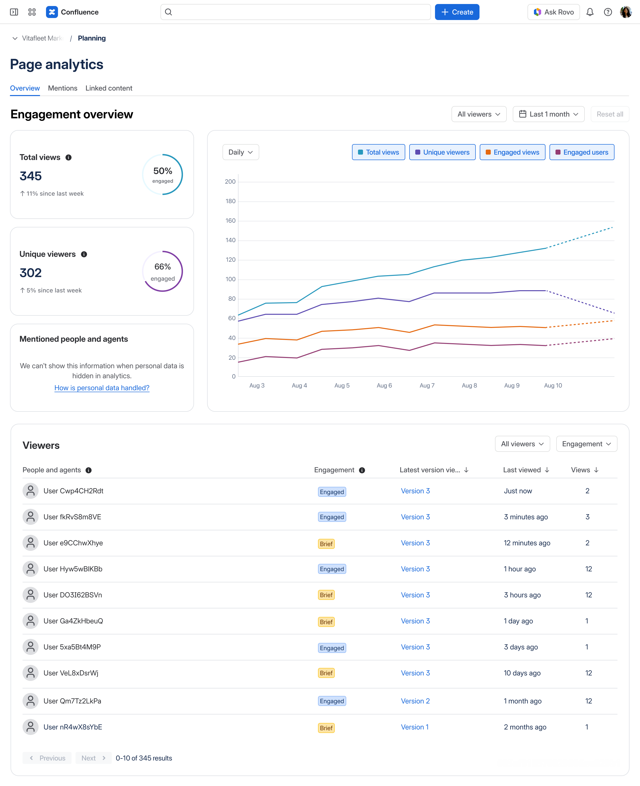
Confluence admins can turn on privacy mode for analytics. This will replace people and agent names and avatars with a hashed user name.
Privacy mode for Confluence
Privacy mode will anonymize all existing analytics data by assigning a random user number to each account and displaying only this anonymized data in all analytics views. Future analytics data will also be recorded and shown as anonymized user data.
When privacy mode is off, all data collected before it was used will again show accurate user names and avatars, but views recorded while privacy mode was in use will still show anonymized user data.
Turn on privacy mode
Select the wheel icon () in the top-right corner to open Confluence administration.
Under Settings, open the Security menu.
Select Security configuration.
Select Hide personal data in analytics.
Select Save.
Viewing page and space analytics in privacy mode
Page analytics will show the recent history, but each viewer’s avatar and username will be replaced with a hashed username. Individual views by the same user are not recorded, which can lead to a inaccurate total view numbers.
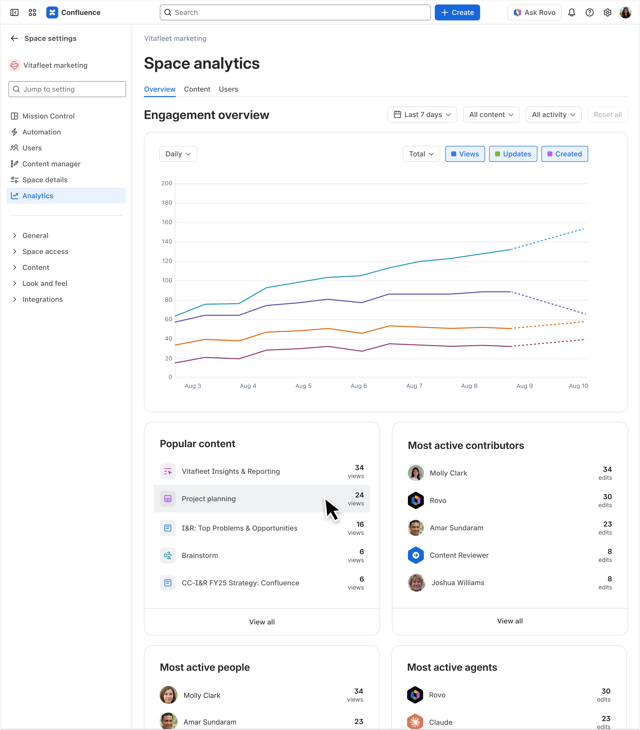
In space analytics, the Most active people, Most active agents, and Most active contributors elements and the Activity tab will not appear.
Was this helpful?