
ビジュアル モードの生成されたクエリと実行されたクエリとは
Analytics is now Insights
All of the Analytics capabilities of the app remain unchanged. You can continue using your existing dashboards, charts, and smart links alongside the new Rovo-powered features. These features combine work and data context to provide reliable answers, create a shared understanding of data, and build dashboards that your team can depend on.
生成された SQL クエリ
When you’re using visual mode, the Analytics app auto-generates the SQL query to be executed in the background. The auto-generated SQL query uses the appropriate syntax for the underlying data source type.
ビジュアル モード クエリに列またはフィルターを追加したあと、クエリを実行する前に [クエリを実行] ボタンの横にある [生成されたクエリ] を選択すると、自動生成された SQL クエリの読み取り専用プレビューが表示されます。
SQL モードに切り替えて、生成されたクエリを表示して編集することもできます。
クエリを実行したあとでも、クエリの完了時間を選択すると、生成されたクエリを表示できます。
これは、基本的な SQL を学ぶにも最適な方法です。ビジュアル モード クエリを編集して、自動生成されたクエリがどのように変わるかを確認するだけです。
実行された SQL クエリと完了時間
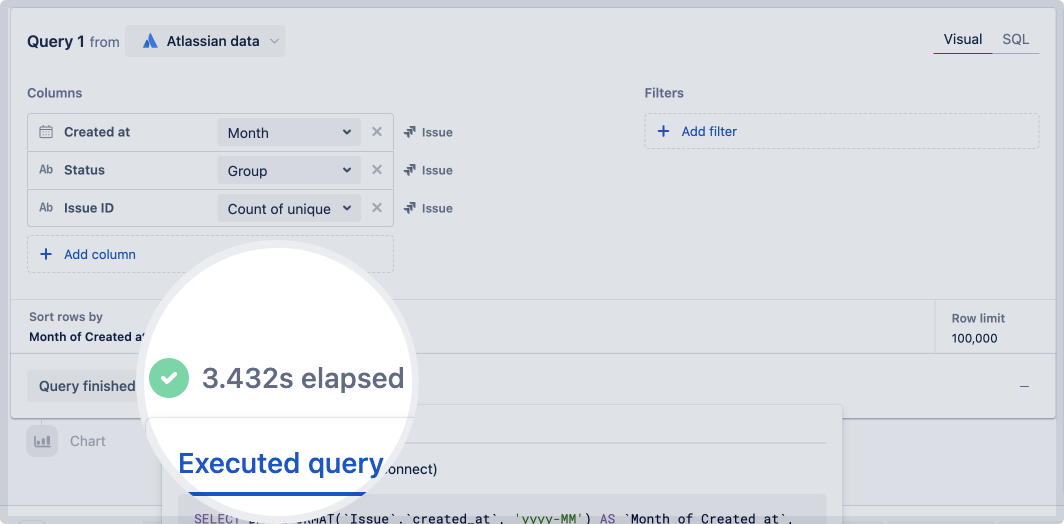
クエリを実行すると、[Query finished (クエリ完了)] ボタンの横に、完了までにかかった時間が表示されます。
完了時間を選択すると、実行されたクエリと生成されたクエリの両方がポップアップで表示されます。実行されたクエリには、クエリで使用するすべての変数の値が含まれます。変数の詳細をご確認ください。
If you rerun a query without making any changes to it, Analytics doesn’t send a new query to the data source. It will use cached results from the original query and note that in the executed SQL query.
この内容はお役に立ちましたか?