ワークスペース カレンダー ビュー
ワークスペース カレンダー ビューでは、同じワークスペースに存在する複数のボードにあるカードの開始日と期限を確認できます。これは、ワークロードの概要を把握し、ワークスペース ボード全体で今後数日、数週間、数か月にわたって発生するタスクに優先順位を付けるのに役立つ強力なビューです。
Open Workspace Calendar view
The Workspace Calendar can be accessed by all members of the Trello Workspace from the navigation bar at the bottom of any board.
To open a Workspace Calendar view:
Select Switch boards from the navigation bar (or press the b keyboard shortcut) to open the board switcher.
Select a Workspace just below the search bar.
Select Workspace Views.
Select a Workspace Calendar view to open it.
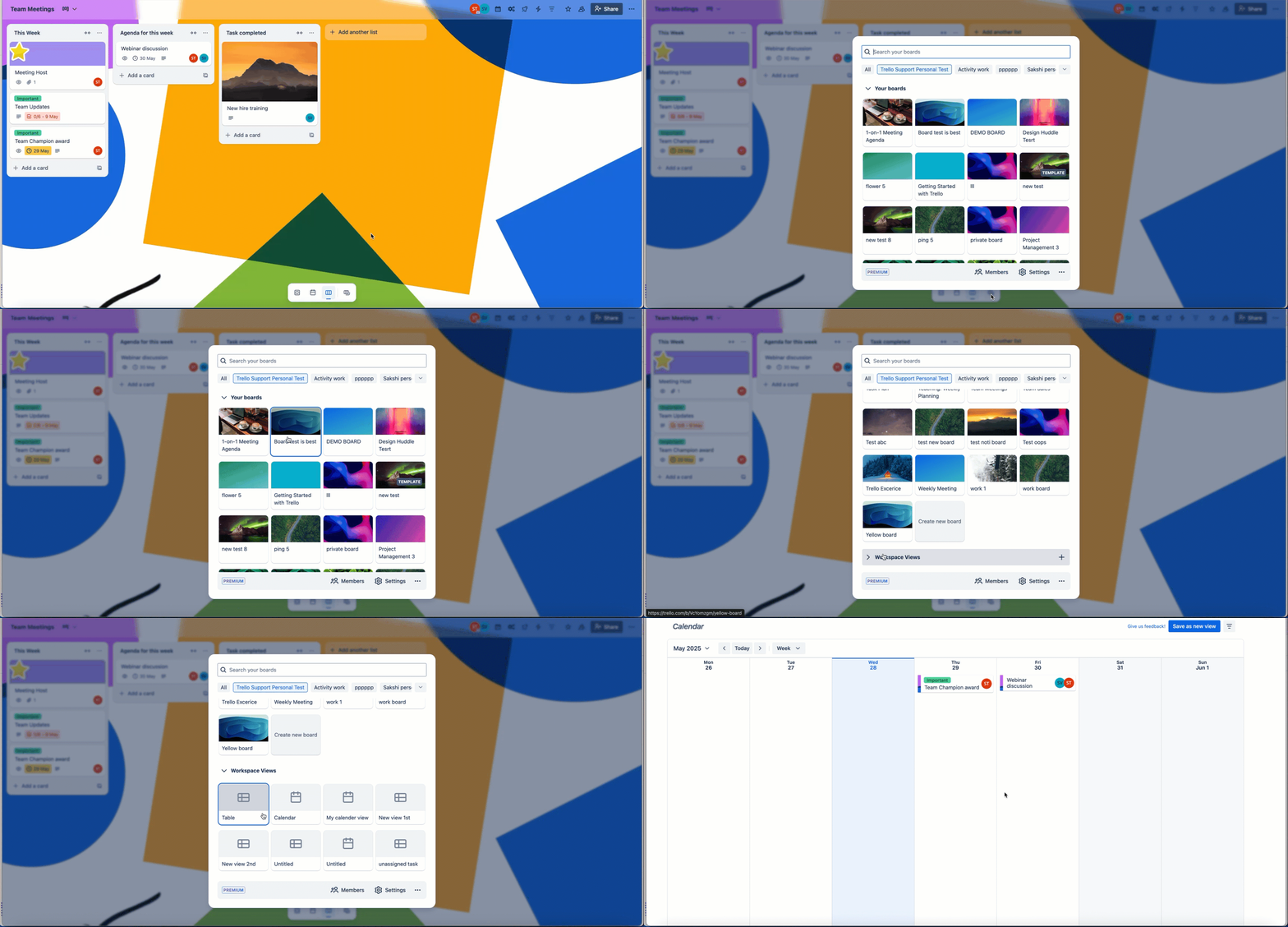
The board switcher can also be pinned to the left edge as a panel. More about pinning the board switcher.
ワークスペース カレンダーの使用
ビューに追加するボードをフィルターから選択すると、期限付きのカードがカレンダーに自動的に反映されます。カードを選択して直接編集するか、フィルターで別の条件を選択してボード全体から特定のカードのみを表示します。
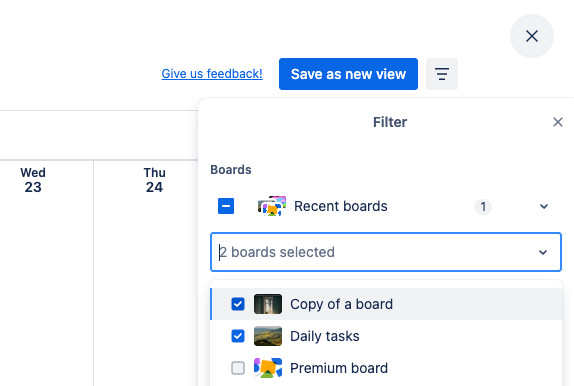
Add or remove boards from a view
Open the Filter menu, and under the Boards heading you can select the boards whose cards should be shown on the Calendar.
Filter and sort cards
You can filter cards on your Calendar based on keywords, members, due dates, lists and labels. You can choose which cards to show by using the filter in the top right of the Calendar.
Trello Planner shows a simple, focused view of your day/week and allows you to block off time on your personal calendar to work on particular cards. The Calendar view on the other hand allows you to get a broader perspective of cards with deadlines across particular boards or workspaces.
FAQ
ワークスペース カレンダーが表示されません。なぜですか?
The Workspace calendar is only available for Trello Workspaces subscribed to Premium or Enterprise. If your Workspace is upgraded, make sure you are viewing that Workspace and not another free one. You can do so by going to your Trello home page and then finding the Workspace with the briefcase icon.
期限付きのチェックリスト項目はワークスペース カレンダー ビューに表示されますか?
Workspace Calendar view will only show cards with due dates. To view the due dates of checklist items, use your board’s Calendar view.
ワークスペース カレンダーは無料のワークスペースで利用できますか?
現時点で、ワークスペース カレンダーを無料のワークスペースに提供する予定はありません。
ワークスペース カレンダーに表示できるボードの数に制限はありますか?
はい、一度に最大 20 枚のボードを選択できます。
Trello ワークスペースのメンバーではない人とワークスペース カレンダーを共有した場合、その人はそれを見ることができますか?
いいえ、ワークスペース カレンダーへのアクセスは、Trello ワークスペースのメンバーのみに提供され、メンバーは自身にアクセスが許可されているカードとボードのみを表示できます。
特定のワークスペース メンバーがワークスペース カレンダーにアクセスできないようにすることはできますか?
Preventing access to the Workspace calendar isn't directly available, aside from removing the member in question from the Workspace. However, you can remove a member from a board that would not allow them to select it in the Workspace calendar.
この内容はお役に立ちましたか?