Trello のボードから退出する
ボードを退出すると、そのボードからご自身が永久に削除されます。ボードを退出すると、次のようになります。
ボード上のすべてのカードからご自身が削除されます
ご自身がコメントはボードに残ります
ボードに再びアクセスするには、ボードの管理者に問い合わせる必要があります
ボードを退出するには、次の手順に従います。
ボードを開いて [共有] を選択します
[ボード メンバー] タブを選択します
名前の横にあるドロップダウンから [ボードを退出] を選択します
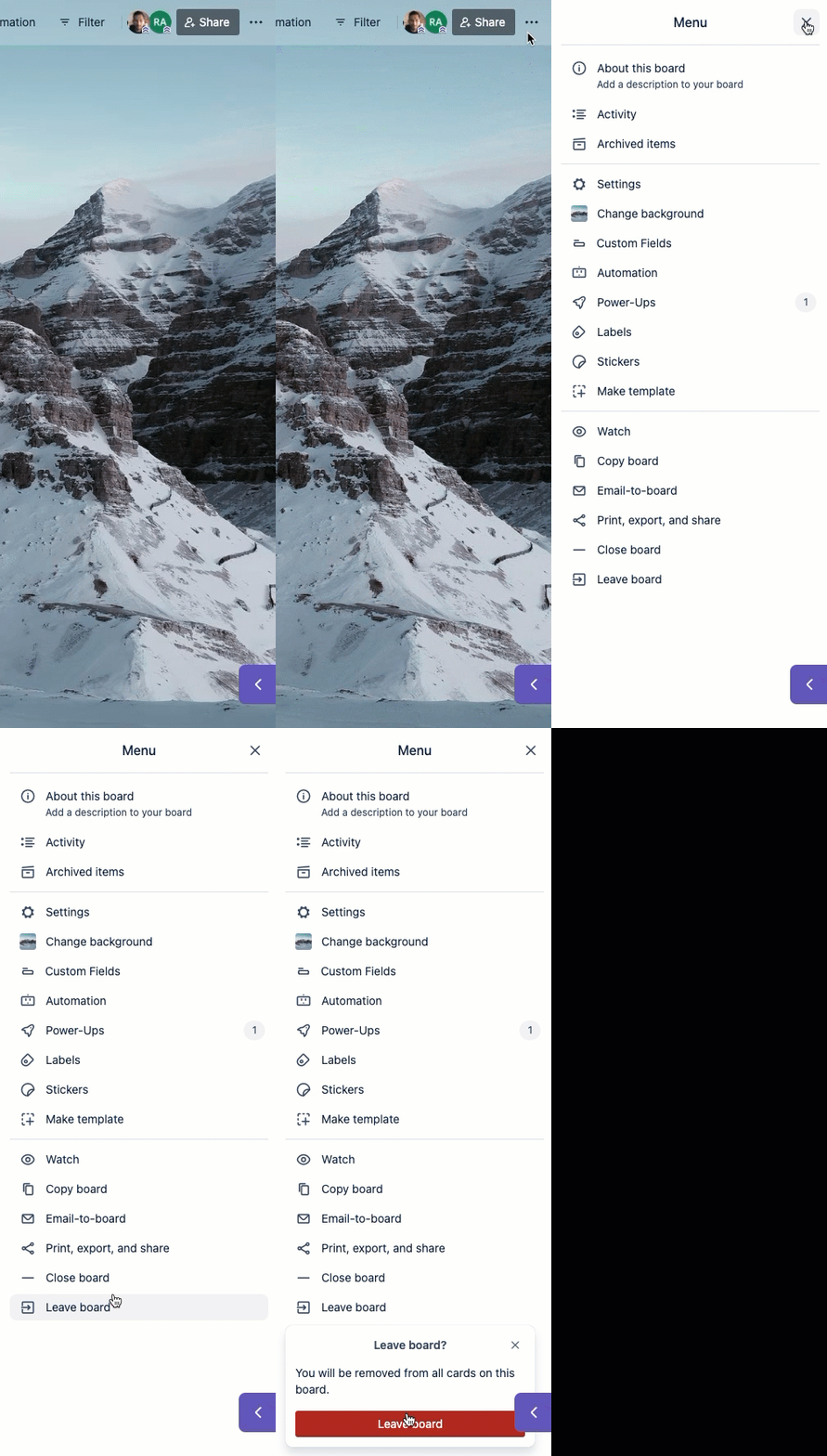
ボード メニューからもボードを退出できます。これを実行するには、次の手順に従います。
ボード メニュー () を開く
[ボードを退出] を選択します
Leaving a board does not close the board. Find more detail about closing a board
If you're trying to leave a board after it's been closed use this tool: Leave closed boards
唯一の管理者である場合にボードから退出する
Trello won't let you leave a board if you're the only admin or member of that board. A board must always have at least one admin. If this happens, we'd recommend either closing the board or making another user an admin of it: Making a user an admin of a board
この内容はお役に立ちましたか?
さらにヘルプが必要ですか?
アトラシアン コミュニティをご利用ください。