コミュニティ テンプレート ギャラリー
Trello のコミュニティのテンプレート ギャラリーは、Trello ボードをセットアップするためのベスト プラクティスと実証済みのフレームワークを提供します。ビジネス用か個人用かは問いません。ギャラリーのテンプレートには Trello チームが作成したものもありますが、その他のテンプレートはユーザーのコミュニティから提供されていて幅広いユースケースをご確認いただけます。より多くのテンプレートを順次予定です。
テンプレート ギャラリーへのアクセス方法
Reach the template gallery by going to trello.com/templates in your web browser.
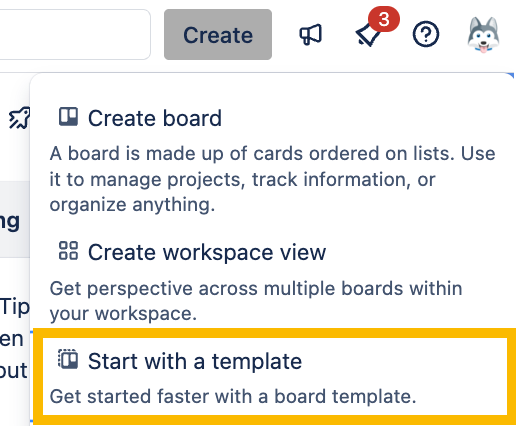
If you’re logged-in to Trello, you can also browse templates by clicking Create and then selecting Start with a Template, or by navigating to the Templates section of the Trello home page.
テンプレートの概要ページ
任意のテンプレートをギャラリーからクリックすると、テンプレートの詳細が記載された概要ページが表示されます。ここには、作成者や使用方法の「このテンプレートについて」セクション、実際のテンプレートのプレビュー、テンプレートで有効にされている Power-Up の説明が表示されます。
テンプレートの使用
Click the View template link below a template to navigate to the actual template board, where you can explore the template in more depth.
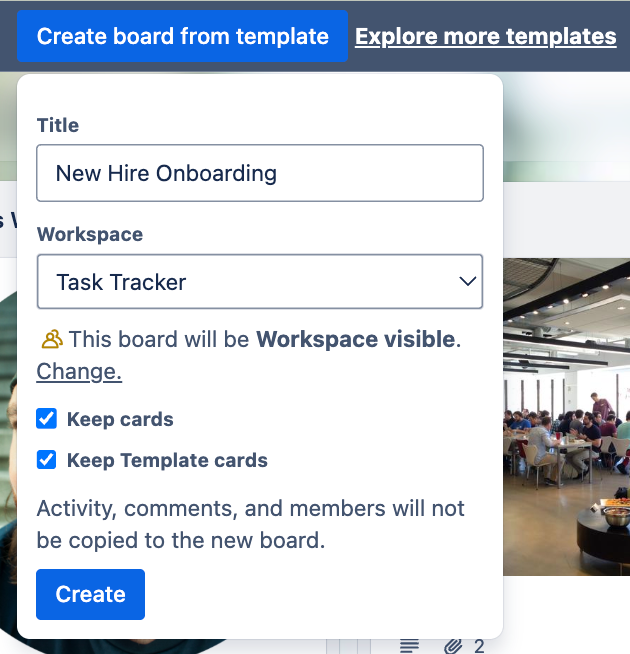
If you’d like to use this template, click the Create board from template button, where you can change the title, select a Workspace, and choose to keep or discard the cards.
テンプレート の Power-Up
Certain Power-ups may not be configured on your new board (for example, if you need to link a third-party service such as Slack or Dropbox), but you can easily set them up from the Power-Ups menu ( in your board’s header.
ボードでの Power-Up の有効化と管理の詳細をご確認ください。
テンプレートの共有
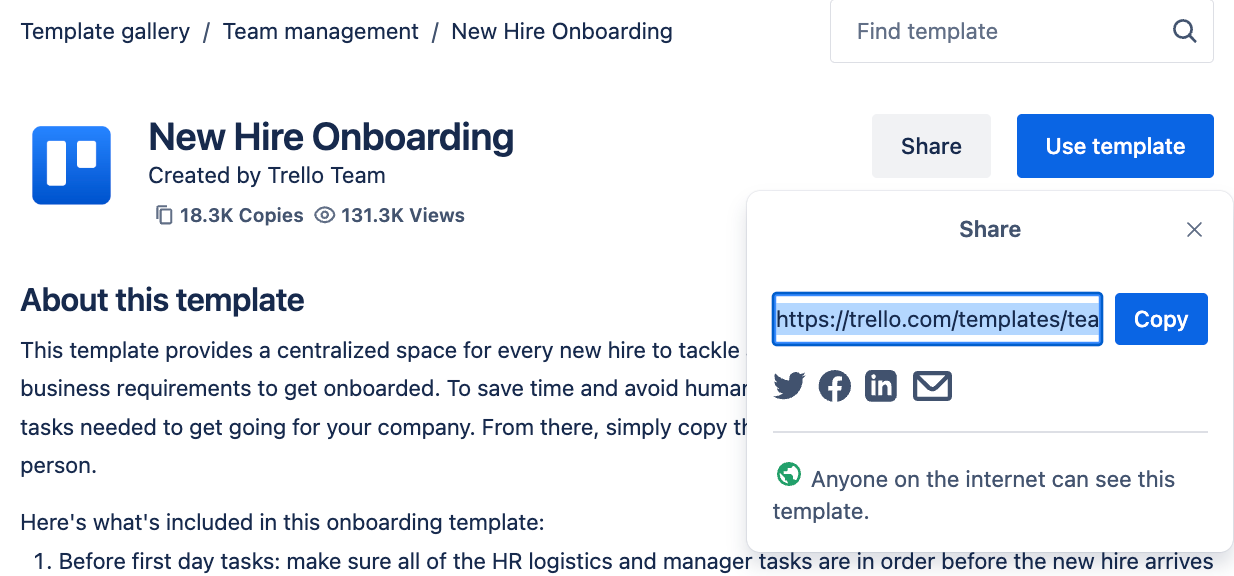
Click the Share button on the Template overview page in the community gallery, or the copy the link in your browser’s URL bar on the public template board itself.
テンプレート ギャラリーのローカリゼーション
The gallery is currently offered in English, French, and Portuguese locales. Which version of the gallery you'll see corresponds to the language you've selected for your Trello account. Anyone using Trello in a language other than English, French, or Portuguese will see the English version of the template gallery.
この内容はお役に立ちましたか?