Unable to add Teams as Service Owners
Platform Notice: Cloud Only - This article only applies to Atlassian apps on the cloud platform.
Summary
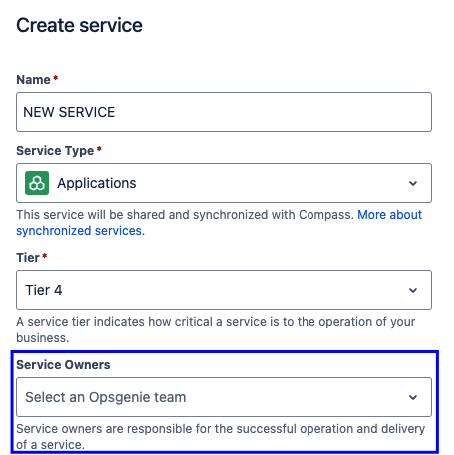
After creating or editing a Service and trying to add a new Team as the Service Owners, the new Team is not available in the drop-down menu:
Cause
To begin utilizing the newly formed Team, you must initiate your team’s operations.
Solution
Go to your newly created team, and you should see the option Start your team's operations with alerting.
Select Get started.
Follow the operations wizard steps until you Confirm the new Team.
Once completed, you will see the new Team available under Service Owners within your Service.
References:
Updated on September 25, 2025
Was this helpful?
Still need help?
The Atlassian Community is here for you.