Create Jira Product Discovery ideas from Confluence
Platform Notice: Cloud Only - This article only applies to Atlassian apps on the cloud platform.
Summary
Jira Product Discovery (JPD) currently does not support embedded forms in Confluence pages. Instead, use a JPD shareable link when you want contributors to create ideas directly in a dedicated window. If you need to collect information using a form embedded on a Confluence page and automate the idea creation in JPD, you can use Jira Forms.
This document outlines two alternative solutions to address this scenario effectively.
Solution
Option 1 - Use shareable links to create ideas
JPD's shareable links make collecting ideas easy. Just share the link, and users can directly contribute their ideas in a dedicated window. Here's how:
Navigate to your JPD space.
Go to Space Settings > Features > Create Ideas.
Enable the toggle to Allow contributors to create ideas.
Click on the Share link to copy the link that opens a modal window for creating new ideas.
Paste this link on your Confluence page. It will appear as a hyperlink.
The shareable link is accessible only to users who are contributors to the JPD space. Those users need an account on your site.
Option 2 - Use Jira Forms
This option uses an intermediate Jira space: copy the Jira Forms shareable link to a Confluence page so users can create requests from the page, then create an automation rule in the original space to clone the ticket from Jira space to Jira Product Discovery space.
By copying the shareable link of Jira Forms and then pasting it on a Confluence page, the form will be embedded and users will be able to create requests directly from the page.
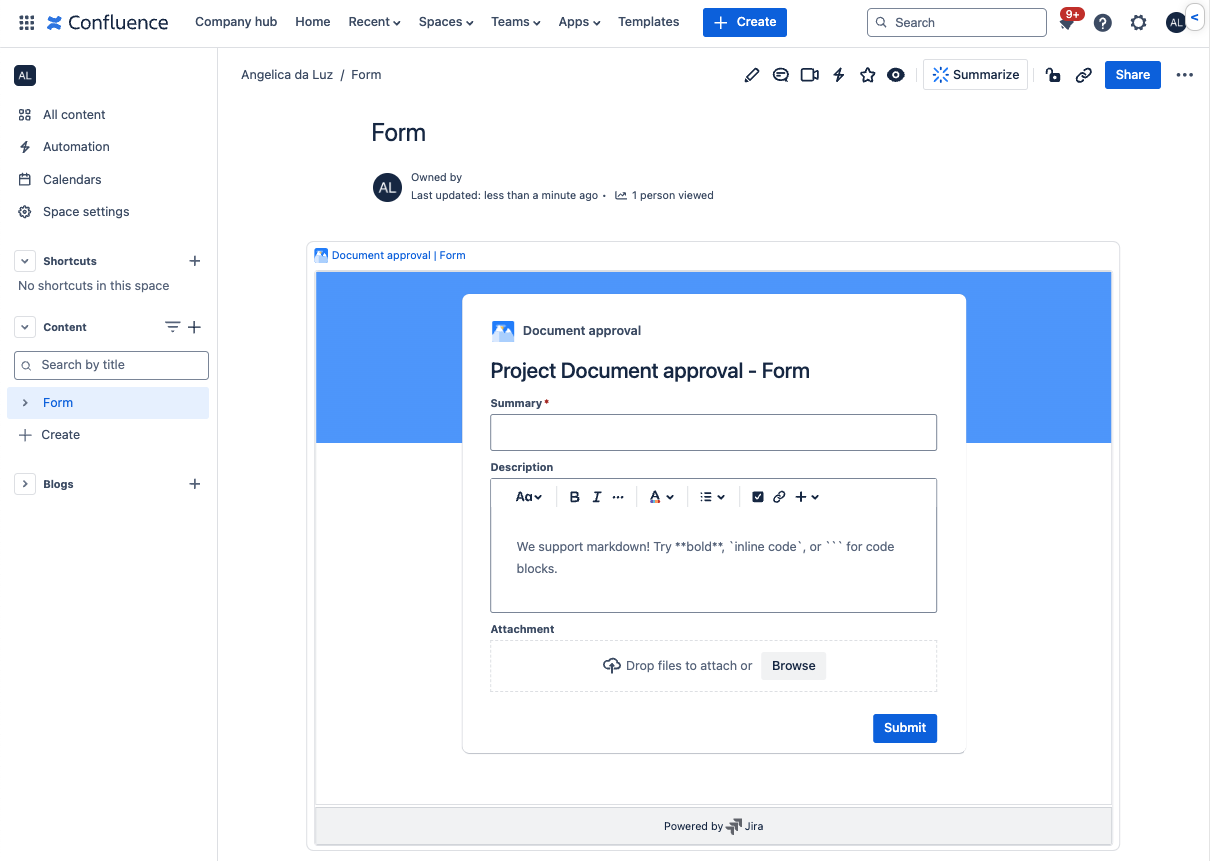
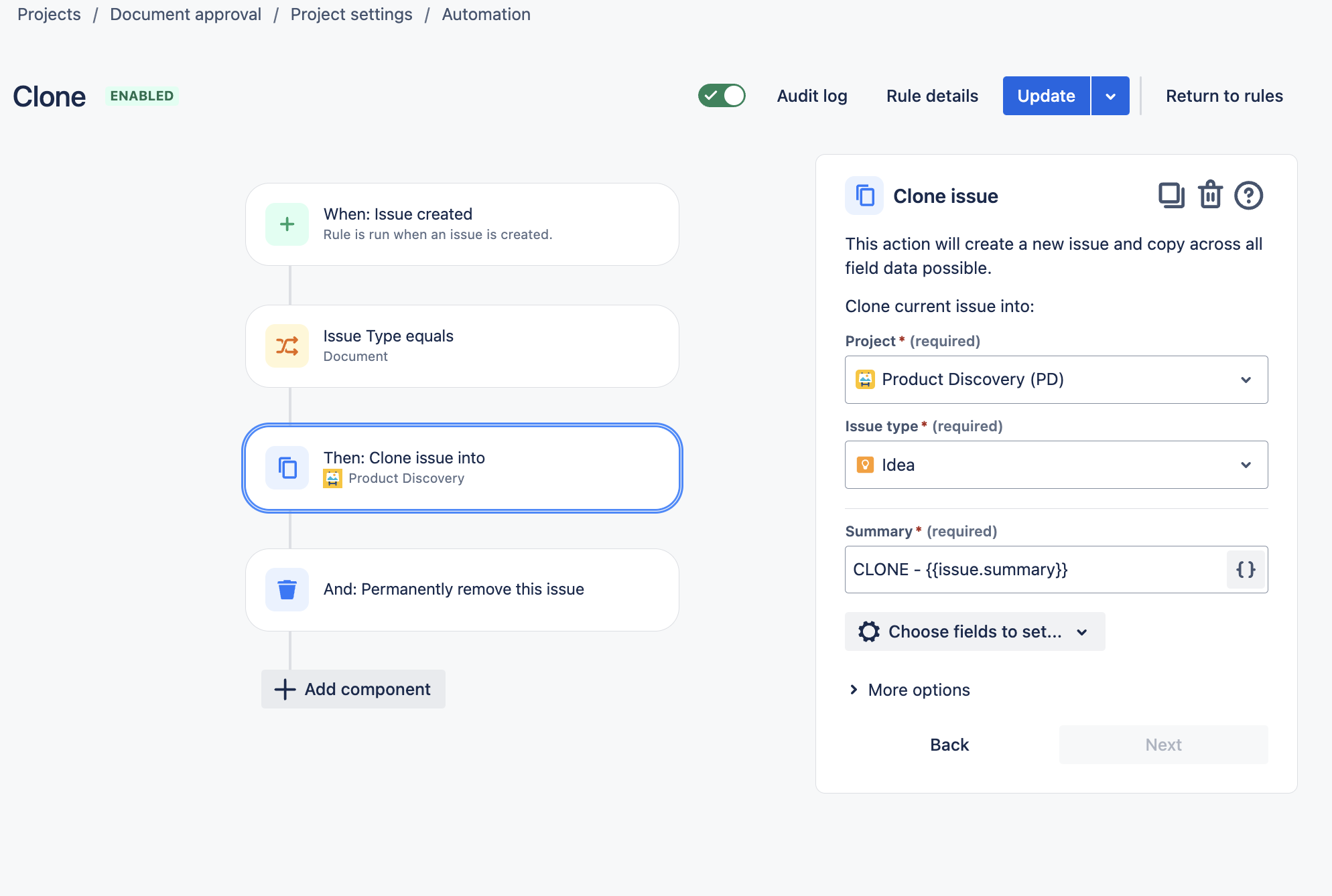
The automation rule to clone the ticket from Jira space to Jira Product Discovery space can be created directly to the original space.
Below is an example of the automation rule based on the documentation Move an issue to another project using automation.
Was this helpful?