Strategy Collection - Talent Provisioning, Renewal and Decommission
Platform Notice: Cloud Only - This article only applies to Atlassian apps on the cloud platform.
Summary
This article applies to new customers who purchased the Strategy Collection license or existing customers migrating to the Strategy Collection license. It outlines the steps customers must follow to self-provision, renew, or decommission their Talent instance.
Solution
Provisioning Talent
For new Strategy Collection customers, the Atlassian Talent Production environment can be provisioned directly from the Atlassian Admin Hub, allowing eligible customers to self-serve and enable Talent through the Admin Hub UI.
Prerequisites
You are a billing admin on the Strategy Collection subscription in https://admin.atlassian.com/billing
You are an organization admin for the organization where you plan to provision
Your organization has at least one Jira Cloud Premium or Enterprise site available for provisioning
You know which organization and site should host your production instance (for customers with multiple orgs/sites)
If your subscription is partner‑managed, your partner has been added to your organization and can access the Strategy Collection subscription as billing admin
No existing instance is already provisioned for the target organization (one instance per Org)
You have the necessary internal approvals to add or change Strategy Collection apps for your account (per your company’s procurement/IT policies)
Steps for new Strategy Collection customers to self-provision Talent
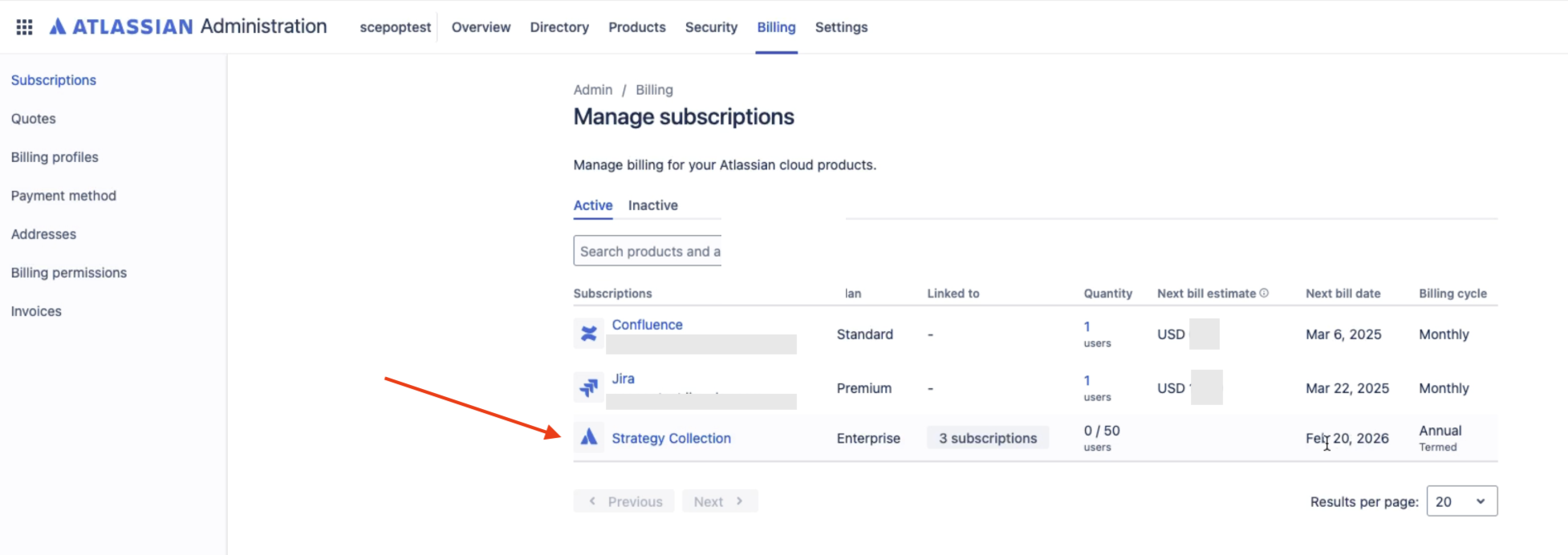
Go to admin.atlassian.com/billing. Select your billing account if you have multiple accounts.
Go to Subscriptions from the side navigation.
Select Strategy Collection
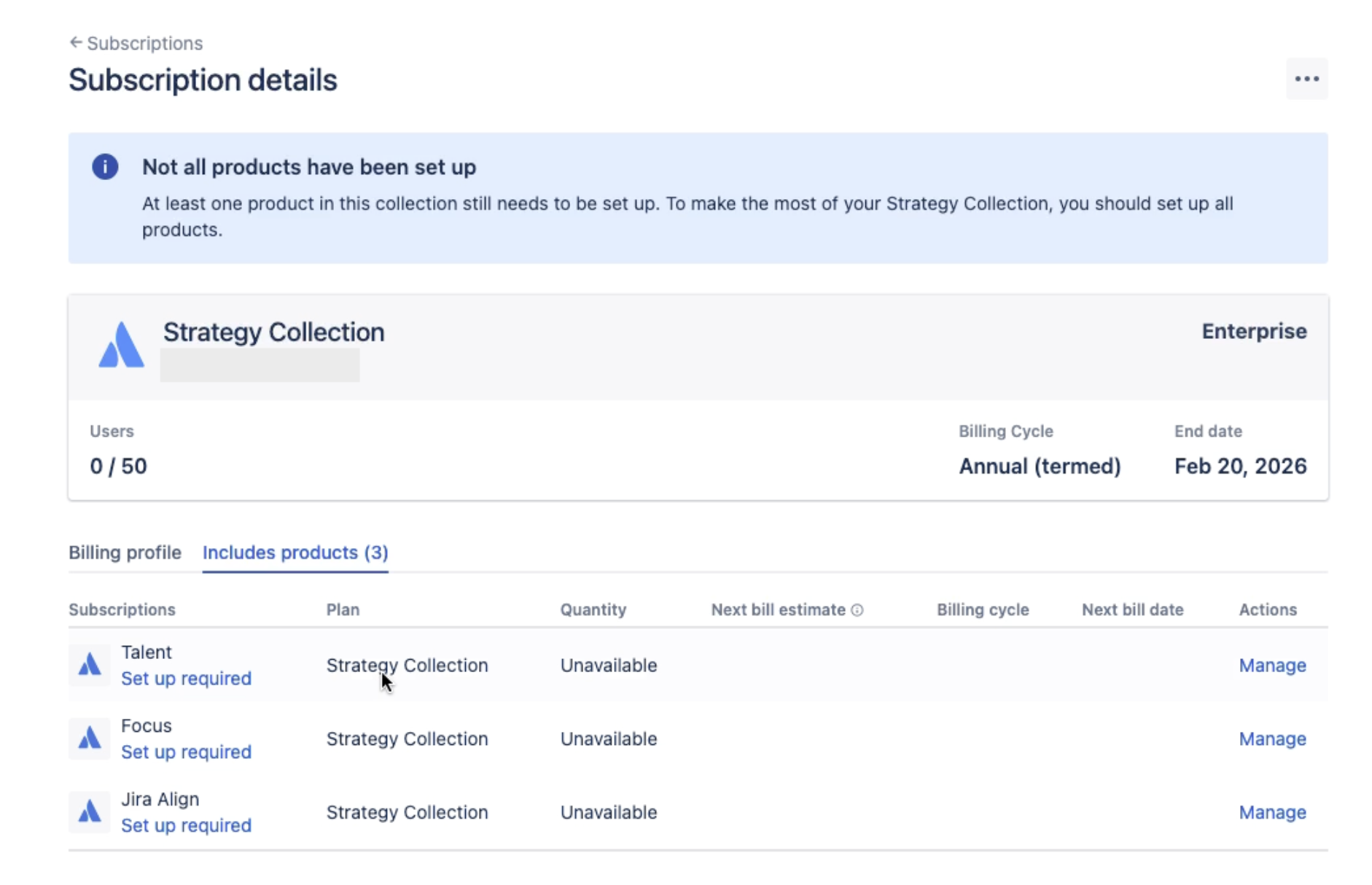
On the Subscription details page, select the app (Focus/Talent) you want to provision. You will see “Set up required” if the app is not provisioned.
Note : For partner-managed subscriptions, the partner is the Billing Admin, so they are the ones who should take this step. To do this, they need the customer to add them to the Organization, allowing them to link it to the correct subscription.
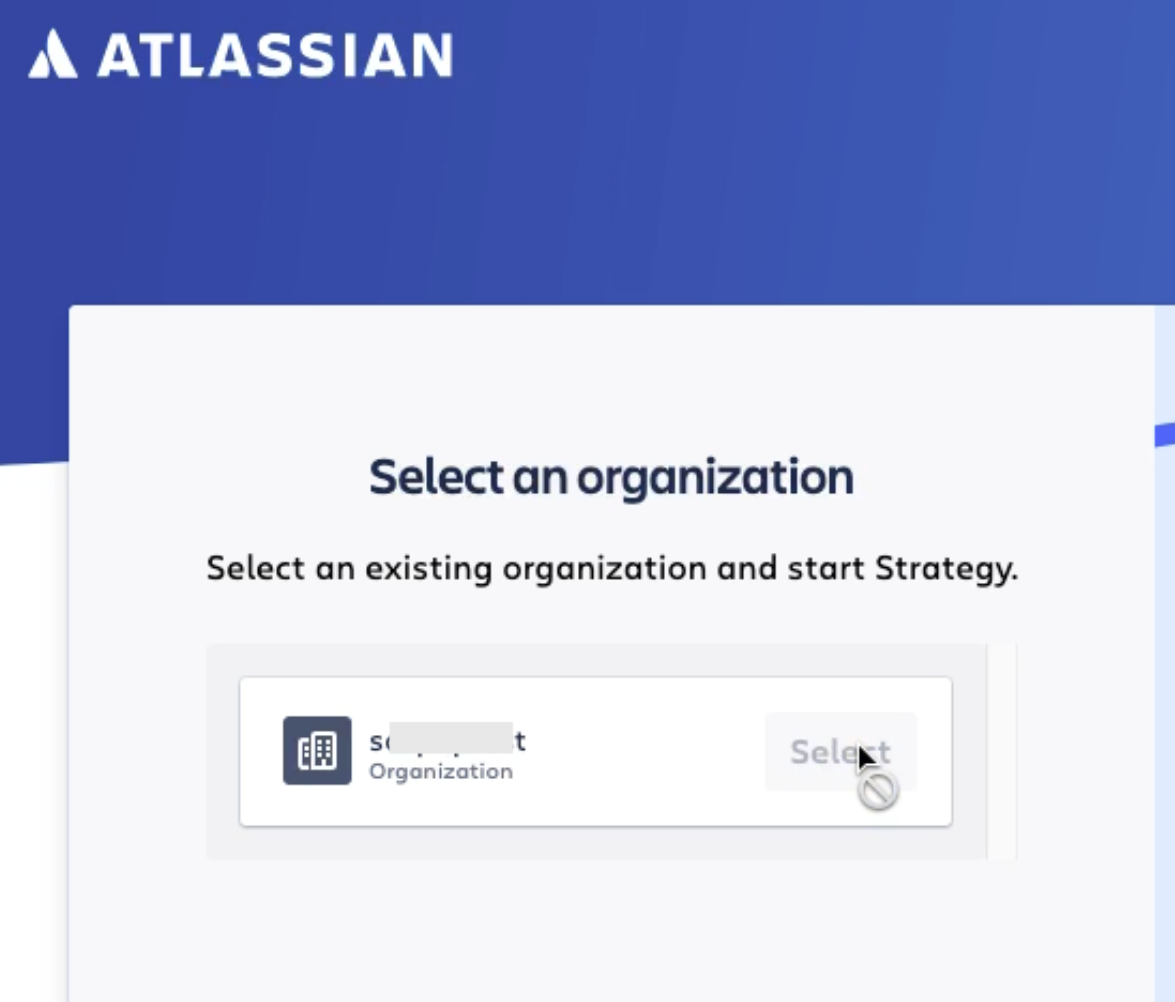
Select the Organization that you want your Talent provisioned.
Select the site where you intend to provision your Talent app.
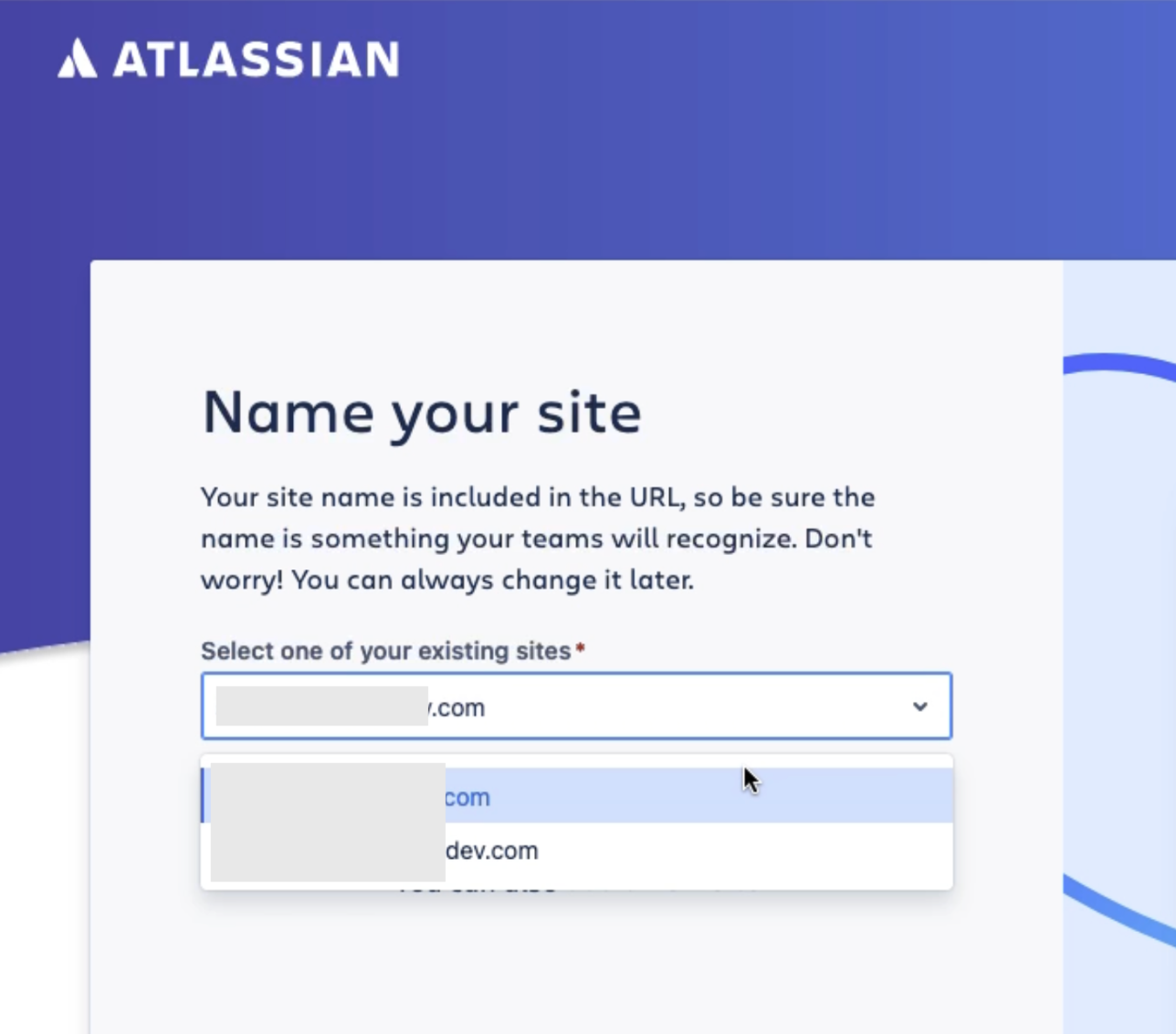
Note : Ensure these apps are provisioned to your designated Jira Premium/Enterprise instance.
Once completed, you should be able to see the newly provisioned app on the Atlassian app switcher.
Contact the Atlassian Support team for any questions or issues.
Repeat the steps above to provision another Strategy collection above.
Renewing Talent
The Billing Administration team is responsible for managing Strategy Collection(Jira Align, Focus and Talent) renewals. Customers are not required to take any action. Upon renewal, the Billing section within the Admin Hub will automatically update with the new renewal dates. For questions about the Strategy Collection license, contact your Account Executives.
Decommissioning Talent
Focus is included in the Strategy Collection subscription with Jira Align and Talent. Canceling the Strategy Collection subscription deactivates all three products (Jira Align, Focus, and Talent) simultaneously. Focus and Talent began as separate apps, so some customers may have only Focus or Talent outside a collection subscription, allowing independent cancellation.
In order to reactivate or cancel a subscription, please refer to the following articles - Reactivate a subscription | Atlassian Support Cancel a subscription | Atlassian Support
Note : After you cancel a product/app subscription in Atlassian Administration (admin.atlassian.com):
The subscription is deactivated 15 days after the end of your current subscription period.
Once it’s deactivated, your product data is retained for a period of time, during which you can reactivate and get everything back.
For inquiries regarding data retention and backup protocols, contact the Atlassian Support team.
Was this helpful?