Remove non-required groups from Product Access in Jira Cloud
Platform Notice: Cloud Only - This article only applies to Atlassian apps on the cloud platform.
Summary
This article explains how you can remove some default groups from having product access, reducing the number of licensed users on your site.
Certain groups are granted product access (as agent or user) to Jira products by default. However, Jira administrators don't require product licenses to just administer Jira, so it's possible to remove their license while still allowing them to manage Jira at a global level.
Solution
Note: The steps differ depending on your site's user management experience:
If you manage product access from Product access in your admin settings, follow the Original user management steps.
If you manage it under Apps using Manage app, follow the Centralized user management steps.
The default group and how to modify it
For Jira cloud products, only one Default group is required to grant access (a product license) to a product.
Some groups, such as site-admins, are automatically added as a group that grants product access to users. You can remove this group from granting product access without impacting their ability to access site-level administration.
Important: Removing a group such as site-admins from product access does not remove site-level administration. Members keep their ability to administer Jira at a global level, they simply no longer consume a product license.
The steps to manage your groups vary depending on the user management experience on your site:
Original user management
Go to sitename.atlassian.net/admin.
Click Product access.
Choose the group that does not require Product Access.
Click on More options (three dots •••) and select Remove group.
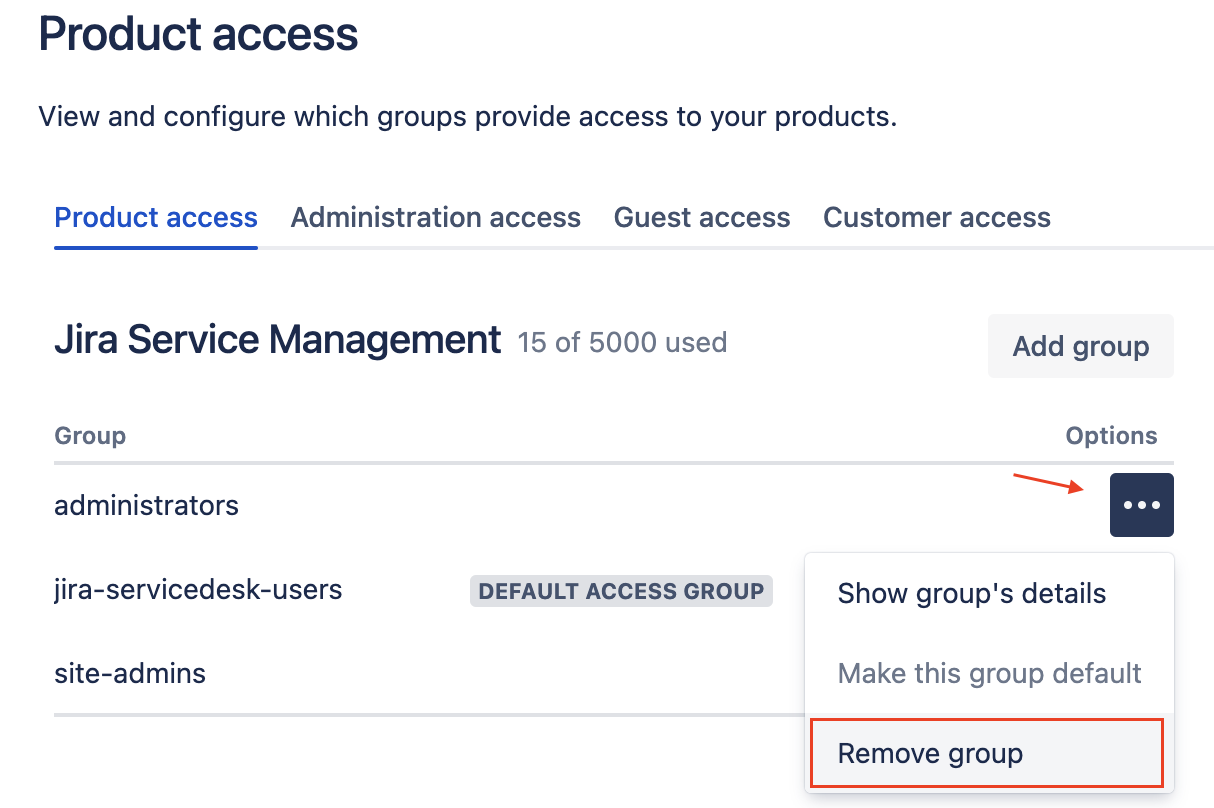
Centralized user management
Go to sitename.atlassian.net/admin.
Click on Apps > Manage app next to the Jira product you'd like to manage access.
Click on More options (three dots •••) and select Remove group from product.
As another option, you can review the Roles assigned to that group to remove the group from granting user/agent access, but for example, still keep that group as granting the Customer role to its users.
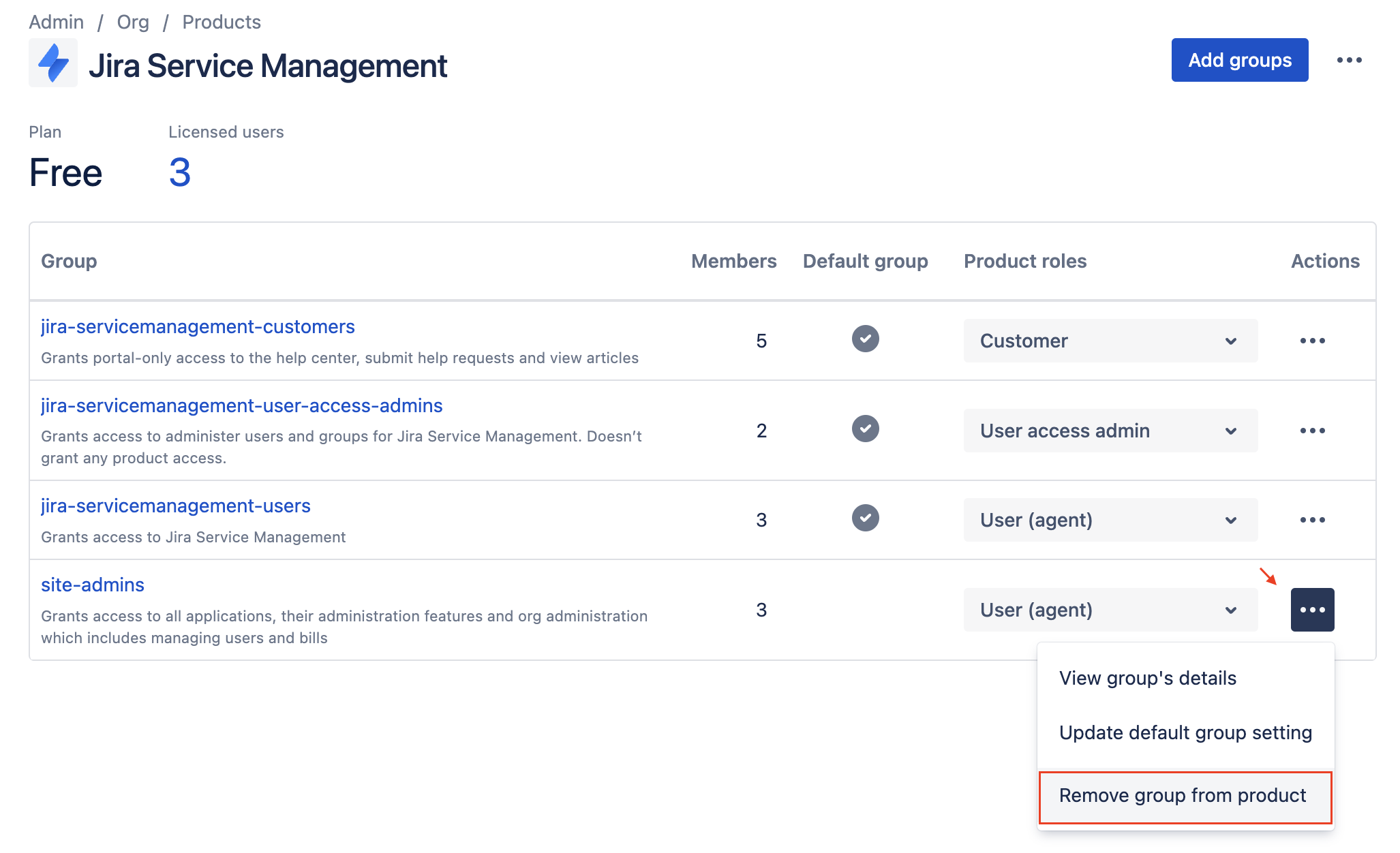
Note: As an alternative to removing the group, review the Roles assigned to it. You can stop the group from granting agent or user access while keeping a different role, such as Customer, for its members.
References
Was this helpful?