Removing the "Learn more about" section from Jira Service Management Cloud customer portal
Platform Notice: Cloud Only - This article only applies to Atlassian apps on the cloud platform.
Summary
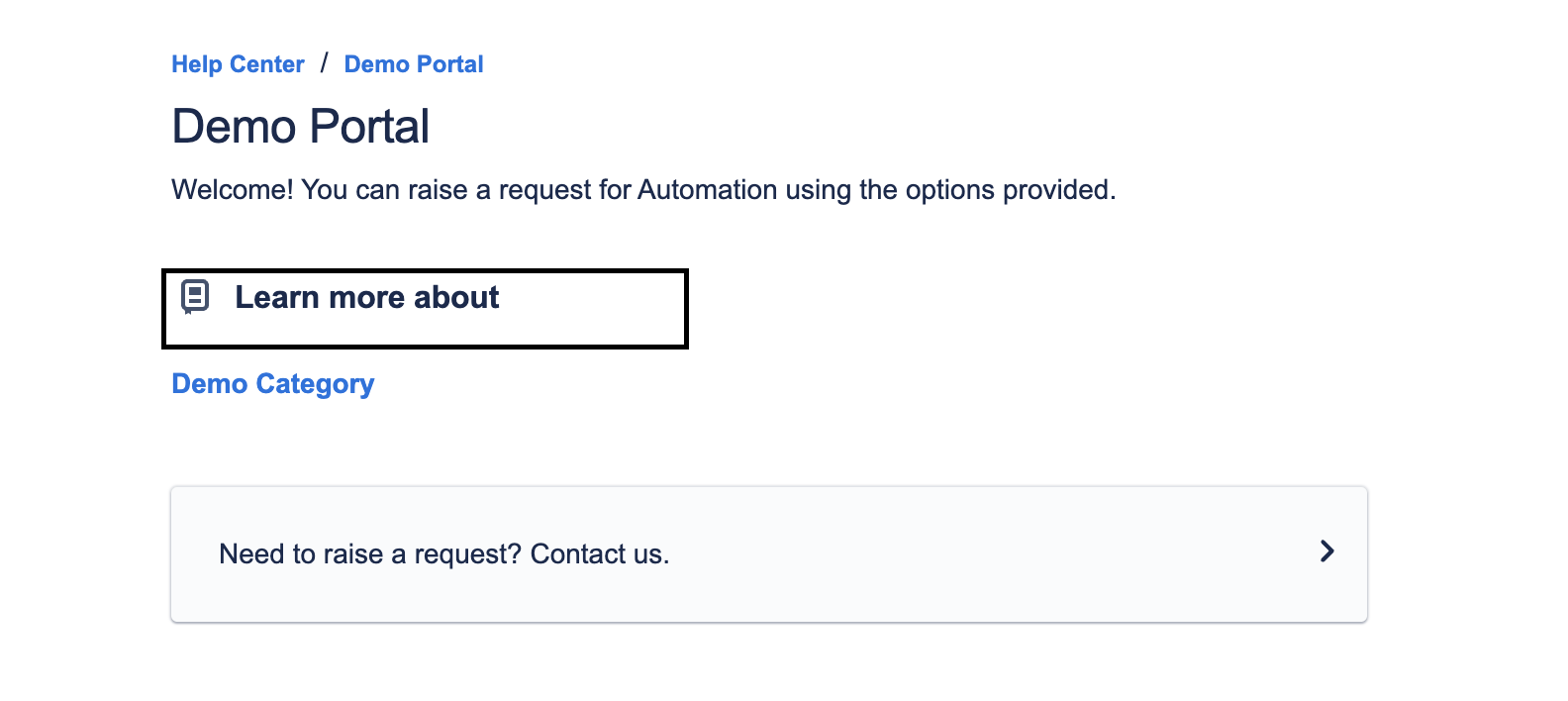
This article covers removing the Learn more about section on customer portal landing pages.
Environment
Jira Service Management Cloud
Solution
The Learn more about section is displayed in the service project's customer portal, where you have a linked knowledge base and have configured a Knowledge Base Category.
You can locate it by going to your service project > Knowledge Base > Categories.
To remove the Learn more about section from the customer portal, you must delete the Knowledge Base category.
Deleting a knowledge base article category
From your service project, go to Knowledge Base.
Select the category you want to delete from the Categories list shown in the main navigation sidebar.
Select ••• > Delete category on the top right side of the page.
If the 'Categories' section is not visible or an orphaned category persists after unlinking a prior knowledge base, temporarily link a test or blank Confluence page to the project. This action will force the 'Categories' section to appear in Knowledge Base settings, allowing you to locate and remove orphaned categories. Once resolved, unlink the temporary Confluence page.
Was this helpful?