How to copy the latest alert note in summary of alert
Platform Notice: Cloud Only - This article only applies to Atlassian apps on the cloud platform.
Summary
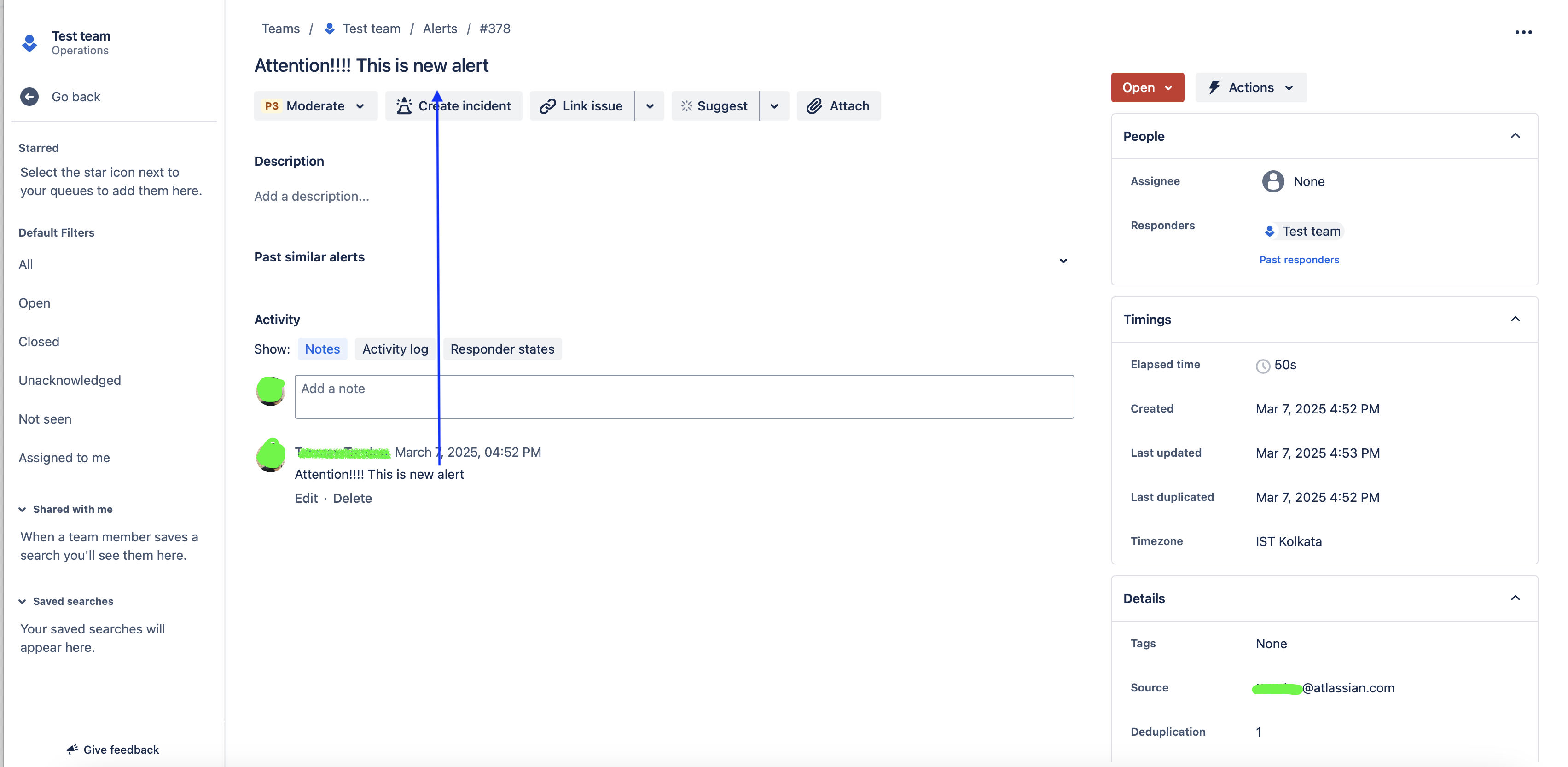
How to copy the latest alert note in the summary of the alert
Environment
JSM Operation Automation
Solution
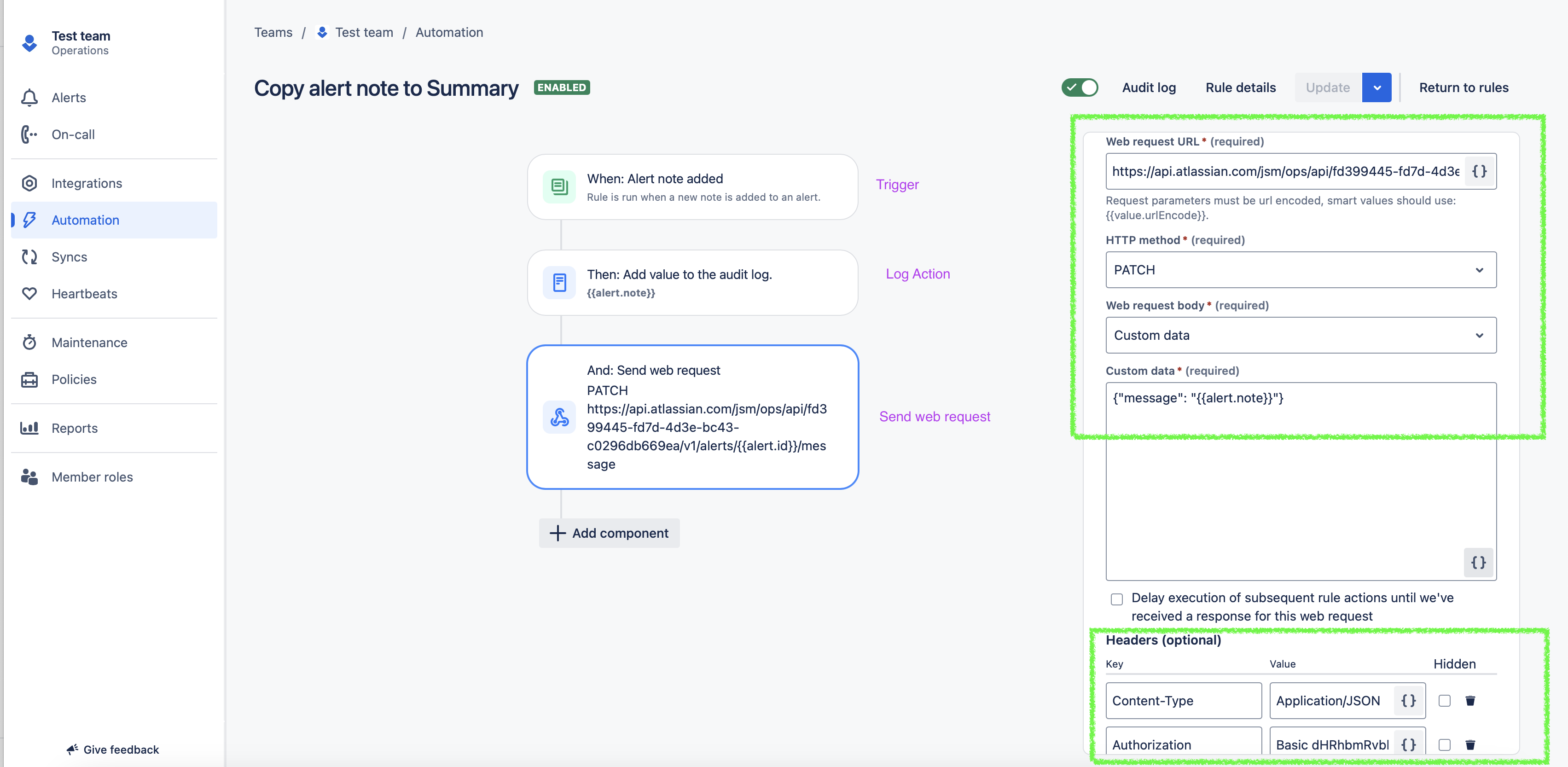
Use automation and build your rule with the below logic:
Add Trigger - When: Alert Note Added
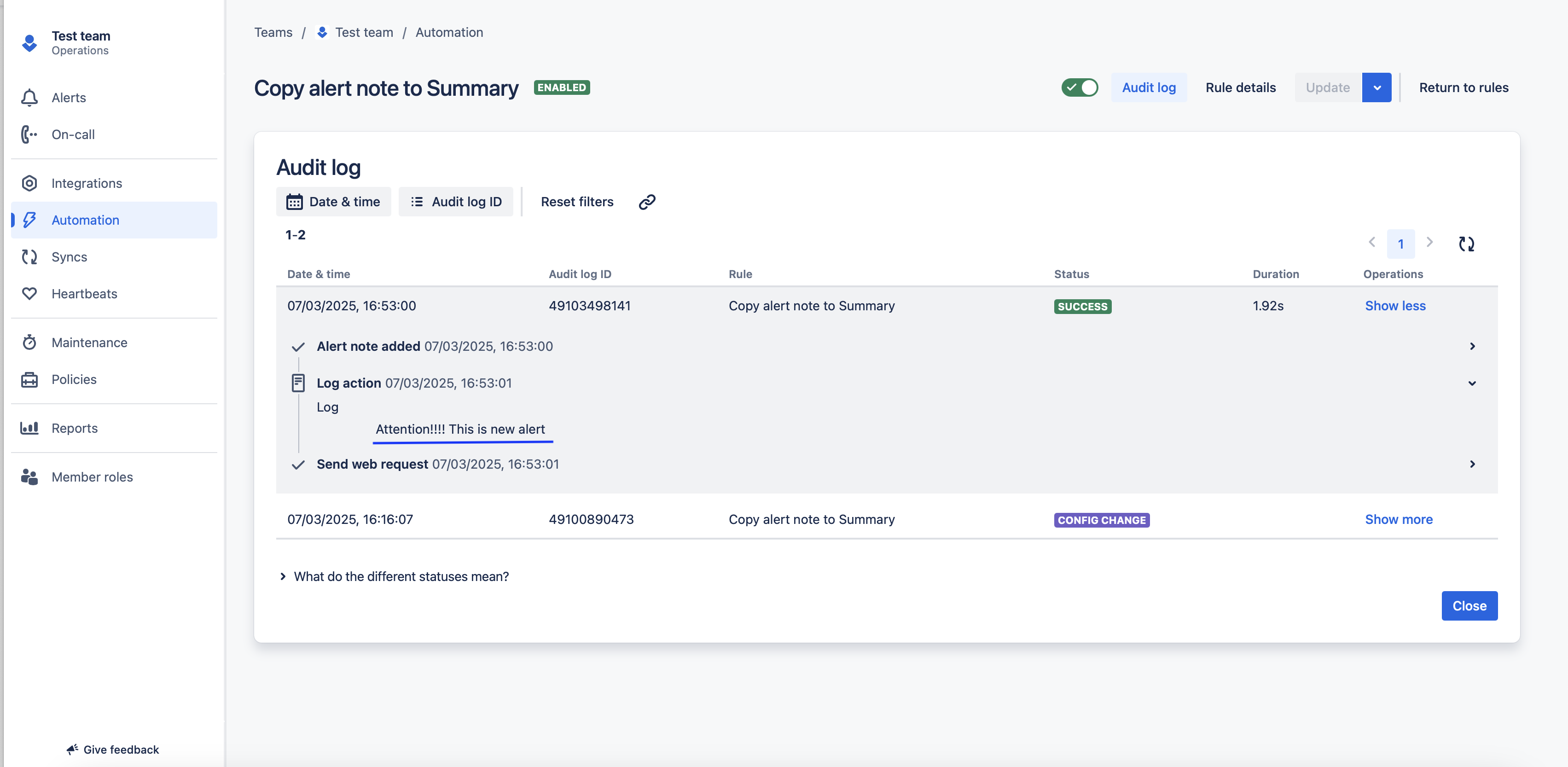
Add value to audit log: {{alert.note}}
Add Action: Send a web request
Web request URL: https://api.atlassian.com/jsm/ops/api/<<Your-Site-Cloud-ID>>/v1/alerts/{{alert.id}}/message
Web request body: Custom Data
Custom Data: {"message": "alert.note"}
Headers:
Content-Type: Application/JSON
Authorization: <yourBase64token>
Please find the below sample automation:
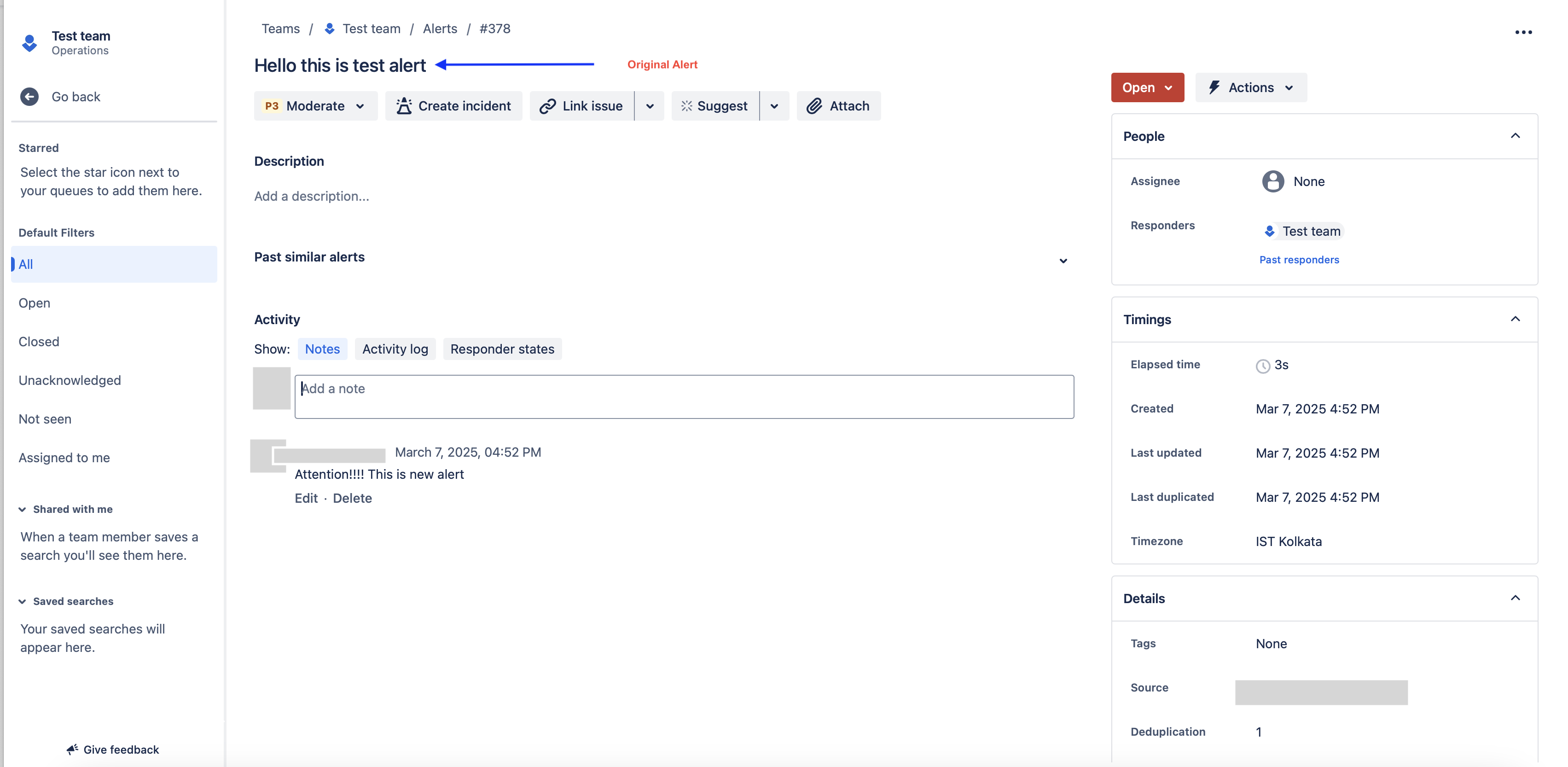
Result of Automation Run:
Updated on April 21, 2026
Was this helpful?
Still need help?
The Atlassian Community is here for you.