Changes in Confluence that affects viewing articles in the Customer portal
Platform Notice: Cloud Only - This article only applies to Atlassian apps on the cloud platform.
Summary
When setting up a Knowledge Base to a Service Management Space, customers can search and view articles in the Customer portal.
If customers cannot search for or open a linked article in the customer portal, first check whether the linked Confluence space and article are visible to customers.
In this documentation, we will cover Confluence Permissions settings that may affect customers' viewing of articles in the Portal, including an Overview restriction, a page restriction, a parent-page restriction, or the space permission.
This article covers visibility restrictions that can prevent access into the Knowledge Base articles due to Confluence Permissions, For JSM visibility settings refer to: Manage knowledge base permissions.
Solution
Cause 1 - Overview page restriction
If the Overview page of a Space is restricted, all pages of the space will be unavailable in the Customer Portal.
Even if all pages under the page tree are public, the Overview page restriction will override the page permissions.
This restriction may also prevent agents from viewing the articles via the Knowledge Base in a Service Space.
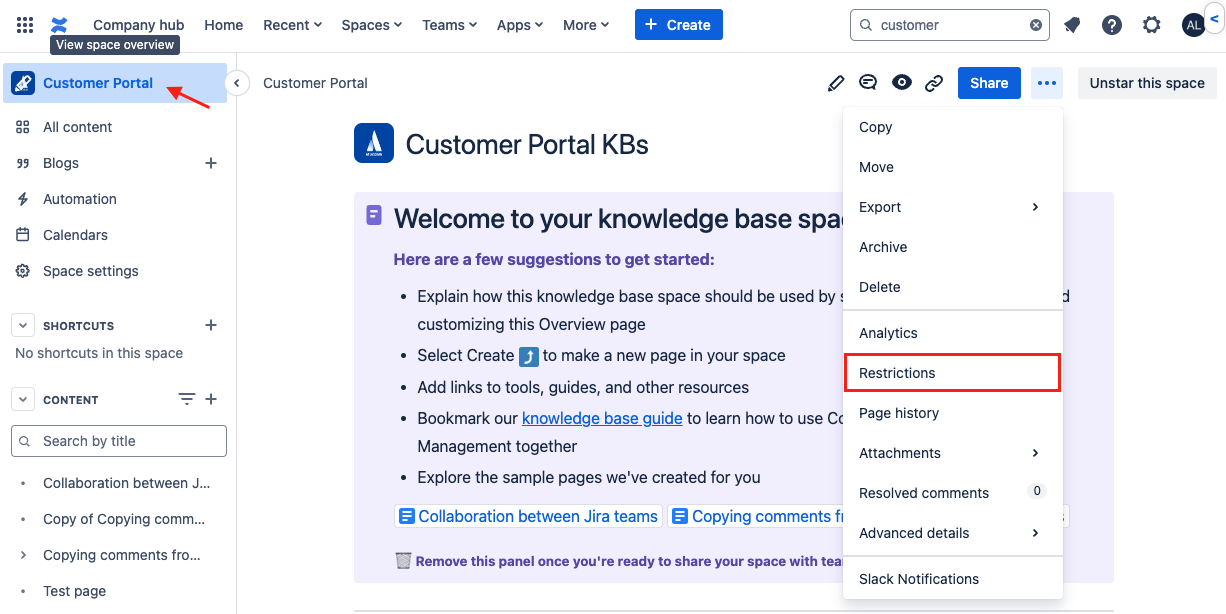
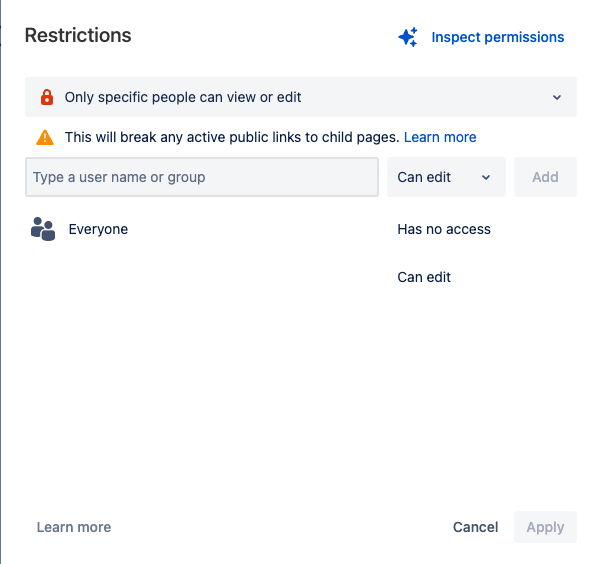
Cause 2 - Page restrictions
On Confluence it’s not only possible to change the permissions of an entire Space, but also from the pages themselves.
When accessing the pages, we can see if a page is restricted via the padlock at the top right.
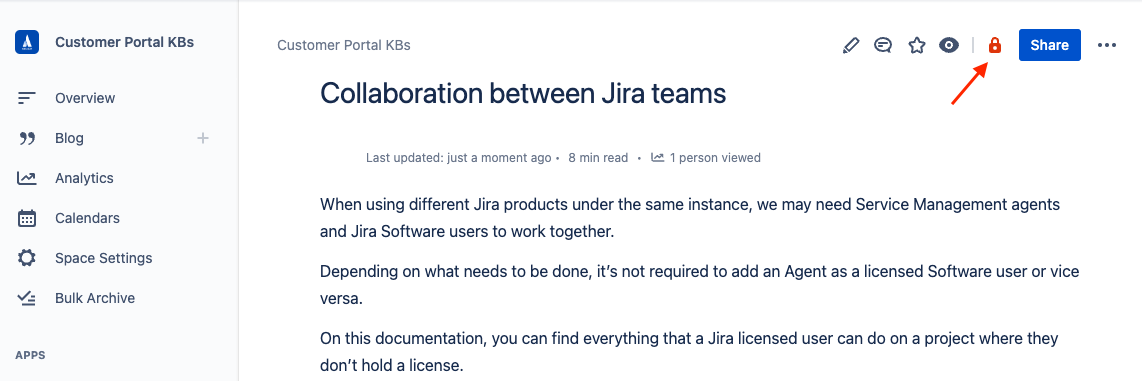
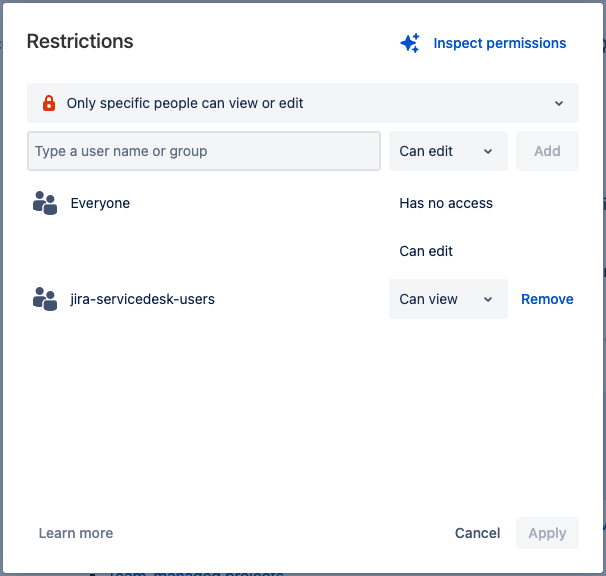
For the page to be also visible via the Customer Portal, the page permission must be set as Anyone can view.
Cause 3 - Parent page restriction
When a parent page is restricted, the permissions will also be applied to the child pages, similar to what happens when the Overview page is restricted (Cause 1).
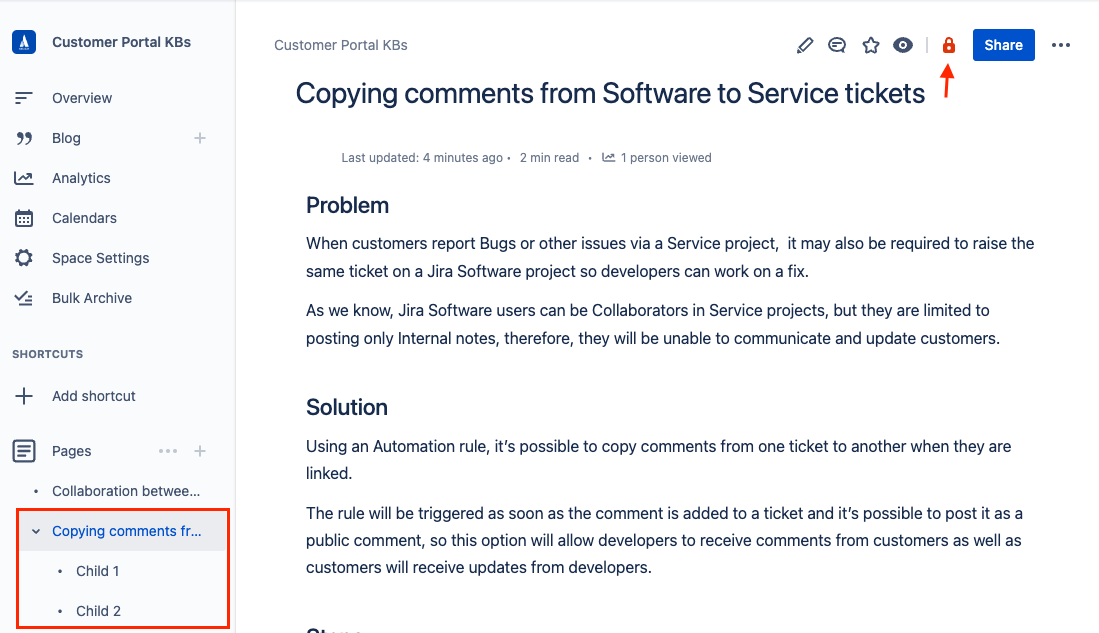
Once a parent page is restricted, the parent and the child won’t be accessible to the customer.
Cause 4 - Space permissions (Any active user can view this space disabled)
When a Confluence space is linked to JSM, it will automatically set the Space permission to Any active user can view this space.
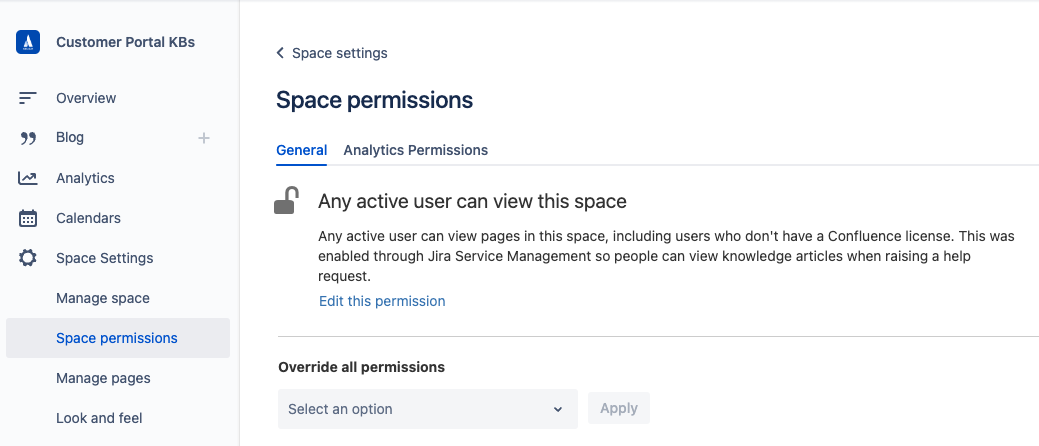
By disabling this permission, it will make the Who can view setting via Service Management to be set to Only Confluence users and with that, the articles will be unavailable in the Customer Portal.
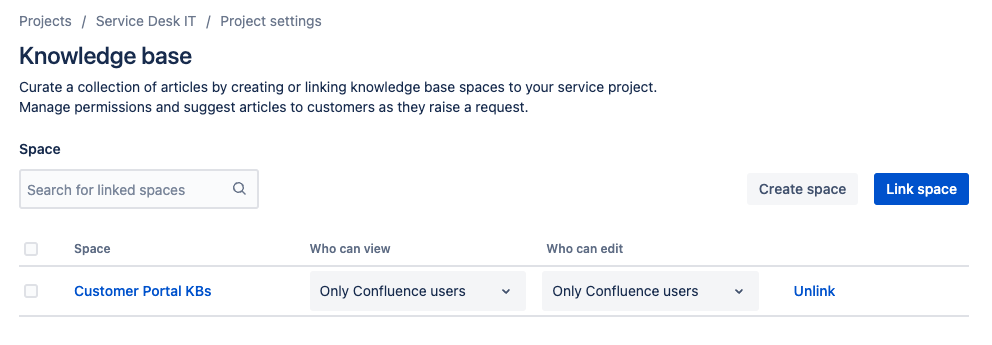
The permission to All logged-in users can only be enabled again via Space settings > Knowledge base.
Cause 5 - Unsupported
Blog Posts are currently not supported to be viewed in the Customer Portal, so in case there are many Blogs on the Confluence space linked to the Service Space and it’s not visible to the customers, this is expected.
Cause 6 - Archived Space Status
If a Confluence space linked to a JSM Space is marked as 'archived', it will no longer appear in the Customer Portal search results, and connection to the service Space will not be available. To resolve this issue, check if the space is marked as 'archived' in Confluence, and restore it to reactivate searchability and reconnect it to the JSM Space.
Verify Solution
After the relevant visibility setting is corrected, reopen the customer portal and search for the article. If the article remains unavailable, verify the space link under Space settings > Knowledge base in your service space.
Was this helpful?