Announcement Banner Options in Jira Service Management projects
Platform Notice: Cloud Only - This article only applies to Atlassian apps on the cloud platform.
Summary
In the specific context of Jira Service Management projects you will need to differentiate between the independent, different Announcement Banner Options available:
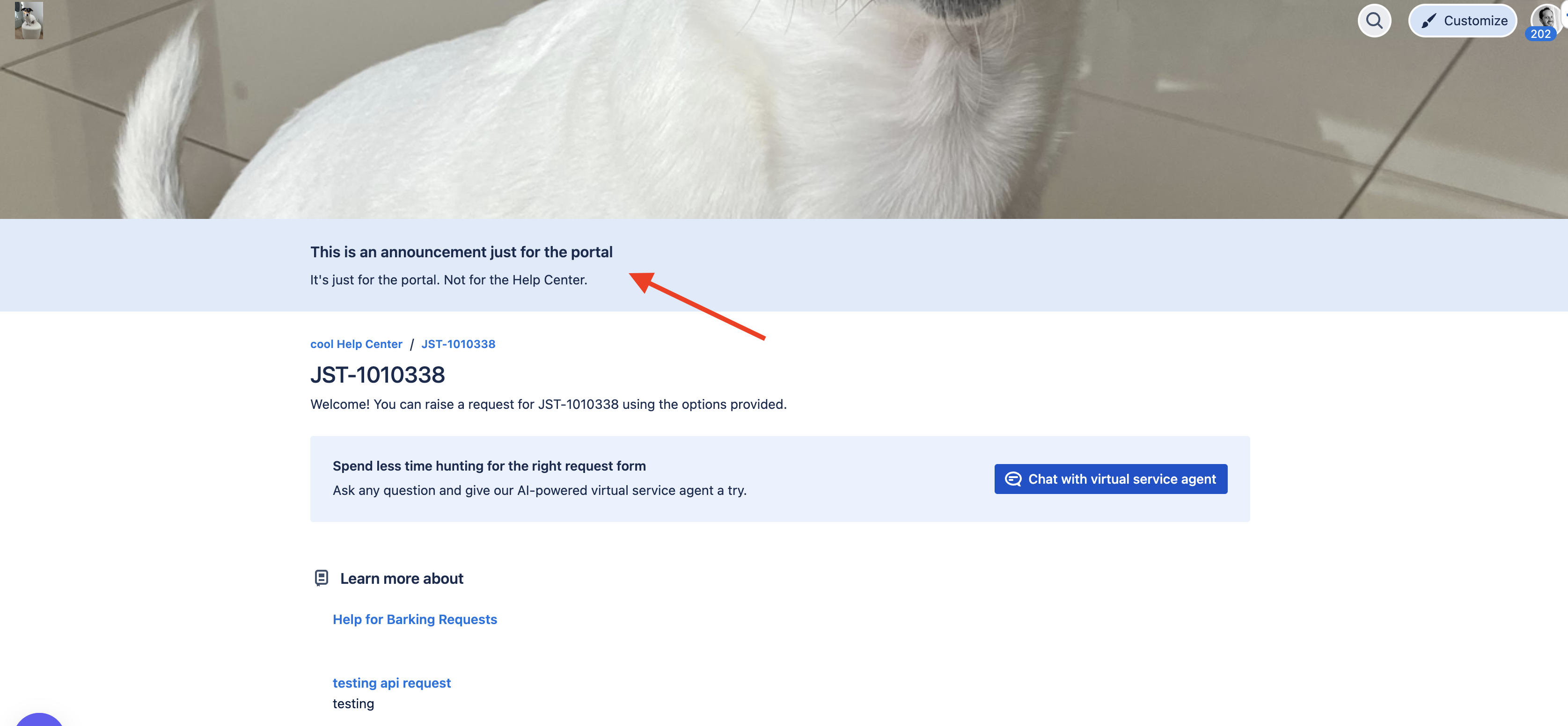
The announcement banner you can add to the Customer Portal.
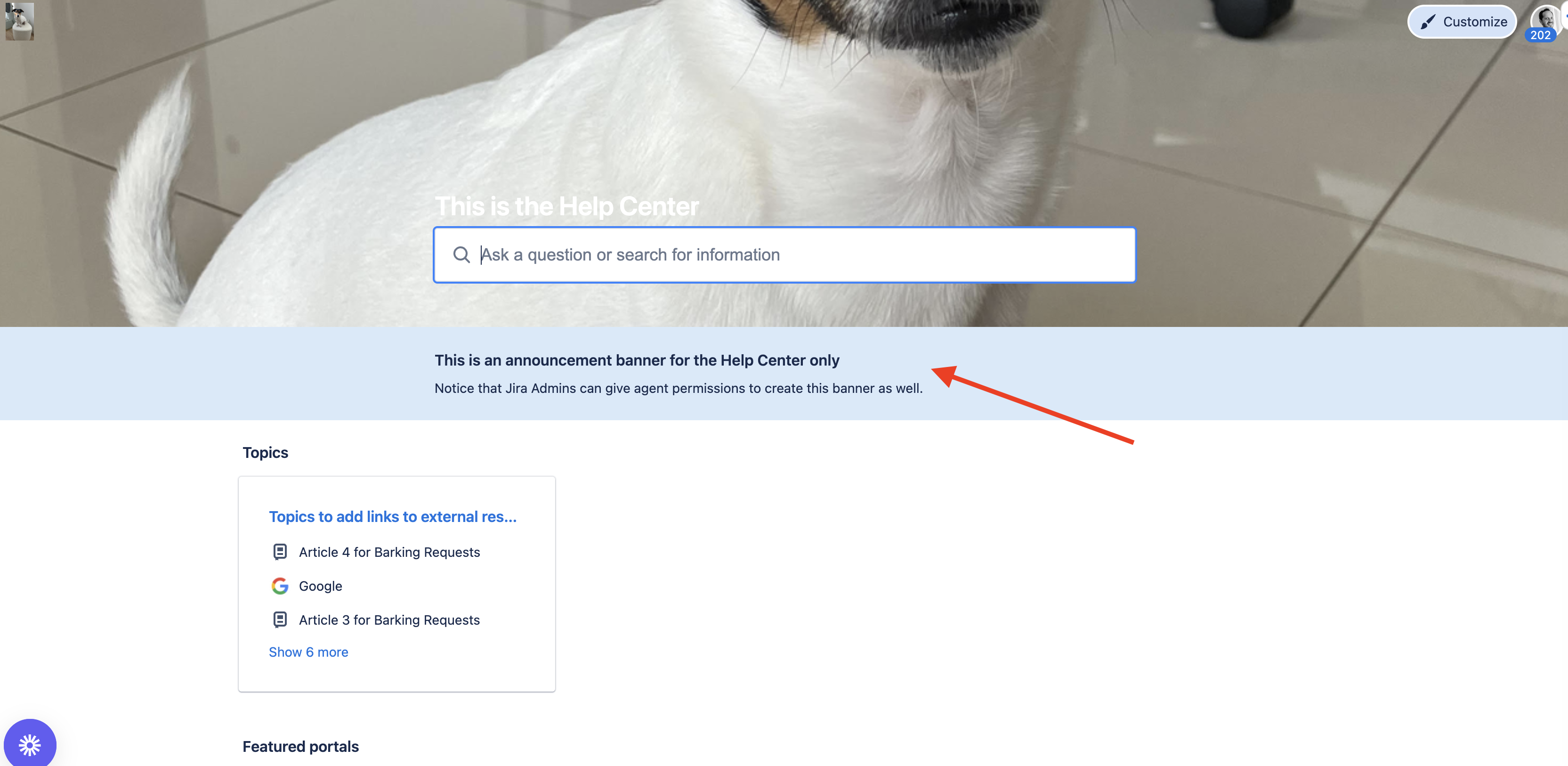
The announcement banner you can add to the Help Center.
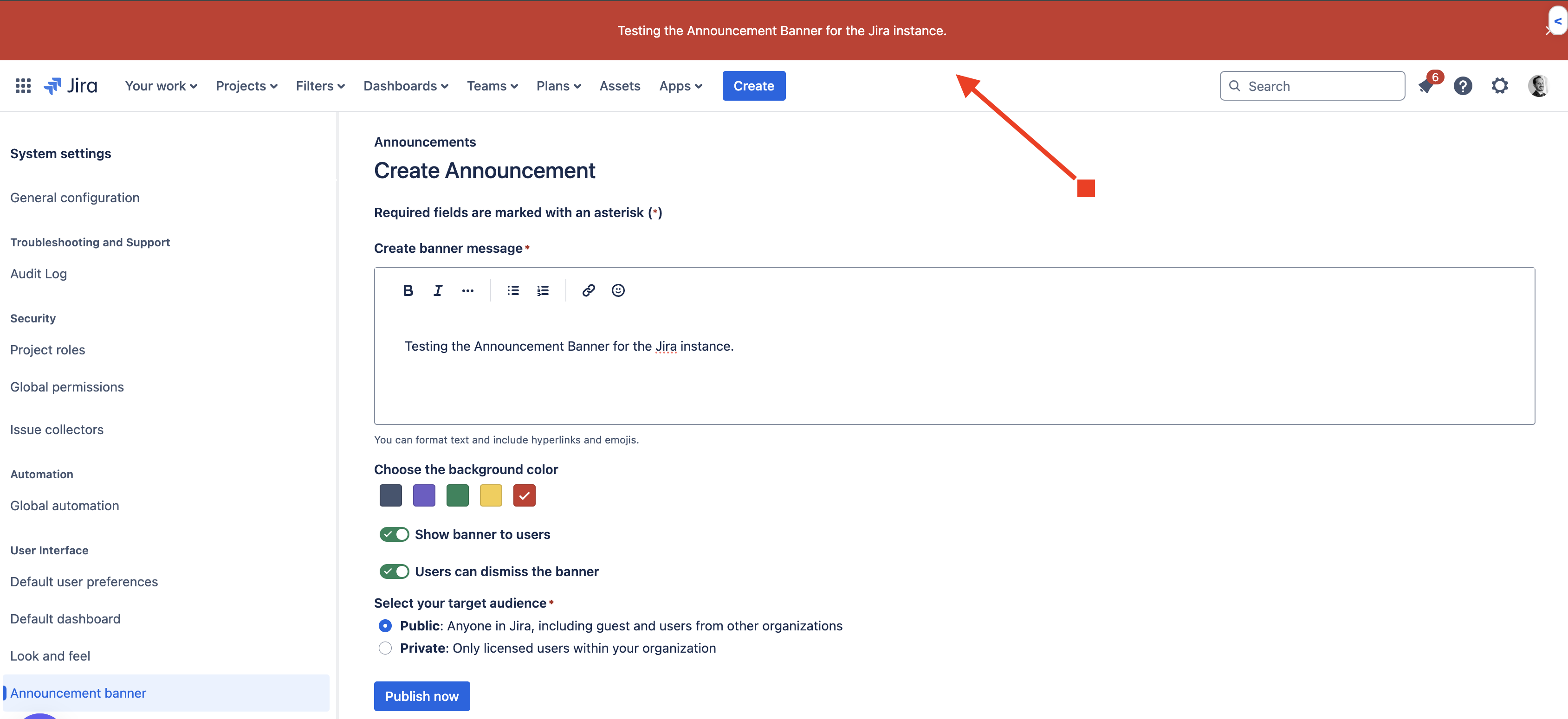
The announcement banner you can add to your Jira Cloud instance to display pertinent information on all Jira pages (excluding the Help Centers and Customer Portals).
Solution
In order to create an announcement banner related to your Jira Cloud instance you would need to follow the instructions mentioned in our docs here:
Notice that you would need access to the Administer Jira permissions to be able to configure this banner. Here's a visualization on how it will look:
In order to create an announcement banner related to your Customer Portal you would need to follow the instructions mentioned in our docs here:
Notice that as a particular Customer Portal is necessarily tied to a Jira Service Management project, Project admins can add announcements to the portal or give permission to agents to do the same. Here's a visualization on how it will look:
In order to create an announcement banner related to your Help Center you would need to follow the instructions mentioned in our docs here:
For the Help Center (container for all the rest of the Customer Portals) Jira admins can chose to give agents permission to add announcements to help centers on your site.
Was this helpful?