Mapping Jira Align process steps to Jira statuses
Summary
Use this article to map Jira Align process steps to Jira issue statuses per project via the Jira Align REST API, so process step changes in Align automatically update Jira.
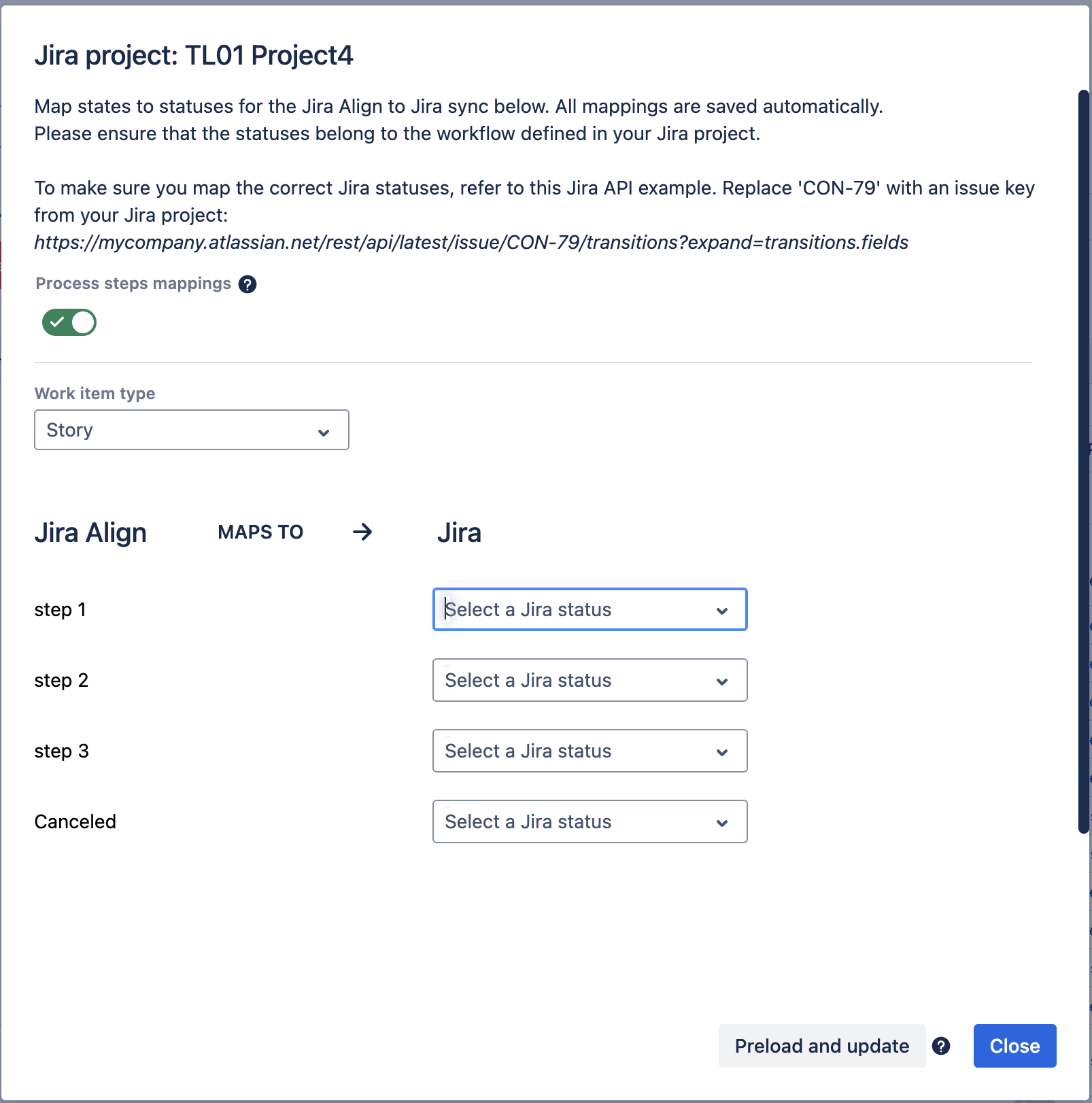
Jira Align Process Step → Jira Status Mappings UI
Purpose: When a Jira Align process step changes, the corresponding Jira status is updated
See the parent page for full mapping details: Mapping States, Process Steps, and Statuses between Align and Jira via API
Solution
Get Project Process Step Mappings
Retrieve all Jira Align → Jira process step mappings for a specific project.
Endpoint: GET /Connectors/{connectorId}/projects/{projectKey}/mappings/process-steps
Query Parameters:
WorkItemTypeId(optional): Filter by work item type ID$top,$skip,$filter,$orderby(OData query options)
Example Request:
GET /align/api/2/Connectors/123/projects/PROJ/mappings/process-steps?WorkItemTypeId=1Authorization: Bearer {your-api-token}
Example Response:
[
  {
    "id": 30,
    "connectorId": 123,
    "projectKey": "PROJ",
    "workItemTypeId": 3,
    "jiraStatusId": 10001,
    "jiraStatusName": "Backlog",
    "processStepId": 5,
    "processStepName": "Backlog"
  },
  {
    "id": 31,
    "connectorId": 123,
    "projectKey": "PROJ",
    "workItemTypeId": 3,
    "jiraStatusId": 10002,
    "jiraStatusName": "In Progress",
    "processStepId": 6,
    "processStepName": "Implementing"
  }
]
Get single project process step mapping
Retrieve a specific Align-to-Jira process step mapping by ID for a project.
Endpoint: GET /Connectors/{connectorId}/projects/{projectKey}/mappings/process-steps/{mappingId}
Example request:
GET /align/api/2/Connectors/123/projects/PROJ/mappings/process-steps/30Authorization: Bearer {your-api-token}
Create project process step mapping
Create a new Align-to-Jira process step mapping for a specific project.
Endpoint: POST /Connectors/{connectorId}/projects/{projectKey}/mappings/process-steps
Request body:
{
  "workItemTypeId": 3,
  "jiraStatusId": 10001,
  "processStepId": 5
}
Example request:
POST /align/api/2/Connectors/123/projects/PROJ/mappings/process-steps
Authorization: Bearer {your-api-token}
Content-Type: application/json

{
  "workItemTypeId": 3,
  "jiraStatusId": 10001,
  "processStepId": 5
}
Example response (201 Created):
{
  "id": 30,
  "connectorId": 123,
  "projectKey": "PROJ",
  "workItemTypeId": 3,
  "jiraStatusId": 10001,
  "jiraStatusName": "Backlog",
  "processStepId": 5,
  "processStepName": "Backlog"
}Notes:
If you have fewer Jira statuses than Align process steps, you can configure the same Jira status against more than one Align process step
When doing this, make sure that you match any many-to-one relationships configured in Path 3
Update project process step mapping
Update an existing Align-to-Jira process step mapping for a project. Only the jiraStatusId field is mutable for Align → Jira process step mappings.
Endpoint: PUT /Connectors/{connectorId}/projects/{projectKey}/mappings/process-steps/{mappingId}
Request body:
{
  "jiraStatusId": 10002  // Only mutable field - required
}Note: The following fields are not mutable and will be ignored if provided:
workItemTypeId(cannot be changed)processStepId(cannot be changed)projectKey(from URL path)connectorId(from URL path)mappingId(from URL path)
Example request:
PUT /align/api/2/Connectors/123/projects/PROJ/mappings/process-steps/30
Authorization: Bearer {your-api-token}
Content-Type: application/json

{
  "jiraStatusId": 10002
}Response: 204 No Content on successDelete Project Process Step Mapping
Delete an Align-to-Jira process step mapping for a project.
Endpoint: DELETE /Connectors/{connectorId}/projects/{projectKey}/mappings/process-steps/{mappingId}
Example request:
DELETE /align/api/2/Connectors/123/projects/PROJ/mappings/process-steps/30
Authorization: Bearer {your-api-token}Response: 204 No Content on success, 404 Not Found if mapping doesn't exist
Was this helpful?