管理者向けの IP 許可リスト フォールバック
プラットフォームの注記: Cloud のみ - This article only applies to Atlassian apps on the クラウド プラットフォーム上のアトラシアン製品にのみ適用されます。
要約
It's common to have concerns about worst-case scenarios when Allowlisting IP addresses.
Once Allowlising IP addresses are established, Bitbucket Cloud is no longer reachable due to location/VPN updates.
ソリューション
IP allowlisting has a safeguard in place for all workspace administrators. When an administrator attempts to access a workspace outside of the allowlisted IP addresses (For example, they are outside your corporate network or have VPN issues), you'll see the following message on Bitbucket Cloud, indicating you're blocked from the content. Still, you can turn off IP allowlisting to gain access as an admin.
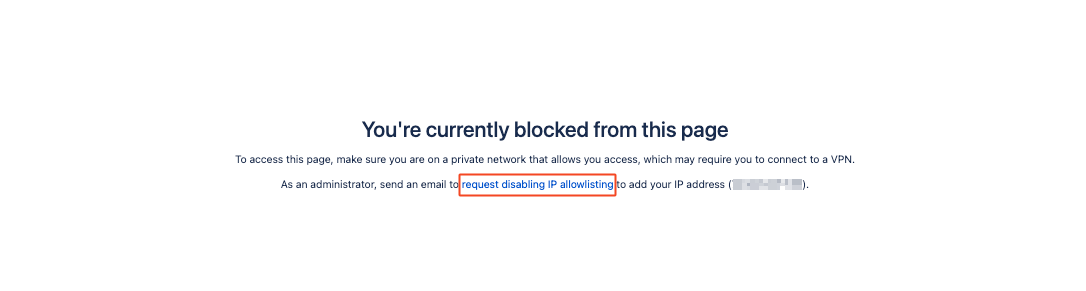
⚠️ This page is only displayed to admins and will allow an admin to bypass IP allowlisting. Once they get access, they can reenable IP allowlisting. Users who are not admins will receive a different message with NO ability to disable IP allowlisting.
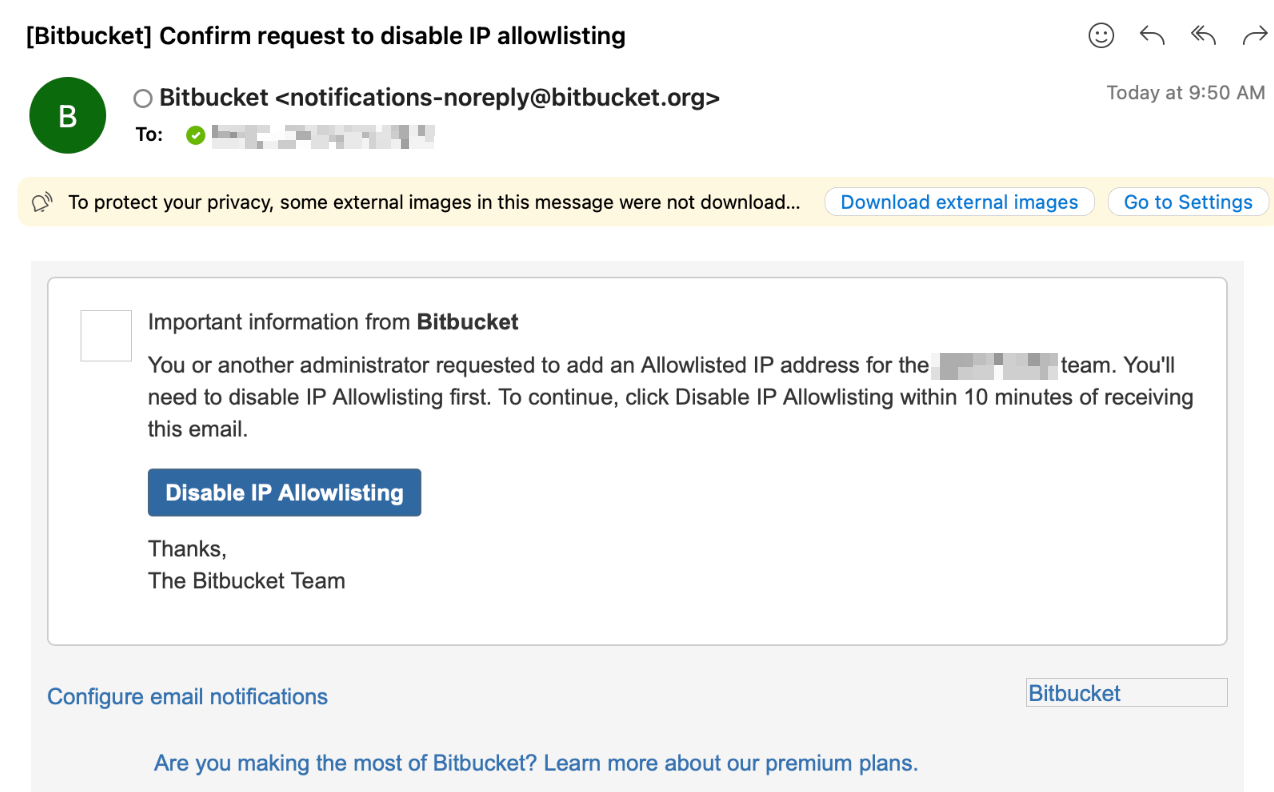
In addition to the message, an email will be sent to all workspace administrators:
この内容はお役に立ちましたか?