How to generate an evaluation or trial license for Confluence Data Center
Platform Notice: Data Center Only - This article only applies to Atlassian apps on the Data Center platform.
Note that this KB was created for the Data Center version of the product. Data Center KBs for non-Data-Center-specific features may also work for Server versions of the product, however they have not been tested. Support for Server* products ended on February 15th 2024. If you are running a Server product, you can visit the Atlassian Server end of support announcement to review your migration options.
*Except Fisheye and Crucible
Summary
An easy guide for generating an evaluation/trial license for Confluence Data Center.
Who qualifies?
Customer type | Path to trial license |
|---|---|
Existing Atlassian DC customer | Purchasing & licensing support form (see Solution steps below) |
New customer evaluating DC | No longer available. New Data Center license sales to new customers ended March 30, 2026. Contact https://www.atlassian.com/company/contact/purchasing to discuss available options |
Trying a Marketplace app | Atlassian Marketplace → Free Trial button (unchanged) |
Environment
Confluence 3.x or later versions
Solution
Important policy change (effective March 30, 2026): Self-serve trial licenses for Atlassian-owned Data Center products are no longer available. Existing customers must request trial licenses via the Purchasing & licensing support form. This change does not affect third-party Marketplace apps.
A trial/evaluation license gives you access to a full instance of Confluence Data Center for 30 days. If you are an existing Data Center customer and want to try Confluence Data Center, follow these steps to request a license:
Go to Purchasing & licensing.
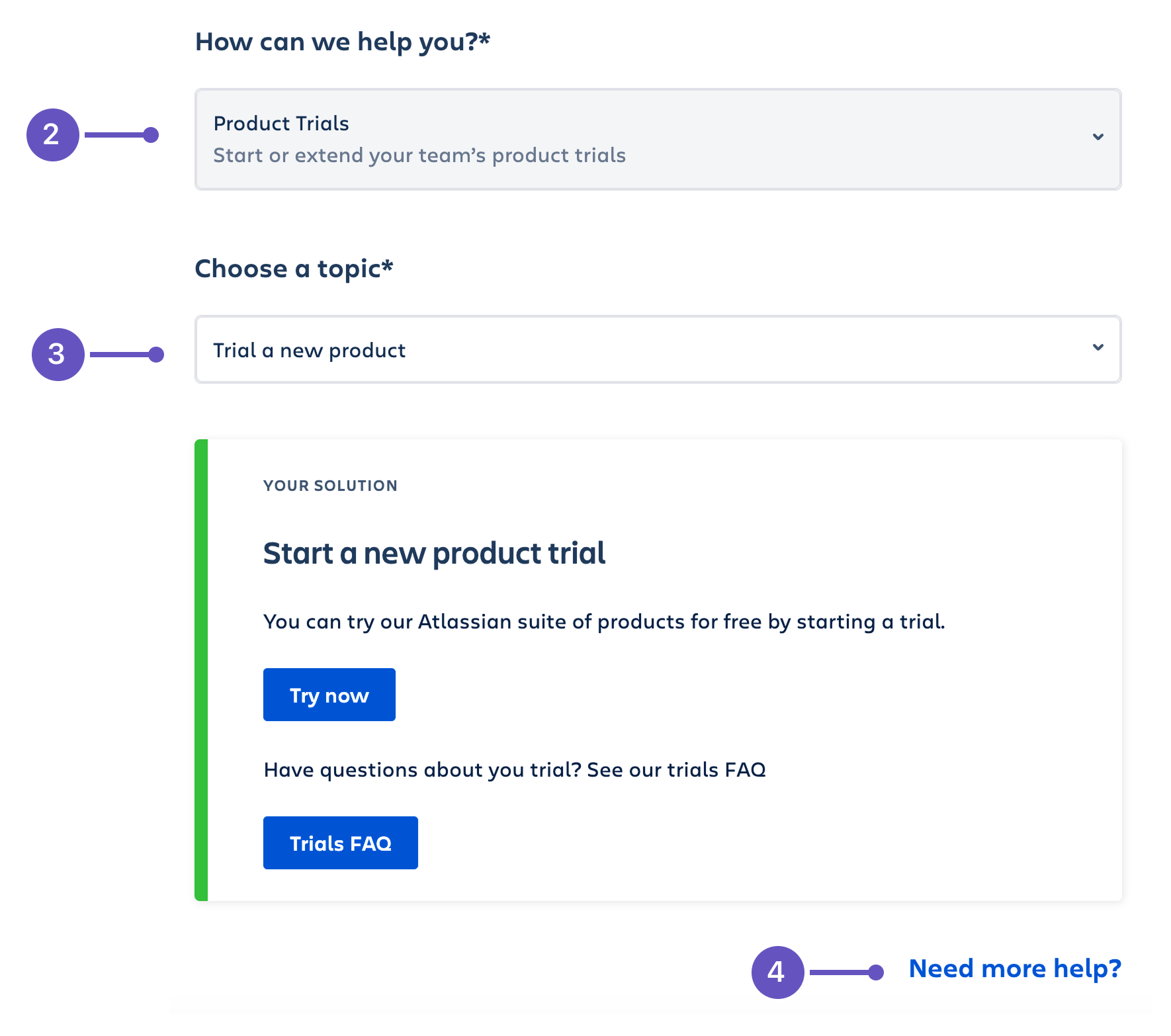
In the How can we help you dropdown, select Product trials.
In the Choose a topic dropdown, select Trial a new product.
Select Need more help at the bottom of the page.
In Your Question field, type in your request for a Confluence Data Center trial.
Submit your request, and the team will assist you with the setup.
Verification
After applying the license:
Confirm the license appears under Administration (⚙️) → General Configuration → License Details (or directly via
<baseURL>/admin/license.action).Verify the expiration date matches the trial period (typically 30 days)
Confirm the license type shows 'Confluence Data Center' (not 'Confluence Server') under License Details.
Set a reminder to convert to a paid license before expiry
When this won't help
This article does not cover:
Confluence Cloud trials — use the Atlassian site signup flow
Server license extensions — Server reached end-of-support February 2024
Marketplace app trials — handled separately via Marketplace UI
Related articles
Was this helpful?