Windows could not start the Atlassian Jira service after upgrade
Platform Notice: Data Center Only - This article only applies to Atlassian apps on the Data Center platform.
Note that this KB was created for the Data Center version of the product. Data Center KBs for non-Data-Center-specific features may also work for Server versions of the product, however they have not been tested. Support for Server* products ended on February 15th 2024. If you are running a Server product, you can visit the Atlassian Server end of support announcement to review your migration options.
*Except Fisheye and Crucible
Summary
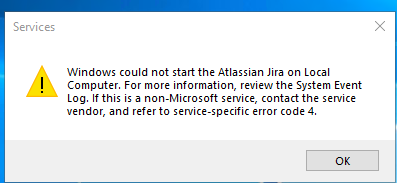
After upgrading Jira Software, the Atlassian Jira service in Windows Services could not start due to the error "Windows could not start the Atlassian Jira on Local Computer. For more information, review the System Event Log. If this is a non-Microsoft service, contact the service vendor, and refer to service-specific error code 4."
The common-daemon.xxxx-xx-xx.log contains the following error:
[xxxx-xx-xx 15:56:20] [info]  [ 4240] Running Service 'JiraSoftwareNNNNNNNN'...
[xxxx-xx-xx 15:56:20] [info]  [ 5928] Starting service...
[xxxx-xx-xx 15:56:20] [error] [ 6608] CreateJavaVM Failed with error [-6]
[xxxx-xx-xx 15:56:20] [error] [ 6608] The system cannot find the file specified.
[xxxx-xx-xx 15:56:20] [error] [ 5928] Failed to start Java
[xxxx-xx-xx 15:56:20] [error] [ 5928] ServiceStart returned 4.
[xxxx-xx-xx 15:56:20] [info]  [ 4240] Run service finished.
[xxxx-xx-xx 15:56:20] [info]  [ 4240] Apache Commons Daemon procrun finished.
Environment
Jira running on Java 9 or higher
Cause
The Java Runtime Environment was upgraded to a newer version when Jira Software was upgraded (or if Java was upgrade manually). In Java version 9 and later some GC logging flags were removed and no longer supported. When these GC flags are present in the JVM start up option, the Atlassian Jira service in Windows Services will fail to start.
Starting in Jira Software version 8.20, the installer comes bundled with Adopt OpenJDK 11.0.11+9. For more information, please see Bundled Tomcat and Java versions.
Solution
Remove the following Java flags from the JVM startup options.
-XX:+PrintGCDetails
-XX:+PrintGCDateStamps
-XX:+PrintGCTimeStamps
-XX:+PrintGCCause
-XX:+UseGCLogFileRotation
-XX:NumberOfGCLogFiles=5
-XX:GCLogFileSize=20M
-Xloggc:<PATH_TO_GC_LOGS>
See Setting properties and options on startup for detailed instructions on how to make this change.
Related content: Garbage Collection Log Settings for Jira when using Java Version 11
Was this helpful?