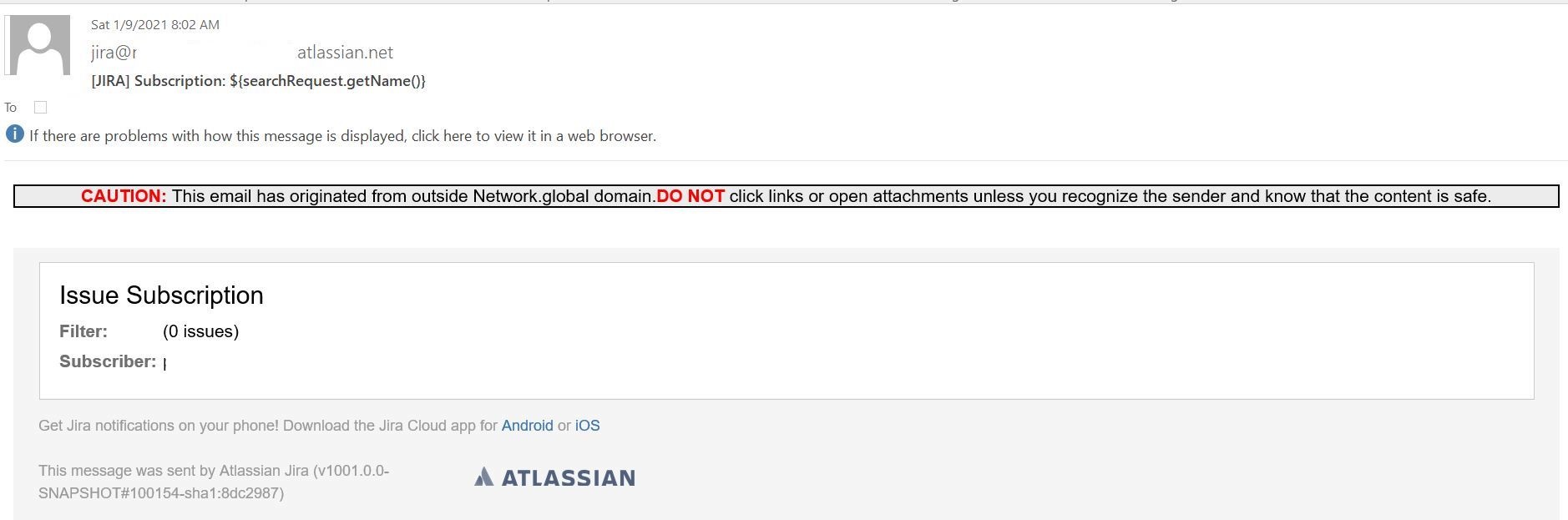
Users receive a blank email when subscribed to a filter. But the user is not added to the group with whom the filter is shared.
Platform Notice: Cloud and Data Center - This article applies equally to both cloud and data center platforms.
Support for Server* products ended on February 15th 2024. If you are running a Server product, you can visit the Atlassian Server end of support announcement to review your migration options.
*Except Fisheye and Crucible
Summary
Users receive a blank email when subscribed to a filter. But the user is not added to the group with whom the filter is shared.
Environment
Jira Core. Cloud and Server
Diagnosis
Cause
* Create a private filter
* Create a subscription for a group. You will receive a blank email.
Solution
Find the filter subscriptions which contain a group using the below query. Share the information with the customer to
SELECT s.id id,s.filtername filtername,s.authorname authorname,s.reqcontent jql,f.groupname, f.last_run FROM searchrequest s JOIN filtersubscription f ON (s.id = f.filter_i_d) where f.groupname != ''; |
|---|
filtername | authorname | JQL | groupname |
|---|---|---|---|
Filter 1 | Atlassian account ID | project = Test | Group 1 |
Check the _authorname_ in the 'cwd_user' table or Governator for the email address or name of the user. Share the information with the customer to contact the user(s) internally to share the filter with the groups that you will be extracting from the database or Governator.
Share this JAC ticket [https://jira.atlassian.com/browse/JRACLOUD-73440] to let them know an FR has been created to check if the group has the permission to access the filter.
Was this helpful?