Fields missing on the create work item screen in Jira Cloud
Platform Notice: Cloud Only - This article only applies to Atlassian apps on the cloud platform.
Summary
Some Jira fields are not visible in the Create work item screen even after configuring them correctly.
The field appears on the view screen, but not while creating the work item within the same project.
Solution
Confirm the work item screen configuration
Let's confirm the field is listed on the right screens for your project and work type.
Navigate to your project
Select Project settings
Select Work items > Screens
Edit the relevant screen
Confirm the field appears on the list
If not, scroll to the bottom and find your field in the dropdown selector and add it
Unhide the field from the field configuration
Next, ensure your project's Field configuration is correctly showing the field. If the field is marked as hidden, it will not render in the work item view.
Navigate to your project
Select Project settings
Select Work items > Fields
Select the pencil icon for the appropriate field configuration
Scroll to find your field
Select Unhide if the field is hidden
Use the "Show fields" function on the Create work screen
After selecting Create, in the pop-up create screen that appears, select ... (More options) > Show fields.
This option lets end users customize which fields appear for their personal experience on the create work screen.
They can choose between All fields or only Custom fields, which creates a personalized list of their relevant fields.
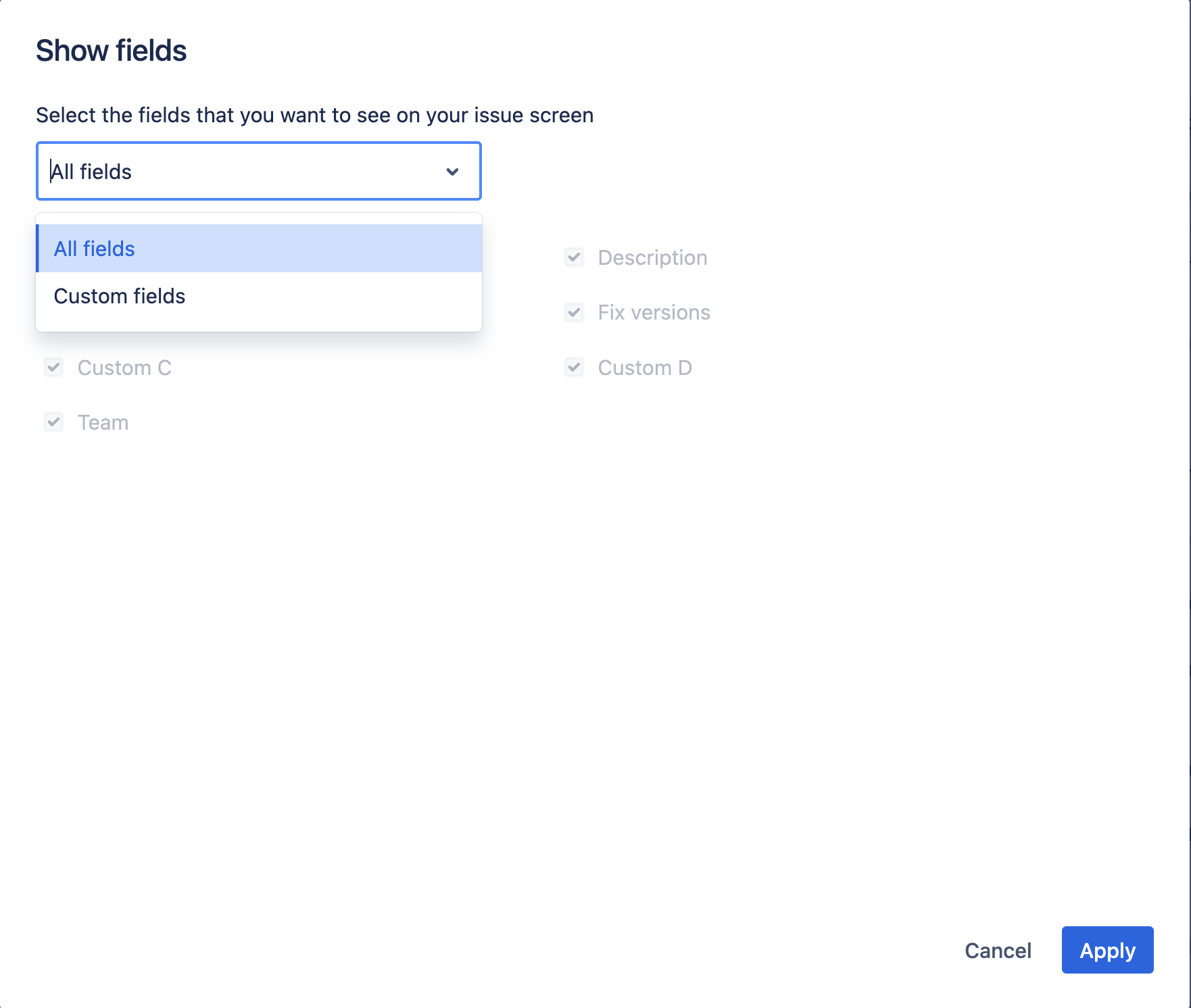
If a specific field isn't appearing for a certain user, suggest they open this menu and select All fields to ensure all fields display.
Other resources
Note: Please check if the option "Store Jira data on your own device" is enabled for your site. If it is, you can consider disabling it. You can refer to the article for more details. Please refer to: Store Jira data on your own device.
At the moment, we don't have the ability to force specific field options for users.
This ability is being tracked as an Improvement request: Globally set All fields for Issue creation
Was this helpful?