User gets an error - Jira Cloud /Atlassian needs permission to access resources in your organisation, when setting an office 365 account as an incoming mail server
Platform Notice: Cloud Only - This article only applies to Atlassian apps on the cloud platform.
Summary
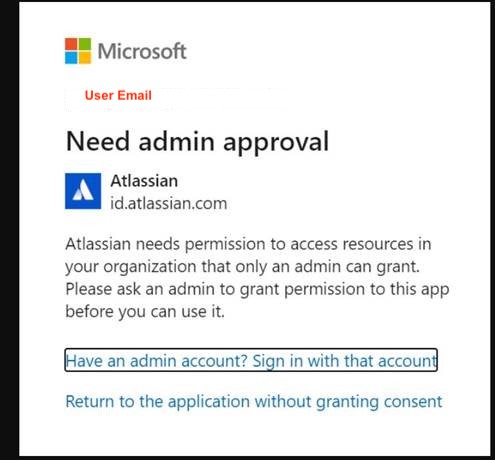
When setting up an Office 365 account as an incoming mail server users are shown a pop-up window with the following error:
"Atlassian needs permission to access resources in your organization that only an admin can grant. Please ask an admin to grant permission to this app before you can use it".
Cause
The most common cause is the user not having permission to complete OAuth consent screens for applications unless they are admins within your Office 365 tenant. Jira Cloud uses OAuth as a more secure way to authorize scoped access to your Office 365 mailbox vs username and password.
Solution
Before you start: You need a Global Administrator or Privileged Administrator role on the Azure portal to make these changes. If you don't have these permissions, contact your Azure / Microsoft 365 administrator.
Enable user access to Enterprise apps in the Azure portal.
Complete the authentication process in Jira to add the new incoming mail server.
Disable the setting again (optional) after the incoming mail account connects successfully.
Note: If you're comfortable with advanced configurations in Office 365, you can use one of these approaches instead of toggling the tenant-wide setting:
Group policy: Create a group policy to override this setting for specific users.
Admin consent workflow: Enable the admin consent workflow in Azure, which allows users to request administrator review and approval for applications they cannot consent to directly.
Was this helpful?