This form contains a hidden field that does not have a valid default value configured.
Platform Notice: Cloud Only - This article only applies to Atlassian apps on the cloud platform.
Summary
When raising a new request via the customer portal in Jira Service Management (JSM) Cloud, you may encounter the following error:
This form contains a hidden field that does not have a valid default value configured.
This issue can block customers from submitting requests and arises due to misconfigured hidden fields in the request form as below:
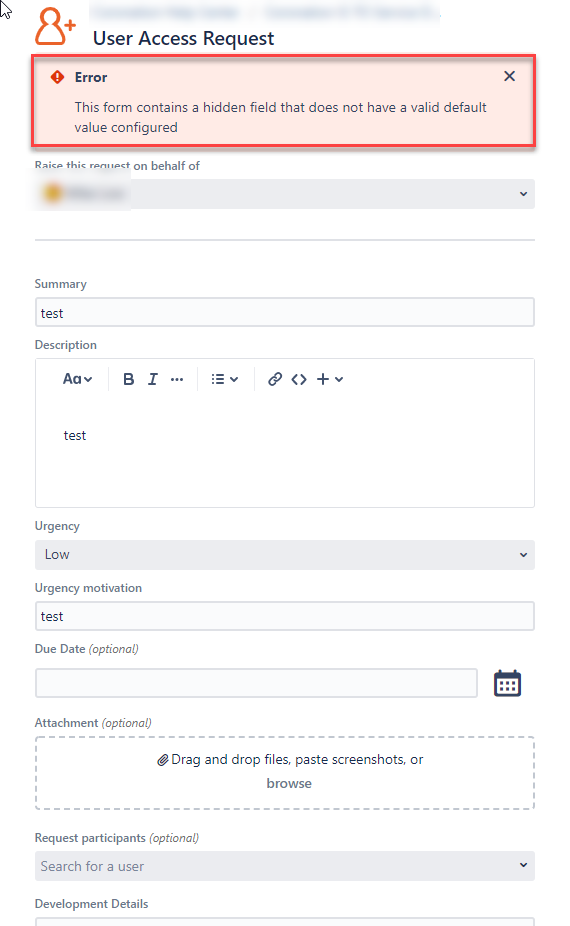
Note: You can resolve this yourself by configuring a valid default value for the hidden field on the affected request type. No customer action is required, the change is made in your space's request type settings.
Environment
Jira Service Management Cloud
Cause
This error typically occurs under the following conditions:
A required hidden field on the request form does not have a default value set.
The field context or options for a custom field have been modified without updating associated request types.
The default value set for the hidden field is invalid for the issue type linked to the request type.
Changes made to field configurations are not adequately tracked, leading to misconfigurations.
Solution
To address this issue, follow the steps below:
Step 1: Identify the Problematic Field
Navigate to Project Settings -> Request Management -> Request Type.
Open the Request Type where the error occurs.
Check the Fields section for any hidden fields that are required but lack default values.
Step 2: Configure a Valid Default Value
Edit the configuration of the hidden field you identified in Step 1, then set a default value that aligns with the work item type's context and field configuration.
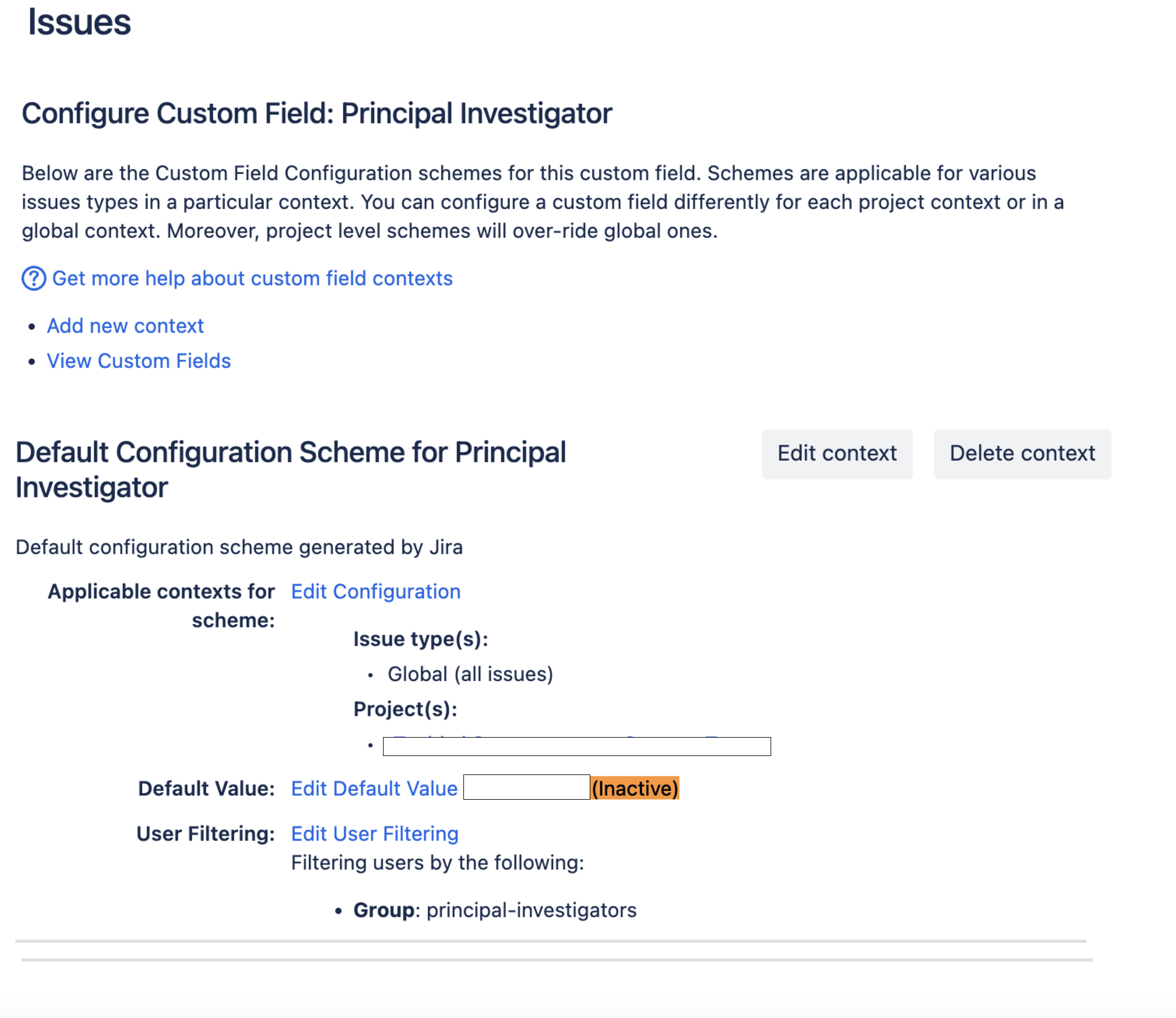
Step 3: Test the Request Form
Return to Request types and preview the form in the customer portal.
Submit a test request to confirm the issue is resolved.
If you cannot identify the problematic field or if the issue persists after implementing these steps, you can reach out to Atlassian Support for further assistance.
Future Enhancements
Atlassian is working on improving audit log coverage to include custom field context changes. This feature is still in the "gathering interest" phase, but you can track updates via JRACLOUD-74945.
Further reading -
Was this helpful?