The project activity page is blank on Jira Data Center
Platform Notice: Data Center Only - This article only applies to Atlassian apps on the Data Center platform.
Note that this KB was created for the Data Center version of the product. Data Center KBs for non-Data-Center-specific features may also work for Server versions of the product, however they have not been tested. Support for Server* products ended on February 15th 2024. If you are running a Server product, you can visit the Atlassian Server end of support announcement to review your migration options.
*Except Fisheye and Crucible
Summary
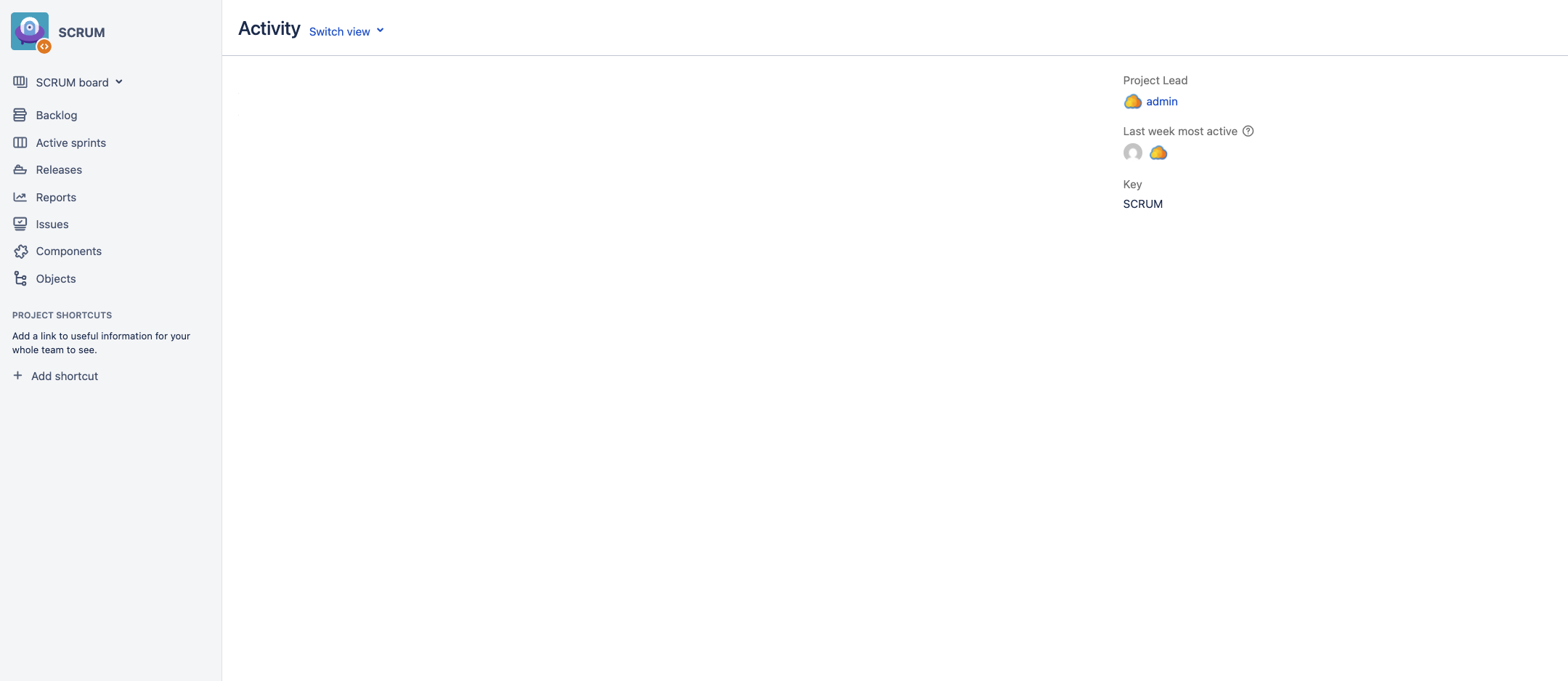
When accessing the activity page of any Jira project (via the URL <Jira_BASE_URL>/projects/<PROJECT_KEY>/summary), a blank page is shown:
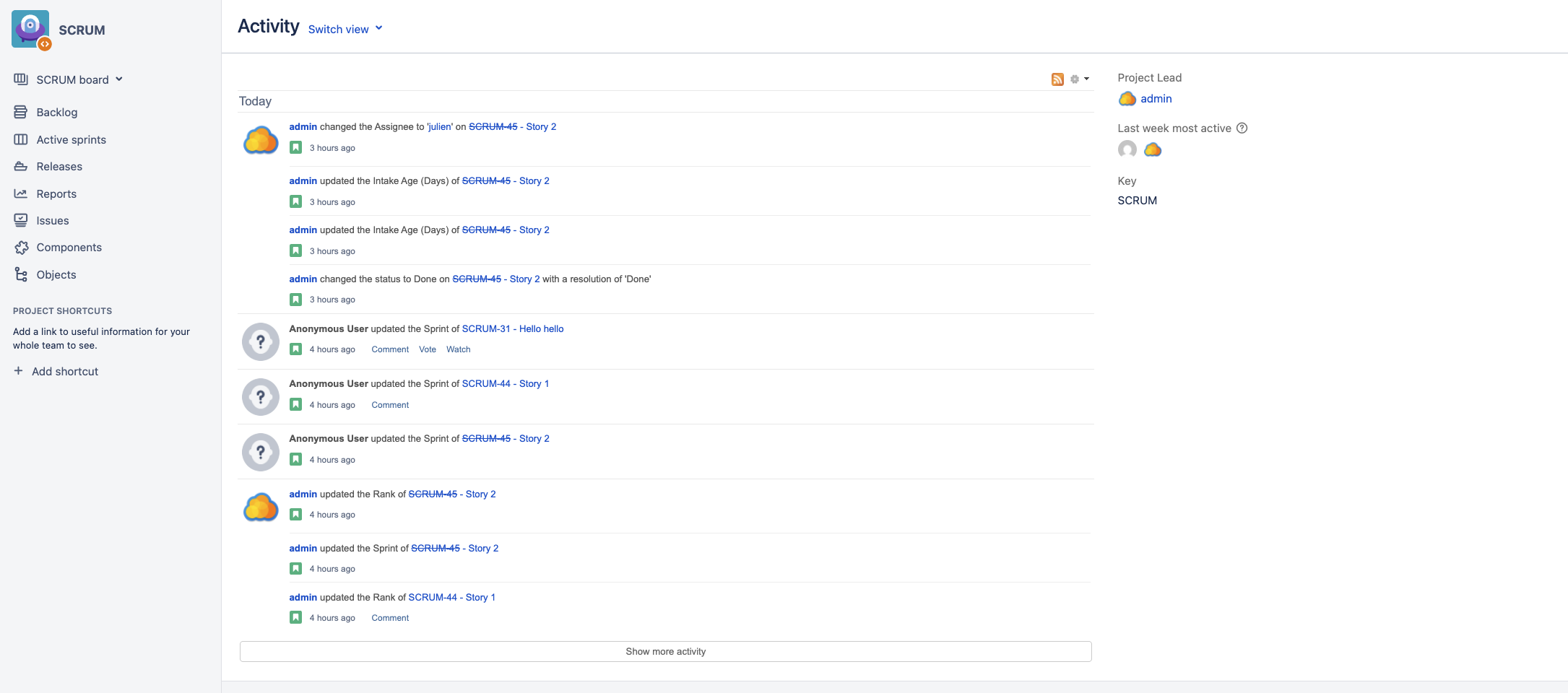
Normally, the Project Activity page should show the Activity Stream gadget which displays all recent updates made to Jira issues in the project, as illustrated below:
Environment
This issue has been reported on 9.12.x versions of Jira Data Center, but it might impact other versions.
Diagnosis
Jira is running on a cluster of at least 2 nodes
The Jira Base URL is correctly configured in the Jira application
In the server.xml of each node, there are at least 2 connectors (correctly) configured:
1 proxy connector
1 non proxy connector
There is no script configured in the Jira announcement banner
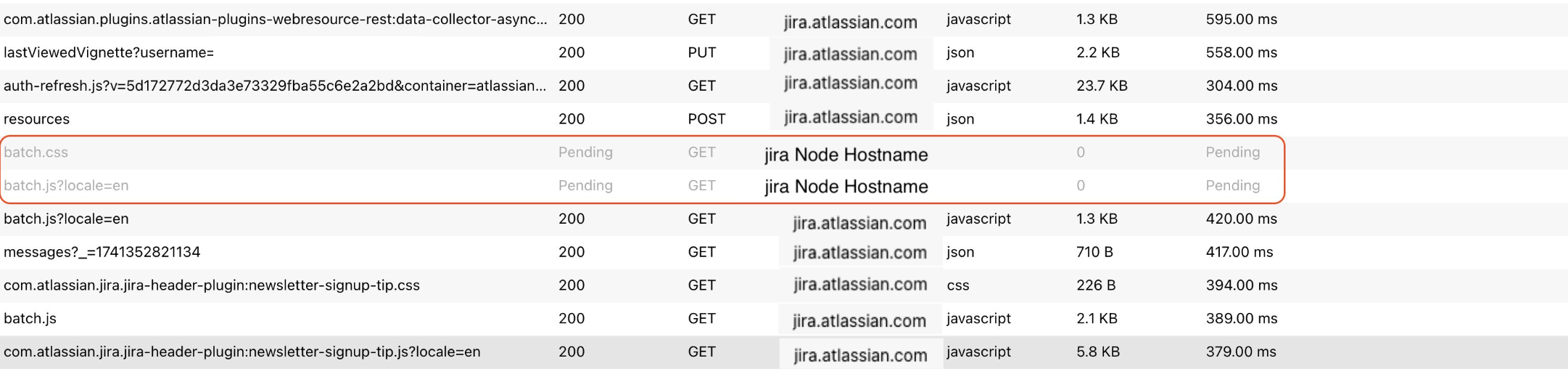
When collecting a HAR file while replicating the issue, we can see that:
the URL of most HTTP requests are using Jira's Base URL ✔️
the URL of 2 requests (one of the batch.js and batch.css requests) are using the hostname of one of the Jira Node along with the non proxied port number and the HTTP protocol, and the loading is in "Pending" state ❌:
Checking the Browser's Console logs, the error "Blocked loading mixed active content" is reported for these 2 URLs (note that the 2 URLs are using the HTTP protocol, a node hostname or IP address, and the non proxied port number):
Blocked loading mixed active content “http://<Jira-Node-Hostname>:8081/s/24dc53e5a7c42d890078f3b598145e8b-CDN/j2259u/9120017/h5w71u/db56225d3b9fcac581cc4111cf0008bb/_/download/contextbatch/css/com.atlassian.streams.streams-jira-plugin:jiraStreamsGadgetResources,com.atlassian.streams:streamsGadgetResources/batch.css” ifr
Blocked loading mixed active content “http://<Jira-Node-Hostname>:8081/s/77fab394ac6d83985938d798e8cc1e5d-CDN/j2259u/9120017/h5w71u/db56225d3b9fcac581cc4111cf0008bb/_/download/contextbatch/js/com.atlassian.streams.streams-jira-plugin:jiraStreamsGadgetResources,com.atlassian.streams:streamsGadgetResources/batch.js?locale=en” ifr
Cause
The exact root cause of this issue is unfortunately unclear at the moment. Since the issue gets automatically resolved after a restart of all the Jira nodes, we suspect that it might be caused by some caching issue.
Solution
To fix this issue, perform a rolling re-start of all the Jira nodes in the cluster.
Was this helpful?