Require field edit when transitioning the status of a Jira work item
Platform Notice: Cloud Only - This article only applies to Atlassian apps on the cloud platform.
Summary
When a field is required before a status transition, users may not be prompted to edit the field.
We can display a screen with the required field during the work item transition so the user can assign a value and the workflow continues successfully.
This functionality doesn't exist in Jira Server and Data Center instances out of the box - to achieve the same results as listed below JSU Automation Suites add-on needs to be installed on the instance
You need Jira Administrator permissions to perform the actions in this guide, please refer to Give users admin permissions
This guide is based on the Configure advanced issue workflows documentation
Solution
Use a transition screen with a workflow validator to require field edits
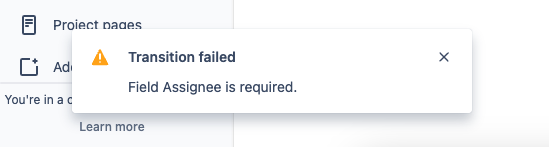
Within a workflow transition, we'll set a validation where a field must have a value before changing from Status A to Status B. Now whenever you try to transition to the status, a warning message shows up in the UI:
"Transition failed. Field <your_field> is required."
Create a unique screen for the specific work item transition
Navigate to ⚙️Settings > Issues
Navigate to Screens
Select AddScreen and choose a memorable name and optional description
Search for the newly created screen and select it
Add your required field to the newly created screen
Add a validator to your affected project workflow
Navigate to your project
Select Project Settings > Workflows
Choose the workflow you want to edit, and select Edit (pencil icon)
Select the arrow between the affected statuses (this is the transition)
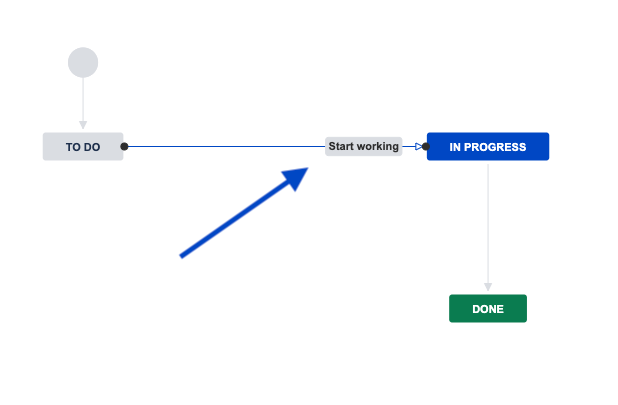
In the Transition editor window, selectValidators
Select Add validator
Choose the Field Required Validatoroption and select Add
Choose your required field, and select Add
In the transition editor, select Edit
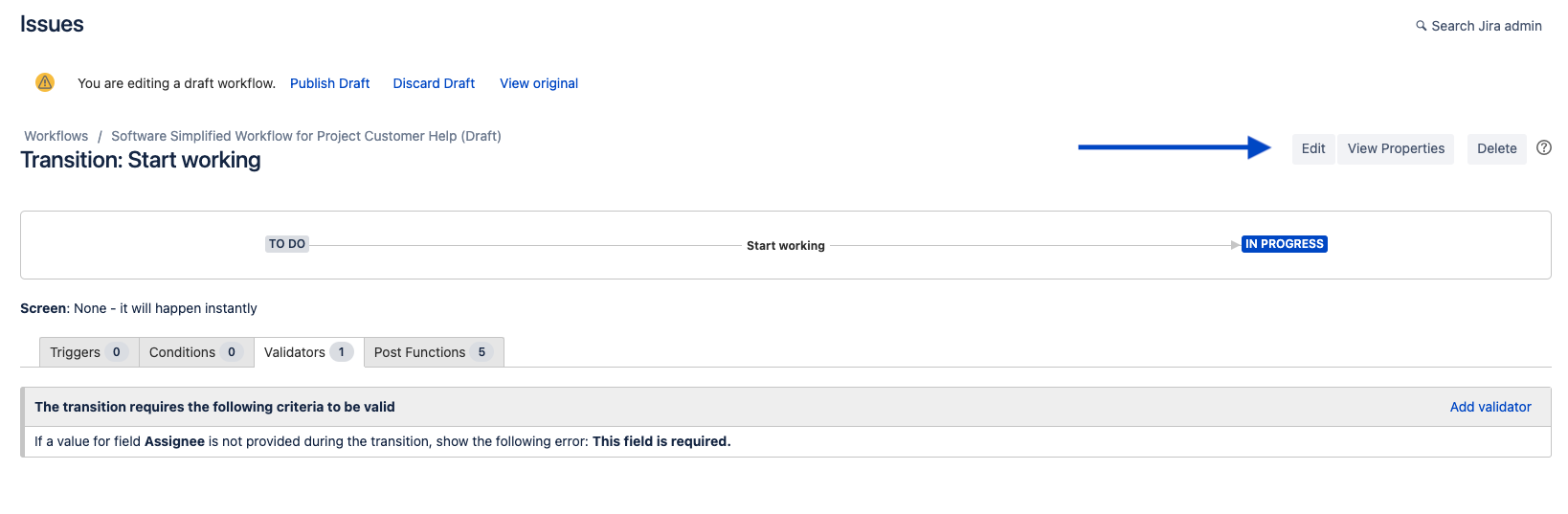
In the transition view field, select the screen that was created
Select Update
Publish the new workflow version by selecting Publish Draft at the top of the page
Was this helpful?