Prevent customer account verification emails in Jira Service Management
Platform Notice: Data Center Only - This article only applies to Atlassian apps on the Data Center platform.
Note that this KB was created for the Data Center version of the product. Data Center KBs for non-Data-Center-specific features may also work for Server versions of the product, however they have not been tested. Support for Server* products ended on February 15th 2024. If you are running a Server product, you can visit the Atlassian Server end of support announcement to review your migration options.
*Except Fisheye and Crucible
Summary
Applies to Jira Service Management 3.10.0 and later, Server/Data Center only. Disabling the welcome/invitation email became possible in JSM 3.10.0.
In Jira Service Management (JSM) projects, customer accounts can be created in various ways, including (but not limited to) the three methods below:
Customers tab
Email Request feature
Email Request feature and using the CC header
Solution
Customer accounts creation methods
Method 1 (via the Customers tab):
A customer can be created by a JSM agent by going to the Customers page
This will trigger an invitation email to the customer's email address.
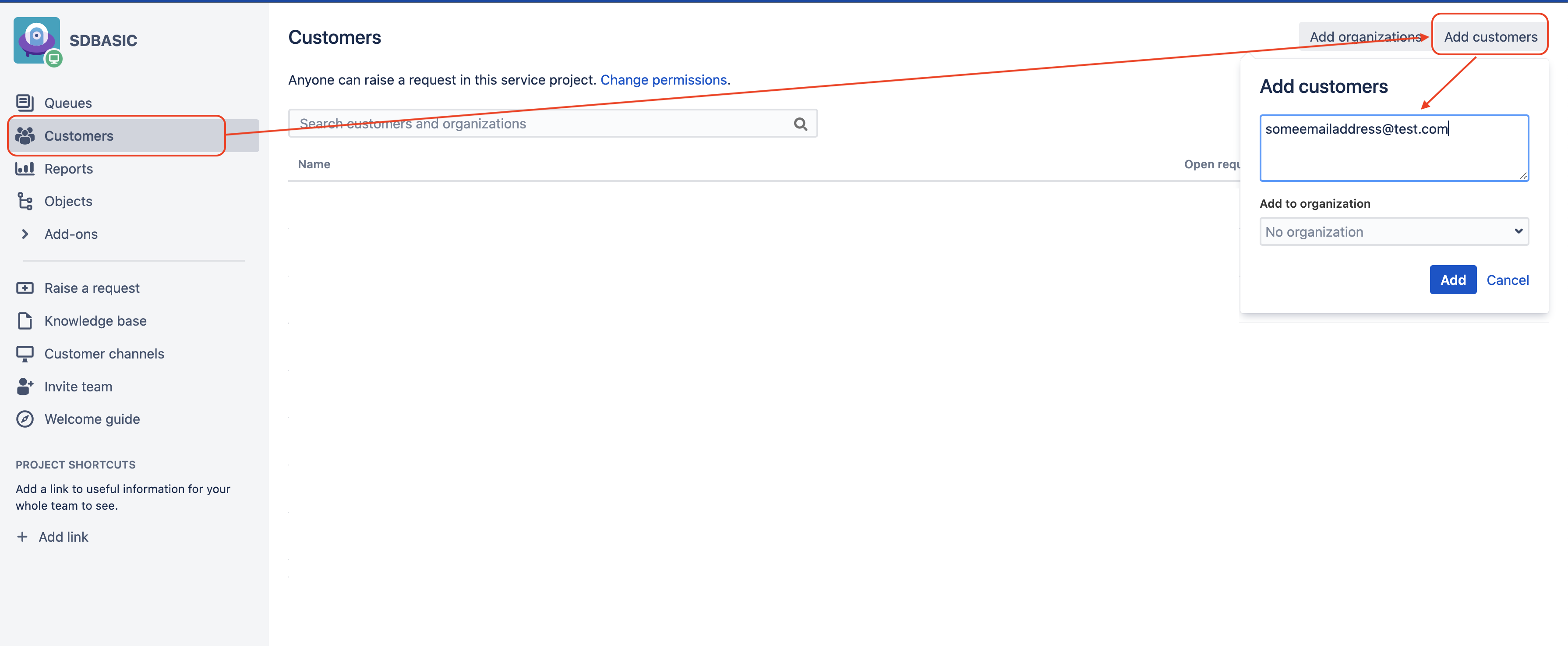
Method 2 (via the Email Request feature):
When a customer raises a request by email for the first time (without already having an account), the following events take place:
If the configuration allows anyone to raise requests
An account is created for the customer
A verification email is sent
Method 3 (via the Email Request feature and using the CC header):
When an existing customer raises a request by email and CC an email address that does not have an associated customer account yet, the following will happen:
If the configuration allows sharing requests with anyone, and if anyone can raise requests
An account will be automatically created for the email added in CC
A verification email is sent
This knowledge base article explains how to prevent customers from receiving verification emails when their accounts are created by the mentioned methods.
Since the release of JSM 3.10.0, it has become possible to disable the customer account welcome/invitation email. Here are the steps to disable it:
Log in to the Jira application as an administrator of the JSM project for which you wish to disable the welcome email
Go to the page Project Settings > Customer Notifications
Enable the "Do not send account verification emails" setting. Once it's done, you should see a green icon next to that setting.
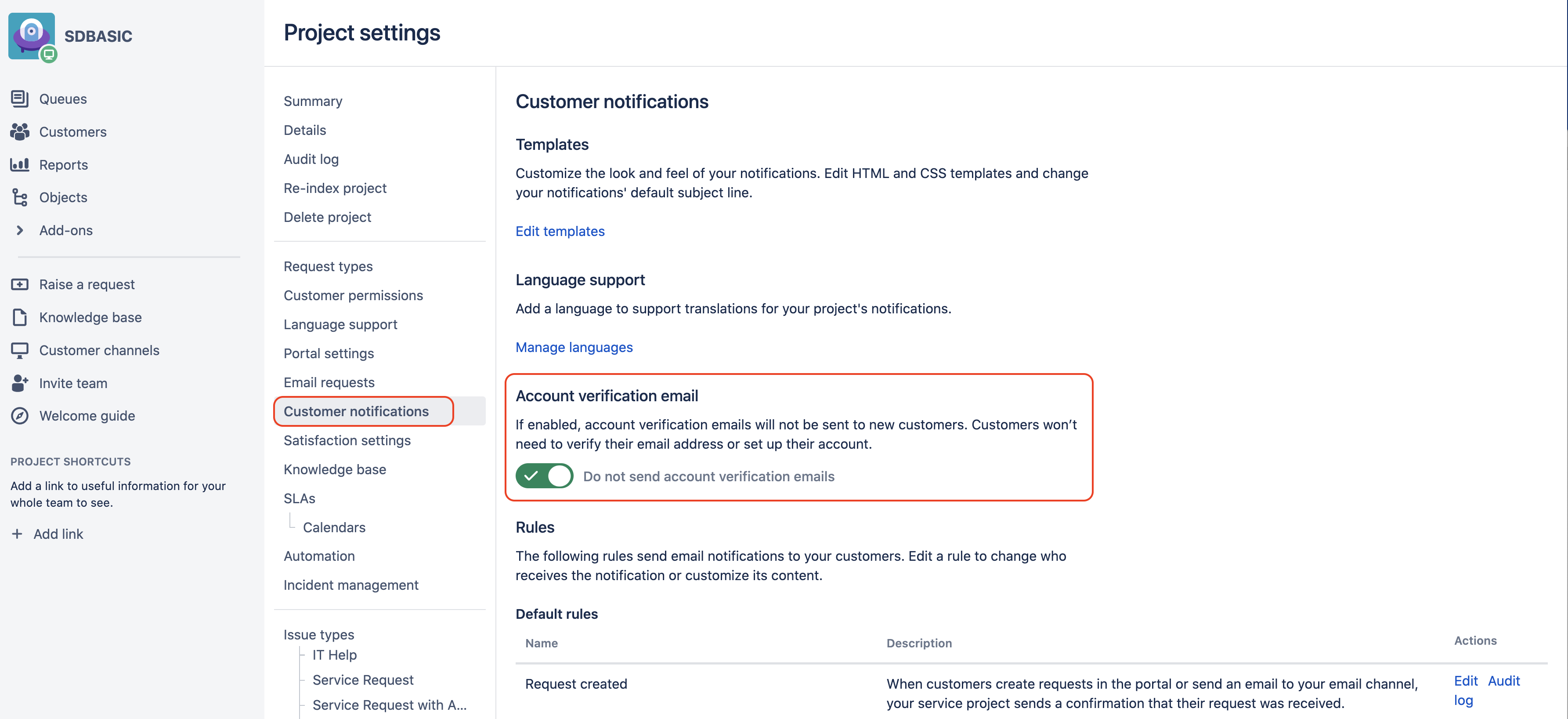
By enabling this setting, welcome/invitation emails will no longer be sent to customer accounts that were created:
either manually from the JSM project (via the Customer page accessed from the left bar menu)
or automatically when a customer raises a request by email for the very first time
or automatically when an email address was included in CC to an email used to raise a new request
After disabling the welcome email in the project's settings, create a test customer via each path and confirm no verification/invitation email is delivered.
Was this helpful?