Missing Attachment section in JIRA Issue View
Platform Notice: Data Center Only - This article only applies to Atlassian apps on the Data Center platform.
Note that this KB was created for the Data Center version of the product. Data Center KBs for non-Data-Center-specific features may also work for Server versions of the product, however they have not been tested. Support for Server* products ended on February 15th 2024. If you are running a Server product, you can visit the Atlassian Server end of support announcement to review your migration options.
*Except Fisheye and Crucible
Problem
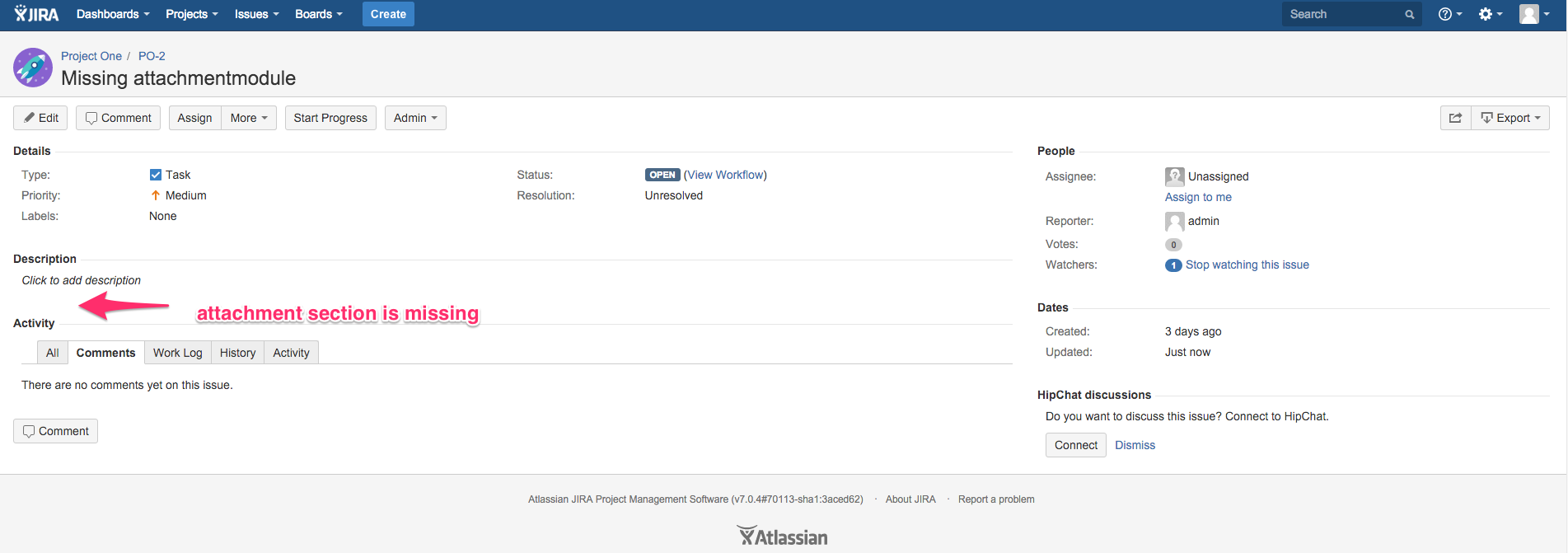
The attachment section in the JIRA Issue View is missing.
Cause
The com.atlassian.jira.jira-view-issue-plugin:attachmentmodule pluginkey is set to false in pluginstate table during an upgrade.
Resolution
Shutdown JIRA
Run the following query to identify the status of the pluginkey:
SELECT * FROM pluginstate WHERE pluginkey = 'com.atlassian.jira.jira-view-issue-plugin:attachmentmodule';If the pluginenabled is false, set it back to true
DELETE from pluginstate WHERE pluginkey='com.atlassian.jira.jira-view-issue-plugin:attachmentmodule';Warning: Backup your database before proceeding.
Before running any SQL in this article, create a full backup of your Jira database. This is a database-level operation with no undo other than restoring from backup. Only proceed if you're comfortable running SQL directly against the Jira database, and test on a staging or cloned environment first, wherever possible.
Restart JIRA
Was this helpful?