Jira Service Management Queues return empty page
Platform Notice: Cloud and Data Center - This article applies equally to both cloud and data center platforms.
Support for Server* products ended on February 15th 2024. If you are running a Server product, you can visit the Atlassian Server end of support announcement to review your migration options.
*Except Fisheye and Crucible
Problem
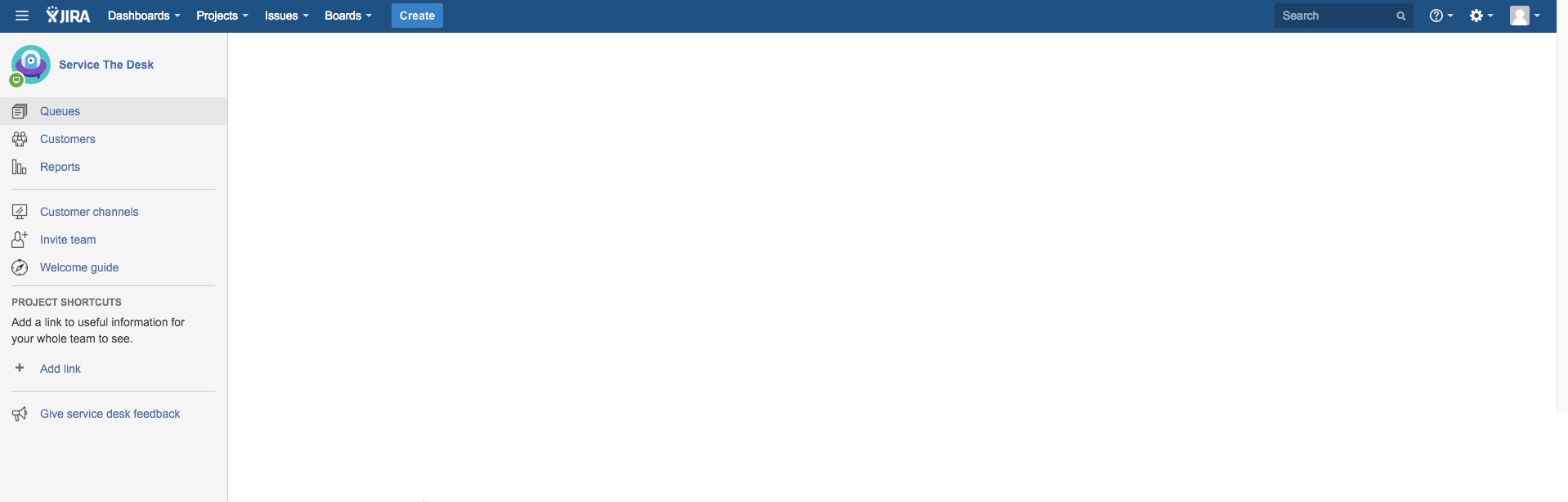
Upon navigating to the Queues view (<BaseURL>/projects/<ProjectKey>/queues), agents see a blank page.
The following appears in the atlassian-jira.log
2016-04-18 10:23:28,040 http-nio-6710-exec-16 ERROR      [o.a.c.c.C.[.[localhost].[/test].[action]] Servlet.service() for servlet [action] in context with path [/test] threw exception
java.lang.RuntimeException: javax.servlet.ServletException: java.lang.IllegalArgumentException: The validated object is null
    at com.atlassian.servicedesk.internal.util.scala.ScalaJavaInterOp$1.apply(ScalaJavaInterOp.java:27)
    at com.atlassian.servicedesk.internal.utils.context.CustomerContextUtil$.outOfCustomerContext(CustomerContextUtil.scala:48)
    at com.atlassian.servicedesk.internal.utils.context.CustomerContextUtil.outOfCustomerContext(CustomerContextUtil.scala)
    at com.atlassian.servicedesk.internal.utils.context.CustomerContextServiceImpl.outOfCustomerContext(CustomerContextServiceImpl.java:24)
...
Caused by: javax.servlet.ServletException: java.lang.IllegalArgumentException: The validated object is null
    at com.atlassian.jira.web.dispatcher.JiraWebworkActionDispatcher.onActionException(JiraWebworkActionDispatcher.java:213)
    at com.atlassian.jira.web.dispatcher.JiraWebworkActionDispatcher.service(JiraWebworkActionDispatcher.java:166)
...
Caused by: java.lang.IllegalArgumentException: The validated object is null
    at org.apache.commons.lang.Validate.notNull(Validate.java:192)
    at org.apache.commons.lang.Validate.notNull(Validate.java:178)
    at com.atlassian.servicedesk.internal.customfields.origin.VpOriginManagerImpl.stringValueToVpOrigin(VpOriginManagerImpl.java:68)
    at com.atlassian.servicedesk.internal.customfields.origin.VpOriginManagerImpl.fromDbFormatUnchecked(VpOriginManagerImpl.java:54)
    at com.atlassian.servicedesk.internal.customfields.util.VpOriginResolver.getUncheckedValues(VpOriginResolver.java:80)
    at com.atlassian.servicedesk.internal.customfields.origin.VpOriginIndexValuesConverterImpl.getIndexValues(VpOriginIndexValuesConverterImpl.java:71)
    at com.atlassian.servicedesk.internal.customfields.origin.VpOriginIndexValuesConverterImpl.lambda$getIndexValues$2(VpOriginIndexValuesConverterImpl.java:56)
    at com.atlassian.pocketknife.OptionStep3.lambda$null$8(OptionStep3.java:28)
Cause
There is a Queue with invalid JQL. For example:
"Customer Request Type"=6Resolution
Remove the Queue via SQL query.
Identify the problematic JQL and note ID
SELECT * FROM "AO_54307E_QUEUE" where "PROJECT_ID" = (SELECT ID FROM project WHERE pname = 'xxx') ORDER BY "QUEUE_ORDER" ASCℹ️ Replace 'xxx' to the name of the affected project
Remove the Queue
Warning: Backup your database before proceeding.
Before running any SQL in this article, create a full backup of your database. This is a database-level operation with no undo other than a backup restore. Only proceed if you're comfortable running SQL directly against the database, and test on a staging or cloned environment first, wherever possible.
delete from "AO_54307E_QUEUECOLUMN" where "QUEUE_ID" = yyy
delete from "AO_54307E_QUEUE" where "ID"= yyy
ℹ️ Replace 'yyy' with the Queue ID from the above query
Was this helpful?