Jira Service Management customers are visible in the dropdown of the reporter field despite not having access to the project
Platform Notice: Cloud Only - This article only applies to Atlassian apps on the cloud platform.
Summary
The email addresses of all customer accounts on the site are visible under the reporter field. After issue creation, if the space admin/agent tries to change the reporter of the request, they get a list of all end users' email addresses that are added to the current site.
The Reporter field's default user picker draws from all customer accounts on the site, because Reporter isn't restricted by project role the way Assignee is. The steps below don't change that default field's behavior — they replace it with a custom, filtered field.
Diagnosis
Currently, Jira shows all users in the Reporter field (even if they are not part of the current space).
Solution
You can start by removing "Modify Reporter" permission from all roles except for "atlassian-addons-project-access" role, as it is required for automation to be able to edit the field later on:
Go to Administration > Issues > Permission Scheme and create a copy of the Permission Scheme.

On the created copy, search for "Modify Reporter".
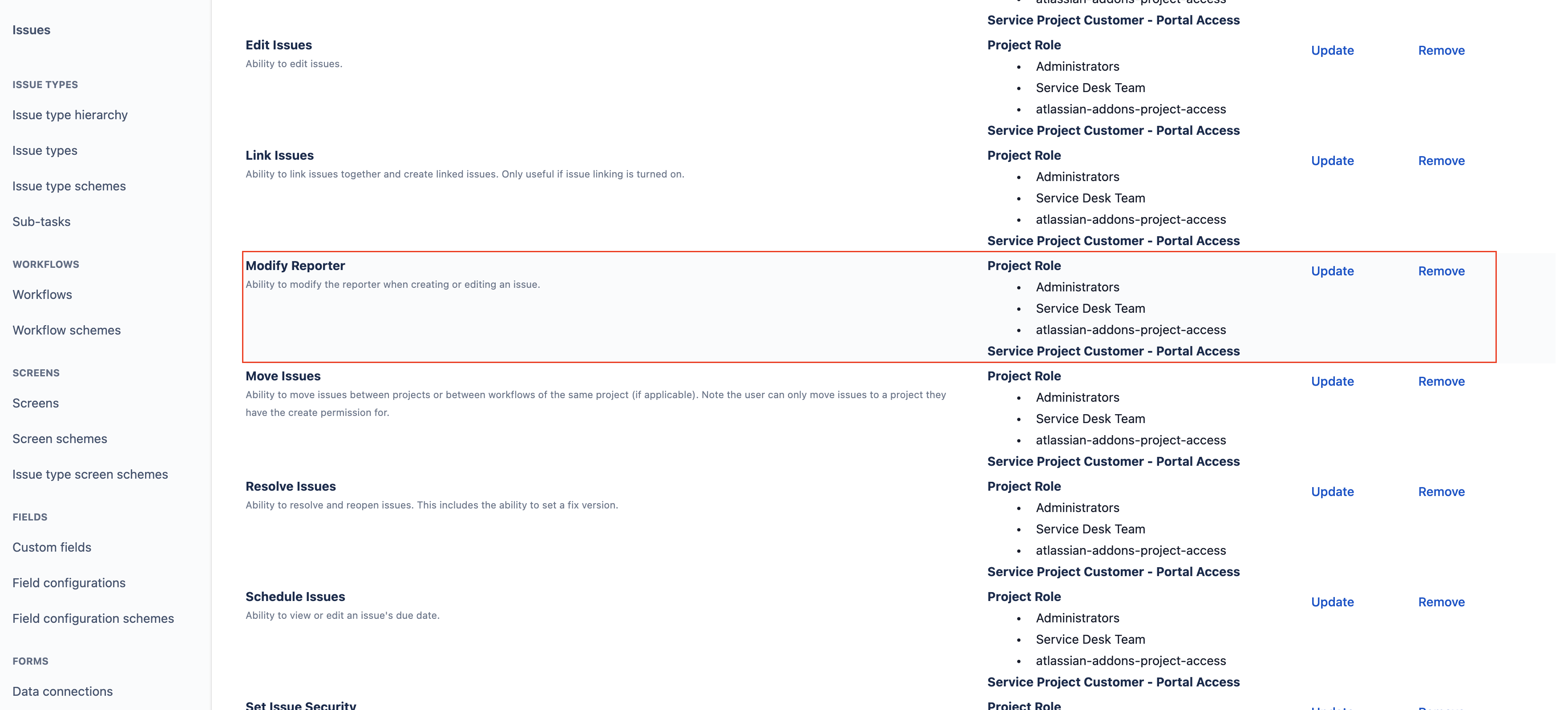
Click Remove next to Modify Reporter permission to remove all undesired space roles preventing them from editing the field.
Go to Space Settings > Permissions click on Actions > Use a difference scheme.
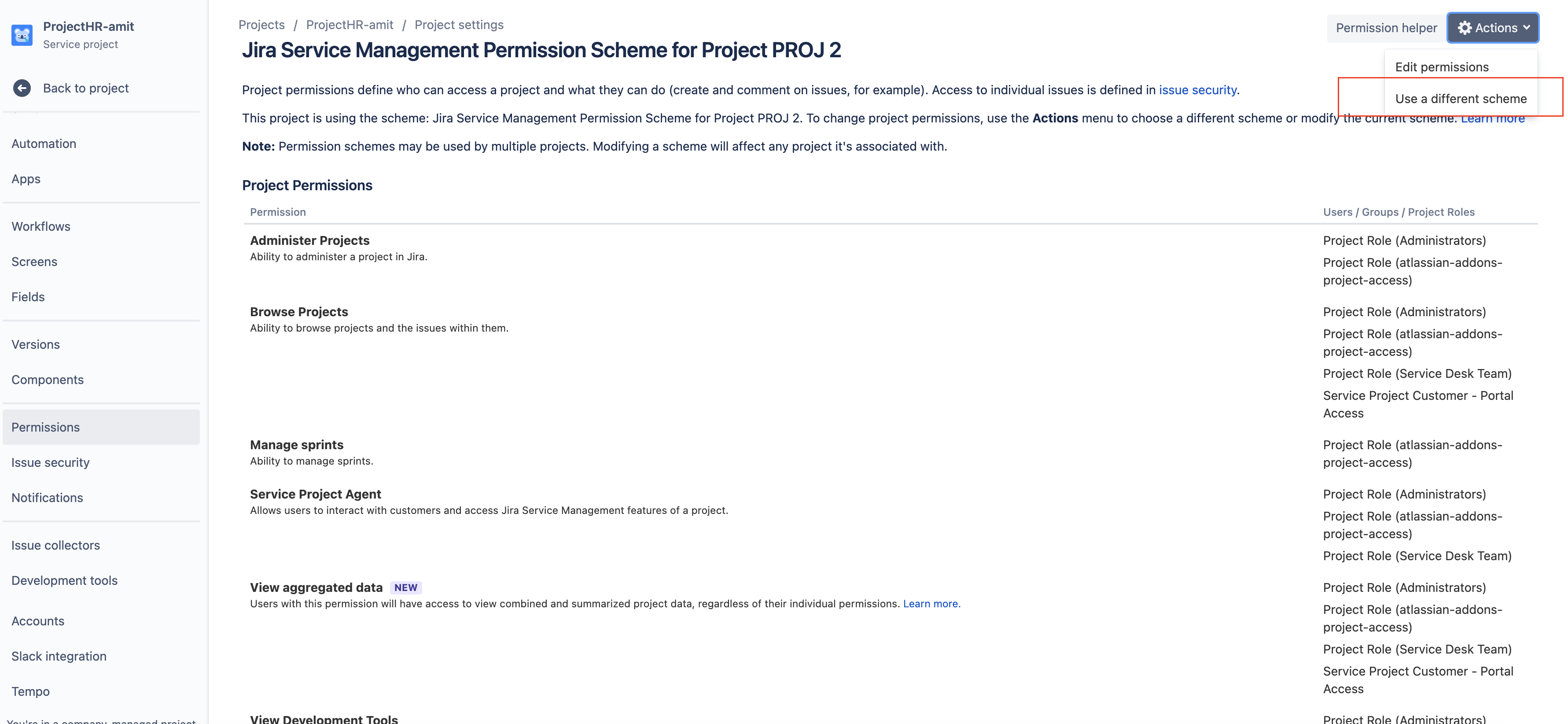
Associate the newly created permission scheme.
2. Create a new custom field "Issue Reporter" and add it to the relevant space screens - Reference article: Create a custom field.
3. Once the field is created, configure a new context to restrict user filtering on the field - Reference article: Limit number of users for user picker fields.
4. Optional, edit the issue layout as desired to control where the newly created field is shown on the issue view - Reference article: Configure issue layout.
5. Configure an automation rule to update the original Reporter field whenever the Issue Reporter field is changed.
After completing the steps, create a test request and confirm that the new custom Reporter field shows only users associated with the current project, and that the original Reporter field is no longer editable by non-addon roles.
Was this helpful?