Jira Automation Rule to Auto Assign Issues Based on Role or Group
Platform Notice: Cloud Only - This article only applies to Atlassian apps on the cloud platform.
Summary
Jira Automation Rule to Auto Assign Work Items Based on Role or Group
Environment
Jira Cloud
Diagnosis
Users would have a requirement to auto-assign work items when a work item is created
This will help to make sure that no work items are unaddressed and also notify the team
Solution
Before you build any of the three rules below, confirm that every user who can be auto-assigned has both the Browse Projects permission and the Assignable User permission in the project. If either permission is missing, the user cannot view the issue and the automation may fail with an error like: Error assigning issues XXX-123: (Unable to assign tickets to user 'userid'. (assignee)).
There are three methods for automatically distributing workload between team members:
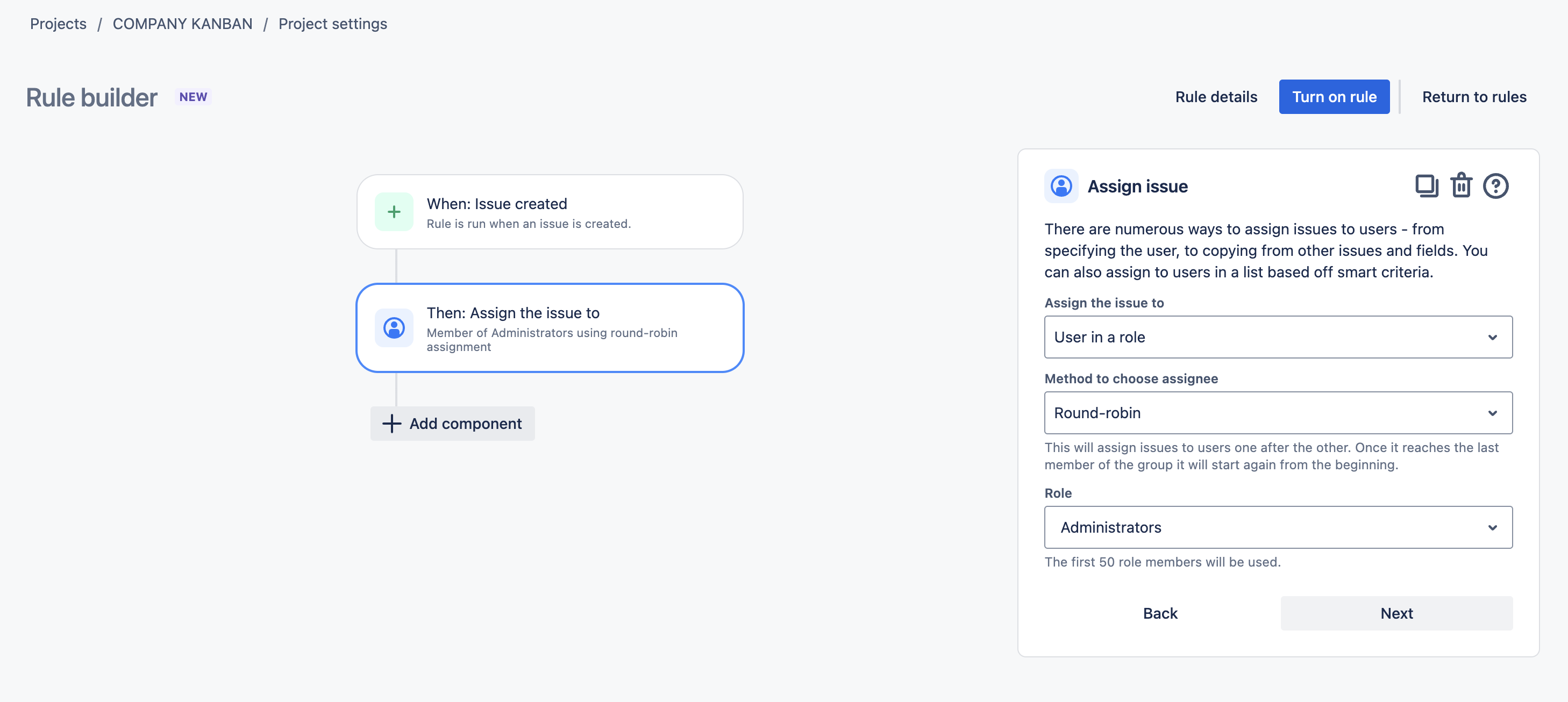
Round-robin format.
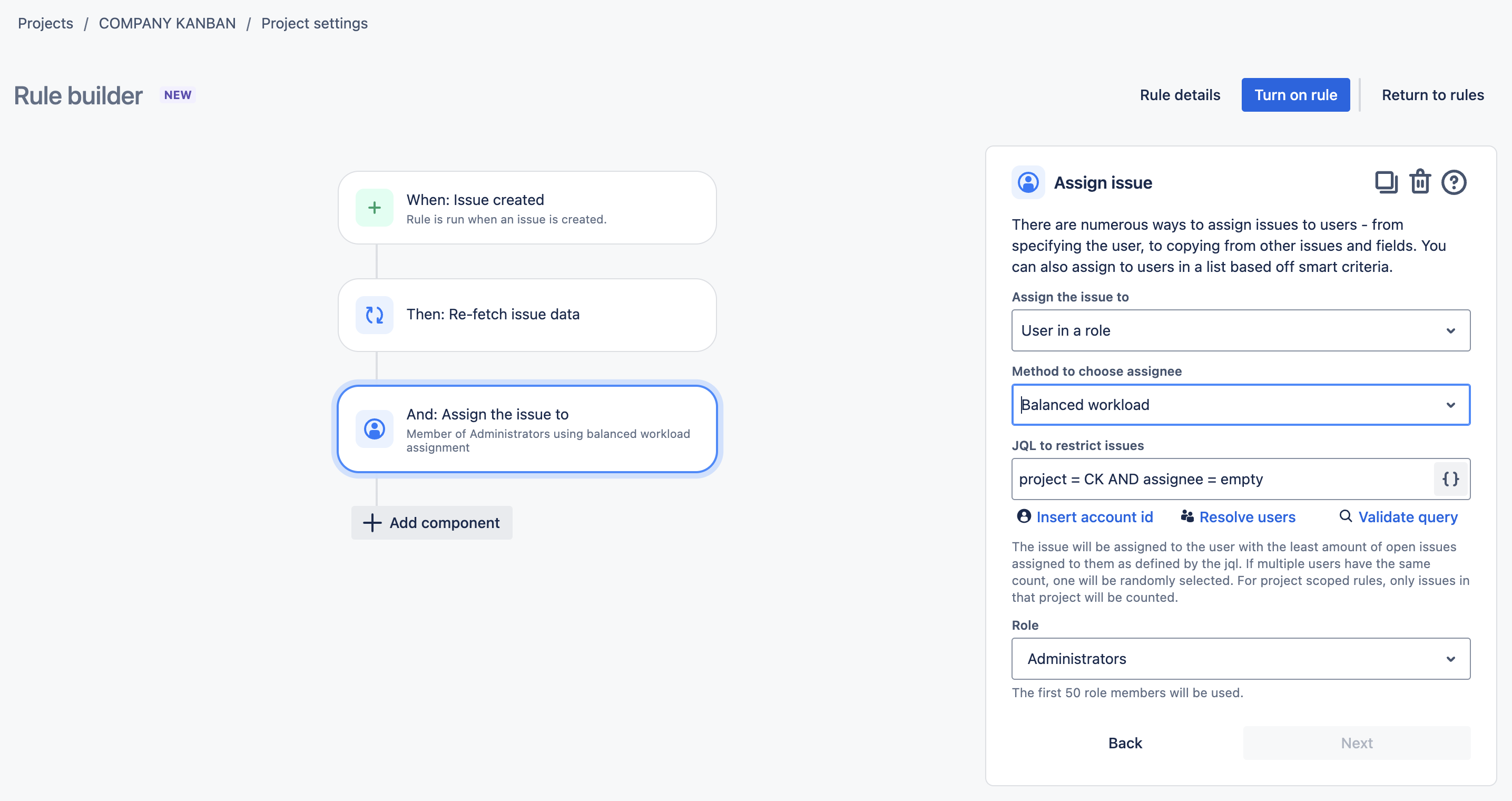
Balanced workload
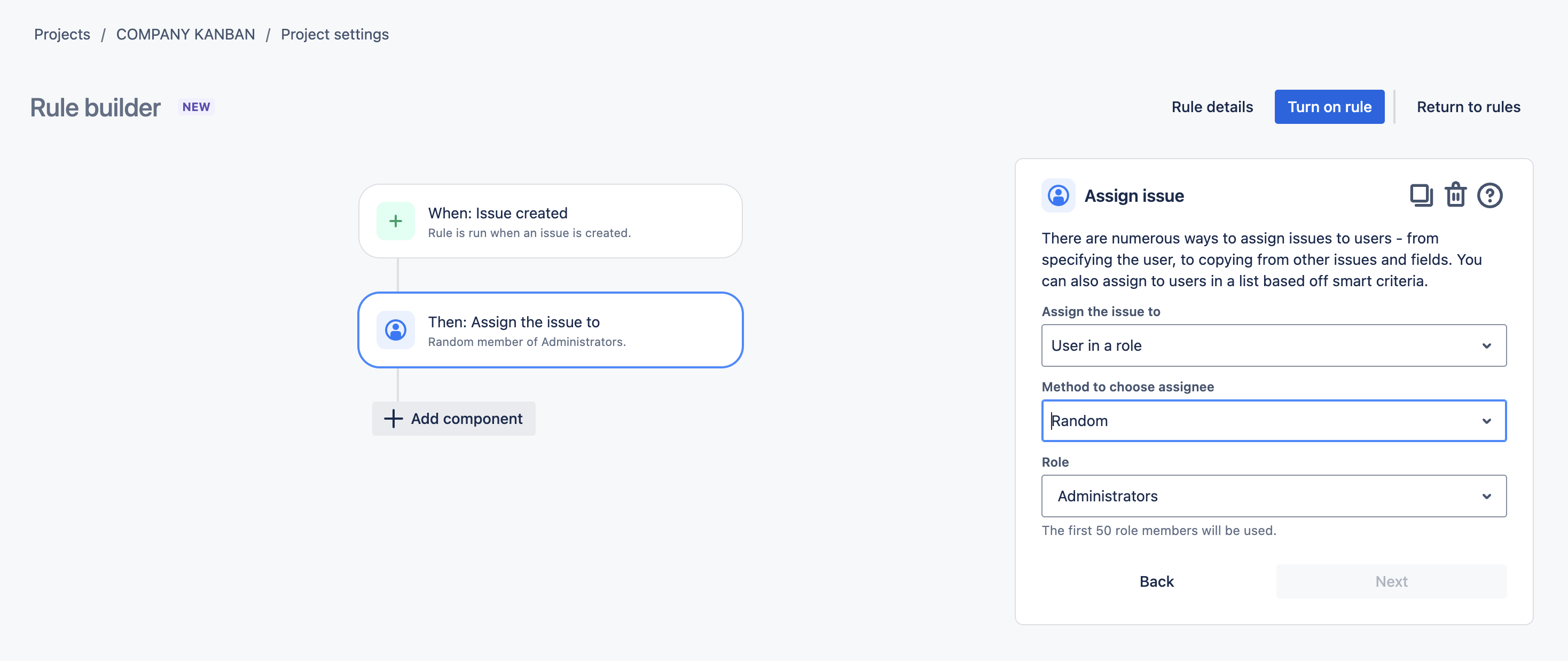
Random
Please find the automation rule for all three methods below
Round Robin Format: The round-robin algorithm is simple. If there are three team members (A, B, and C), the first issue will be assigned to A, the second issue to B, the third issue to C, and so on. This method can be useful when you want to distribute that work stream fairly and give everyone to same chances to work on
Balanced Workload: In a balanced workload, also known as load balancing, the automation first evaluates how much work is assigned to each of the team members. Then, the issue is assigned to the team member with the least amount of open workitems. This is a good method when the most important thing is not to overload anybody.
Random:The rule just randomly picks a user from the list, role, or group
Was this helpful?