Issues with adding users to the "Customers" section of a project
Platform Notice: Cloud Only - This article only applies to Atlassian apps on the cloud platform.
Summary
Issues with adding users to the "Customers" section of a project.
Diagnosis
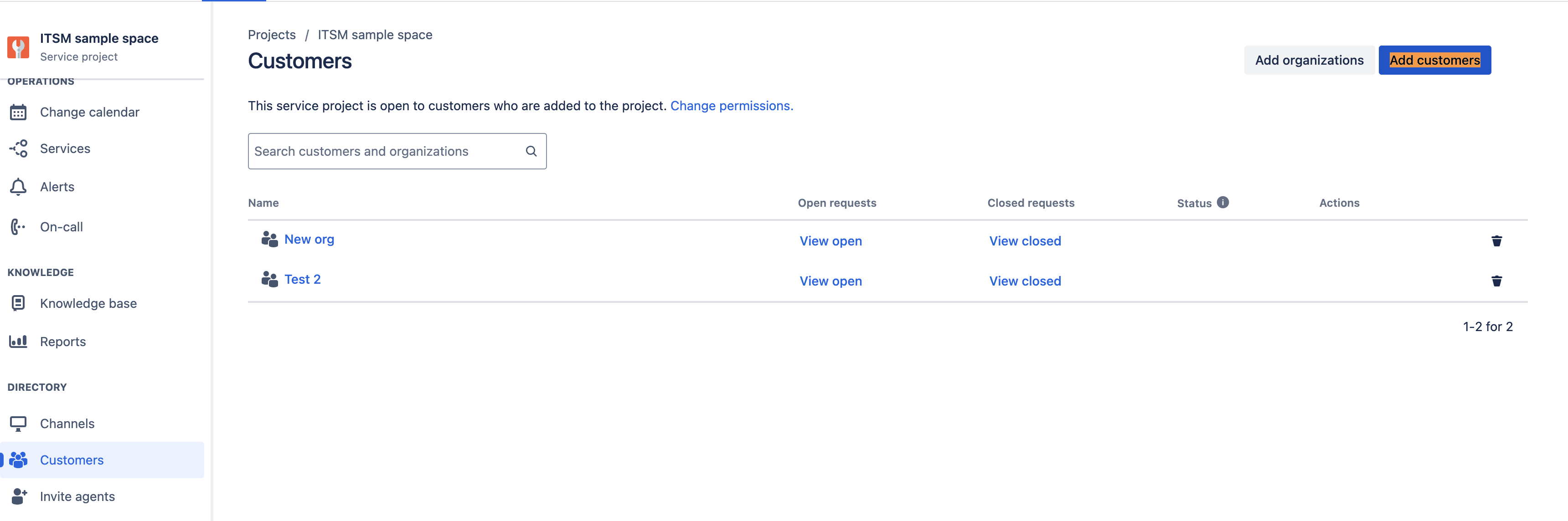
In the Customers section of a project, Administrators or Agents may encounter an issue where they are unable to add 'portal-only accounts' or 'Atlassian account' users using the 'Add Customers' button. Alternatively, these users may be successfully added but then disappear after the page is refreshed. Furthermore, this issue may also result in these customers not appearing in the user picker fields, such as the 'Reporter' field.
Solution
When customers can't be added to a project (or disappear after refresh, or don't show in user pickers), the fix differs by account type:
Portal-only accounts → Revoke access, then re-add.
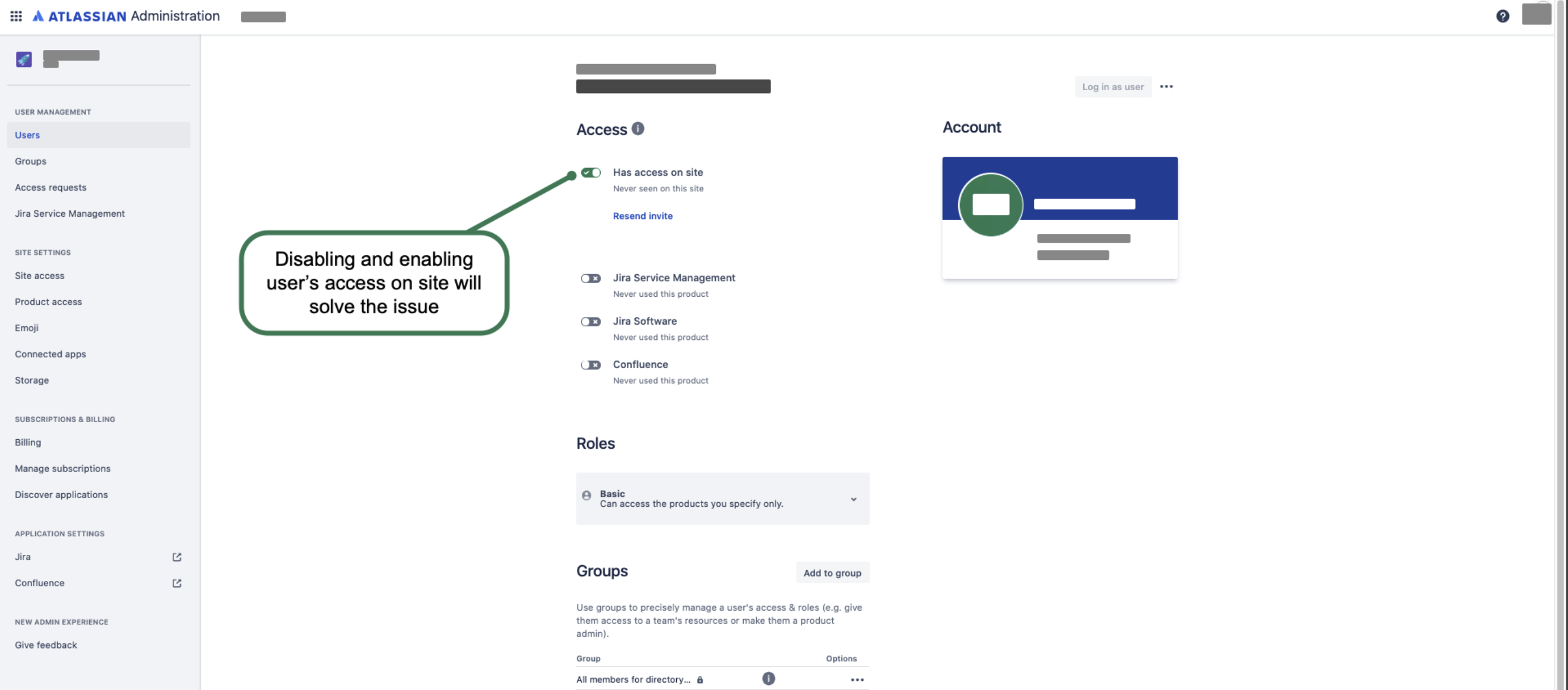
Atlassian accounts → toggle site access off/on in the Admin Hub.
For Portal-only accounts
On the Portal customers page, select the three-dotted icon next to the corresponding user, then select Revoke access. Once revoked, try adding the user in the space's customers section.
For Atlassian accounts
Disable then re-enable site access at https://<yourinstance>.atlassian.net/admin/users.
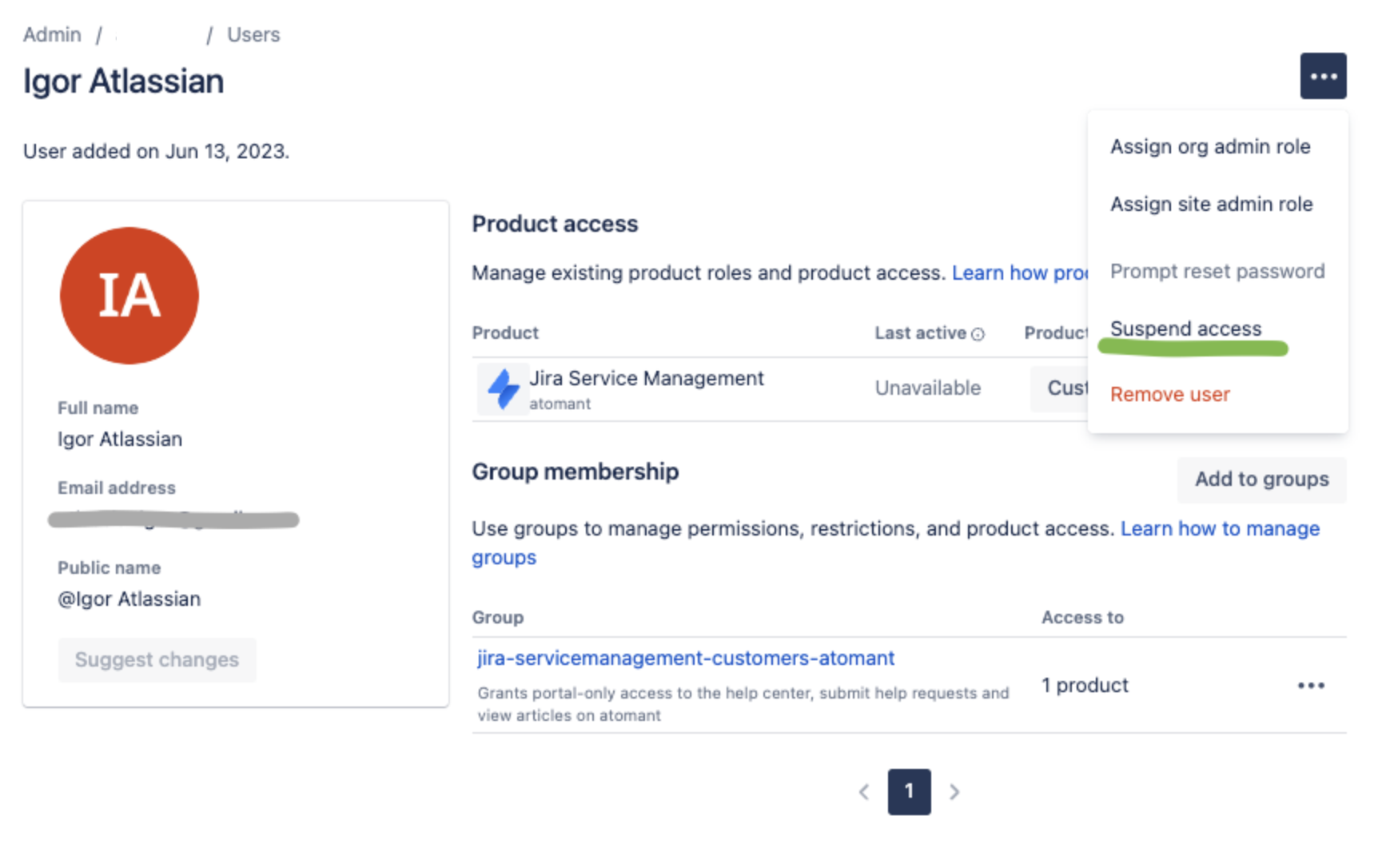
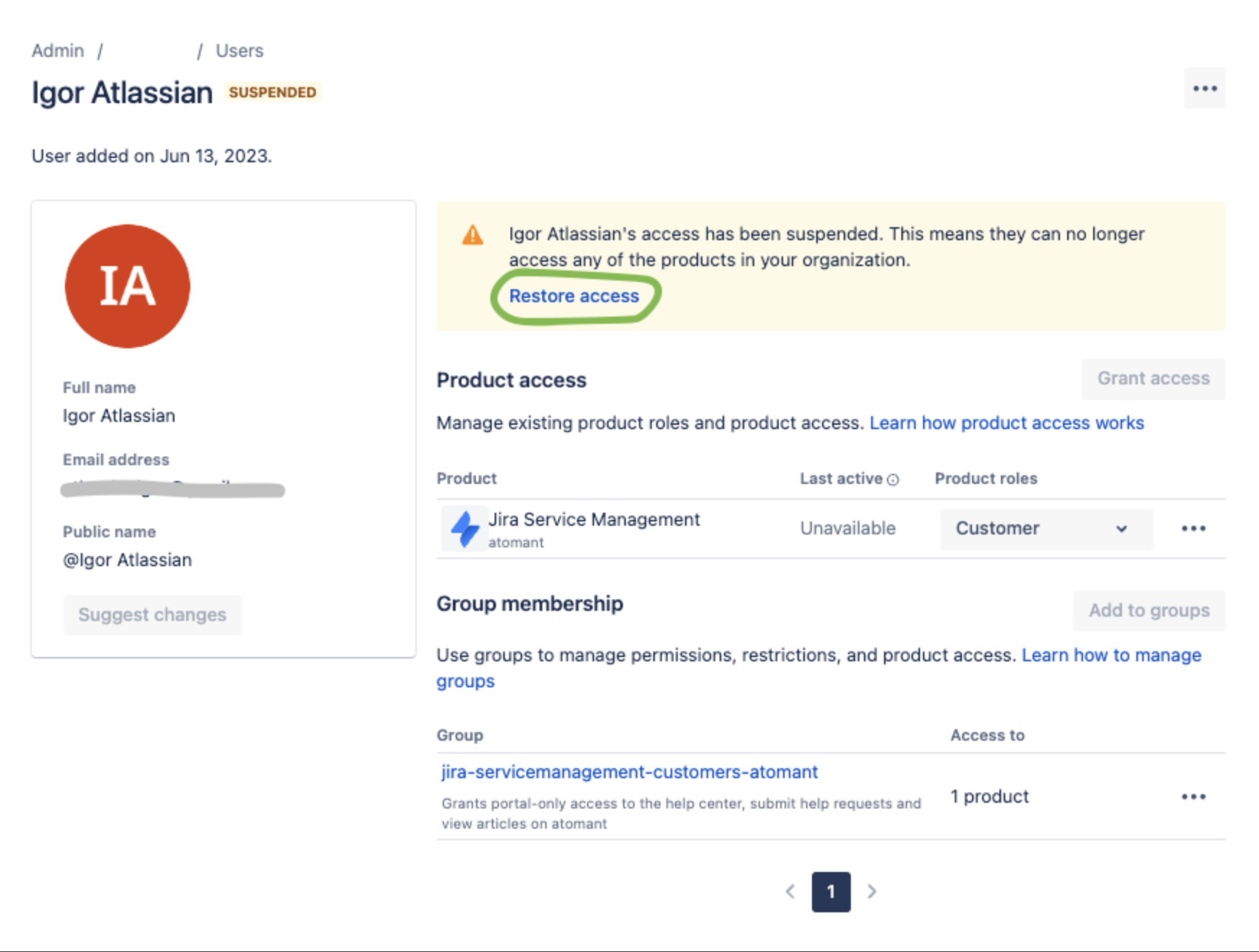
Suspending and restoring the user also works.
If the account still doesn't appear, contact Atlassian Support.
Related articles
Was this helpful?