Update Objects in JSM Assets Cloud via CSV Import
Platform Notice: Cloud Only - This article only applies to Atlassian apps on the cloud platform.
Summary
Learn how to update existing objects using CSV import in JSM Assets Cloud.
Solution
To update the existing objects using the CSV import, your import configuration should have a unique attribute as an identifier while importing the updated objects. For new object imports, the 'Key' attribute cannot auto-generate values for new objects and should not be used as the primary identifier. Instead, use another unique and non-null column, such as 'Serial Number' or 'Store Number,' as the identifier, and ensure it is mapped correctly during import configuration.
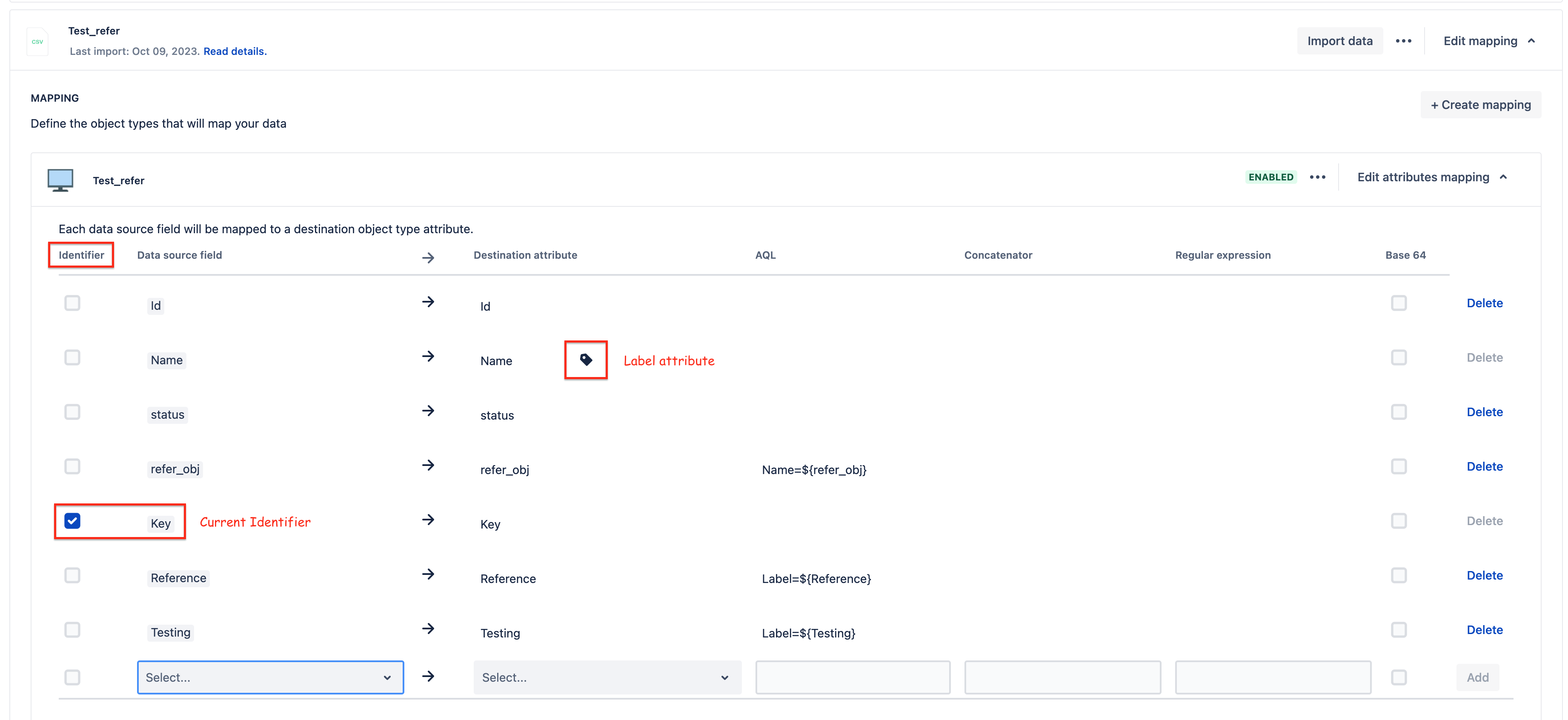
The identifier is used by the Assets import to identify whether an object in the CSV is similar to an existing object in Assets.
Generally, the label attribute is marked as the identifier in the object type mapping in the import. Ensure that all required attributes are correctly mapped to align with the object schema. Verify that referenced objects exist in the target schema and custom fields have proper configurations, such as filter scopes, before beginning the import.
If the Assets import could not identify similar objects from the records in the CSV file using the identifier, this leads to recreating the objects instead of updating/ignoring the existing object.
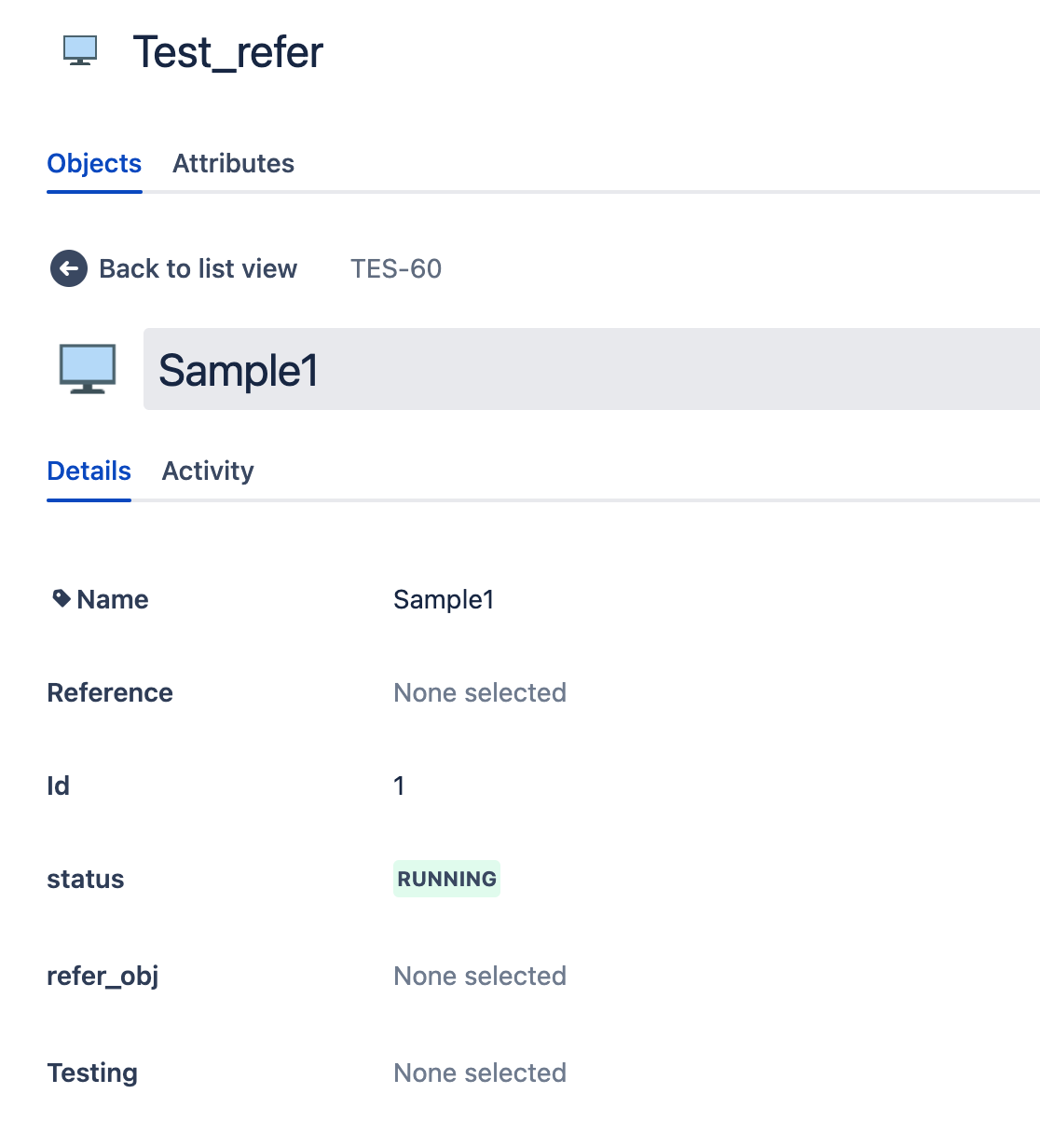
For example, I have an object called "Sample1" in the object type "Test_refer" as below:
Using the below Import config, wherein the Identifier is marked as a "Key" attribute, I have updated the existing object and highlighted the "Label" attribute in the object type mapping.
Refer to the CSV file used:
CSV File
Key,Name,Reference,Id,status,refer_obj,Testing
TES-60,Sample1,Refer_obj,1,Running,,Telnet
And, after the example CSV import run, the object will be updated.
Therefore, to update the existing objects, we suggest using a unique attribute like the "label attribute of the object type," "Key" attribute, or a combination of the "Key" & "Name"/"Label" attributes as identifiers to update the existing objects. For object fields that accept multiple values, use double pipes (||) as delimiters without including extra spaces within your CSV file. This formatting ensures multi-value attributes are properly imported without errors.
The objects wouldn't be updated by Assets Import in the below scenarios:
If objects are excluded based on the configuration set in the "Filter data source by AQL" field of the Object type mapping.
If the "Filter Objects" settings are configured for the Object attribute, the value of the object attribute will not be updated through the Assets Import as per the configured filter.
Was this helpful?