How to get a list of tickets excluding those with 0 elapsed time ?
Platform Notice: Data Center Only - This article only applies to Atlassian apps on the Data Center platform.
Note that this KB was created for the Data Center version of the product. Data Center KBs for non-Data-Center-specific features may also work for Server versions of the product, however they have not been tested. Support for Server* products ended on February 15th 2024. If you are running a Server product, you can visit the Atlassian Server end of support announcement to review your migration options.
*Except Fisheye and Crucible
Summary
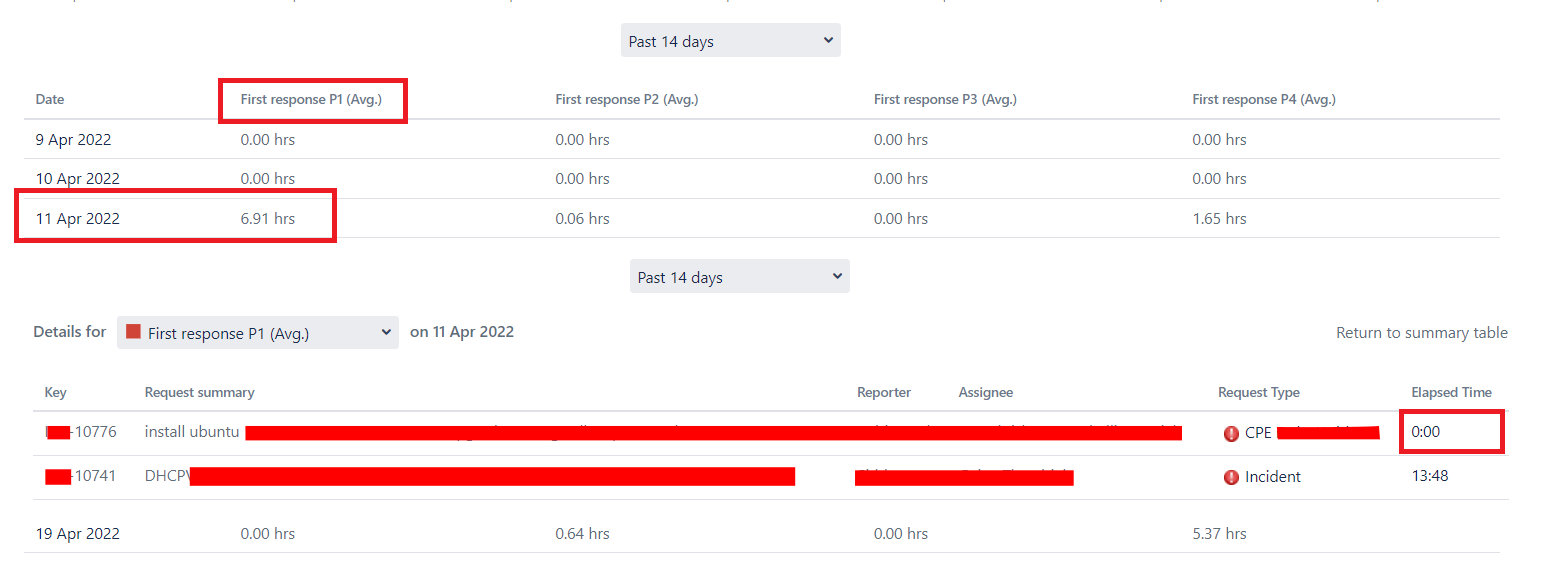
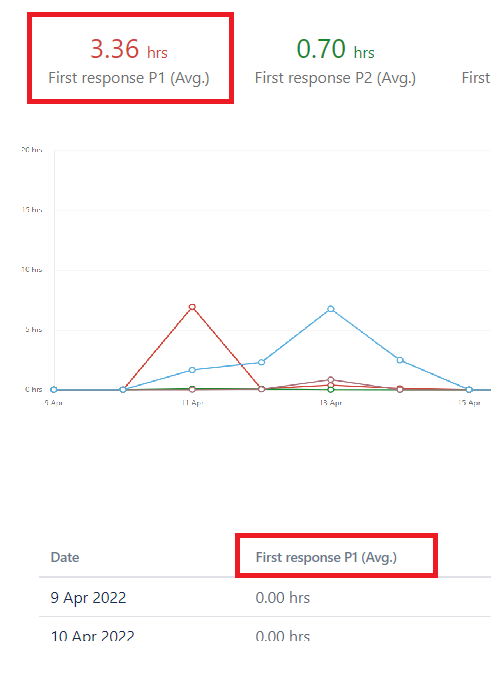
While using Jira Service Management reports, average of SLA is calculated based on total elapsed time of all tickets divided by the number of tickets. However there could be possibility where some tickets have 0 elapsed time, it could be because of different request type. Thus these tickets can impact the report and users might not want to include these tickets with 0 elapsed time. In this article we are going to discuss how we can get a list of tickets excluding 0 elapsed time.
Environment
JSM 4.x
Diagnosis
We can easily get elapsed time of an SLA field in millisecond for any Jira Service Management ticket with these two steps.
With follow SQL query we would be able to identify associated CUSTOMFIELD for the specific SLA field.
SELECT * FROM CUSTOMFIELD c WHERE c.CFNAME = 'Time to first response';
ID   |CFKEY|CUSTOMFIELDTYPEKEY                    |CUSTOMFIELDSEARCHERKEY                         |CFNAME                |DESCRIPTION                                              |DEFAULTVALUE|FIELDTYPE|PROJECT|ISSUETYPE|ISSUESWITHVALUE|LASTVALUEUPDATE|
-----+-----+--------------------------------------+-----------------------------------------------+----------------------+---------------------------------------------------------+------------+---------+-------+---------+---------------+---------------+
10225|     |com.atlassian.servicedesk:sd-sla-field|com.atlassian.servicedesk:sd-sla-field-searcher|Time to first response|This custom field was created by Jira Service Management.|            |         |       |         |               |               |
With following REST API, we can get the elpasedTime in millisecond for the particular ticket. Here you would have to replace ITSM1-6 with ticket-id and customfield_10225 with the ID of customfield, we got in last SQL query.
curl -su "username:password" "http://IP:PORT/rest/api/2/issue/ITSM1-6?fields=customfield_10225" | jq '.fields.customfield_10225.completedCycles[].elapsedTime.millis'
37743
Solution
This query will provide the list of tickets in project ITSM1 having SLA 'Time to first response' with elapsedTime not 0. User would have to replace ITSM1 with their project-key.
SELECT ( p.pkey
         || '-'
         || i.issuenum ) AS issuekey,
       cf.cfname AS FIELD ,
       cv.textvalue
FROM   customfield cf,
       customfieldvalue cv,
       jiraissue i,
       project p
WHERE  i.project = p.id
       AND cv.issue = i.id
       AND cv.customfield = cf.id
       AND cf.CFNAME = 'Time to first response'
       AND p.pkey = 'ITSM1'
       AND cv.TEXTVALUE  NOT LIKE '%"elapsedTime":0%'
AND cv.TEXTVALUE LIKE '%elapsedTime%';Was this helpful?