How to find Jira issues that belong to a closed Sprint
Platform Notice: Data Center Only - This article only applies to Atlassian apps on the Data Center platform.
Note that this KB was created for the Data Center version of the product. Data Center KBs for non-Data-Center-specific features may also work for Server versions of the product, however they have not been tested. Support for Server* products ended on February 15th 2024. If you are running a Server product, you can visit the Atlassian Server end of support announcement to review your migration options.
*Except Fisheye and Crucible
Summary
Sometimes, stories, issues, bugs, etc., that were included in a sprint that has already been completed need to be found. Jira Software does not have a quick way to do this from its own UI.
The purpose of this article is to provide a way to find Jira issues that belong to a closed Sprint.
Solution
Environment
Jira Data Center on any version from 8.0.0
Resolution
First, you will need to identify the name of the closed Sprint from which you need to look for stories. If you don't remember the name of this Sprint, you can use either method:
Method 1:
Go to the Jira Software Project from which the Sprint was created
Go to the Project Report Page and select Sprint Report
From the Sprint Report page, click on the Sprint dropdown: you will see the list of all the closed sprints that were created from this project:
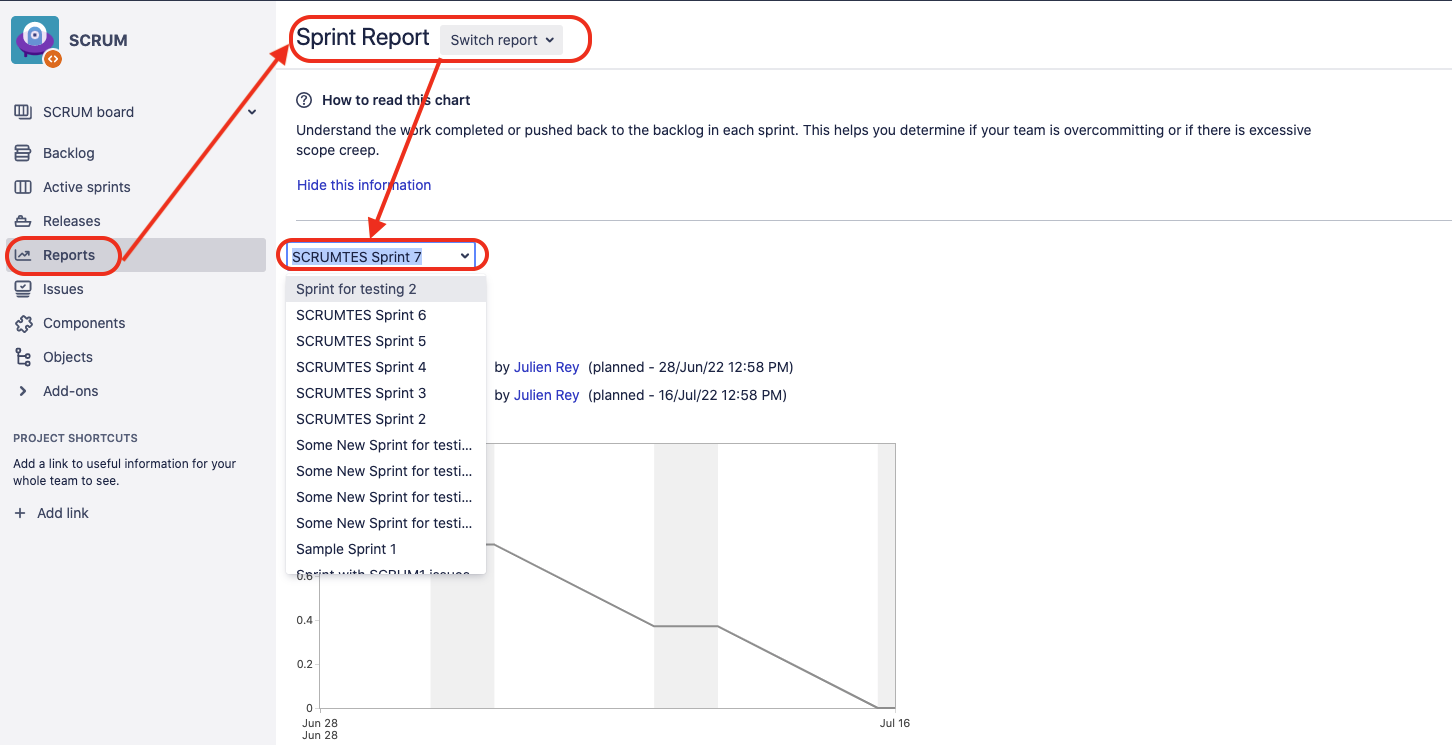
Method 2:
Log into the Jira Database
Run the following SQL query to find the list of all the Sprints that have been closed. ⚠️ Note that this SQL query was written and test for a PostgreSQL database, and will need to be adjusted for other types of Databases:
select * from "AO_60DB71_SPRINT" where "CLOSED" = true;
Once you know the name of the Sprint, use the the advanced search feature in Jira's Issue Navigator (from the page Issues > Search for Issues), and construct a JQL statement to find the issues that belong to a certain sprint:
Sprint = "<name of sprint>"⚠️ For more information on searching for issues using JQL, check out Advanced Searching.
Was this helpful?