How to disable Virtual Service Agent on JSM Cloud Customer portal
Platform Notice: Cloud Only - This article only applies to Atlassian apps on the cloud platform.
Summary
This article explains how to remove the chat widget from the JSM cloud customer portal when the Virtual Service Agent remains active and when there is no option to turn off AI answers.
The Virtual Service Agent (specifically AI answers) may remain enabled internally if it was turned on while a Confluence knowledge base was linked. If the knowledge base is subsequently unlinked without first disabling AI answers, the chat widget continues to appear on the portal, even though the settings indicate it is disabled.
How to verify this?
Navigate to the Help Center as a Jira Admin
Click on your Profile and select “Virtual service agent”
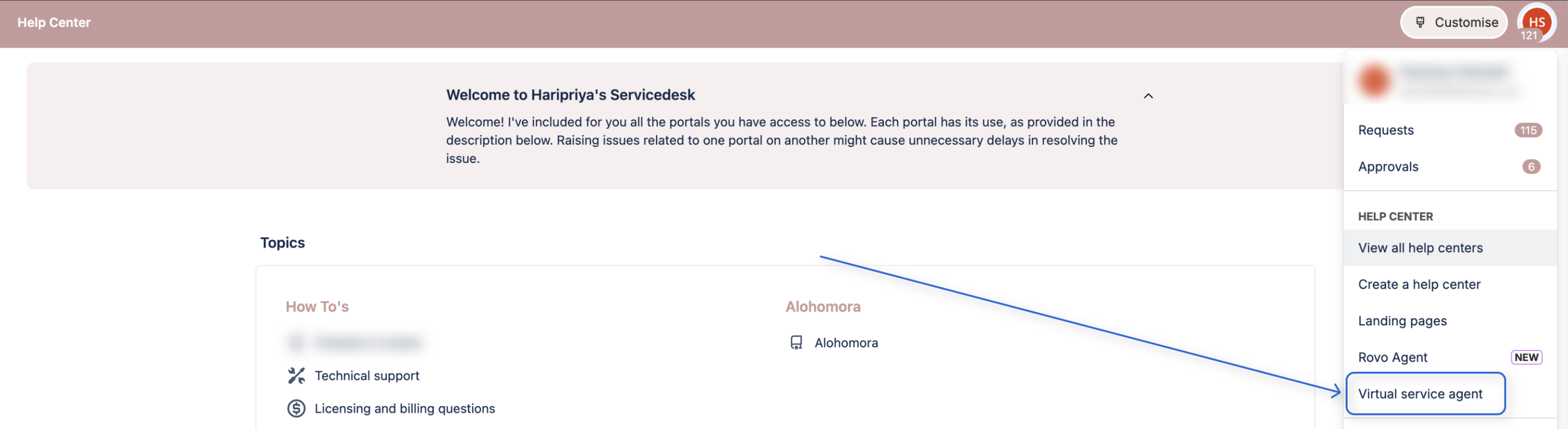
You will be navigated to the Help Center management page for VSA.
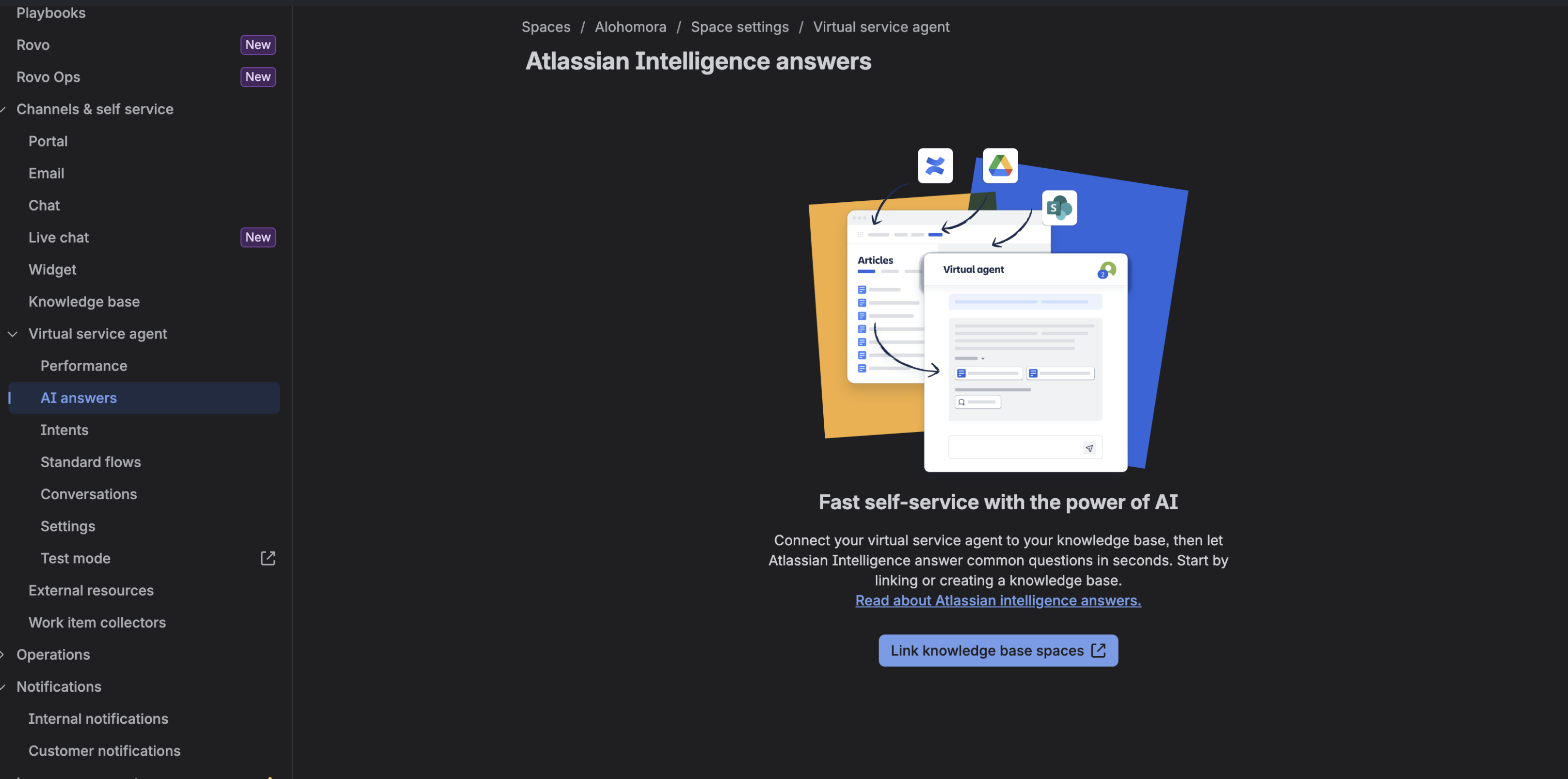
Check if AI answers are enabled for any Space.
From the Agent portal, navigate to the Space Settings > Channels and Self Service > Virtual Service agent > AI answers. If the page shows Link Knowledge Base, then the AI answer is active but can’t be disabled because there is no active KB linked to the space.
Solution
To remove the chat widget from your portal, you must temporarily restore the knowledge base connection to access and toggle the Virtual Service Agent settings.
Go to your Jira Service Management project.
Select Space settings, then Knowledge base.
Temporarily link a Confluence space to the Service Space.
Next, select Virtual Service Agent and then AI Answers. The page will show up as:
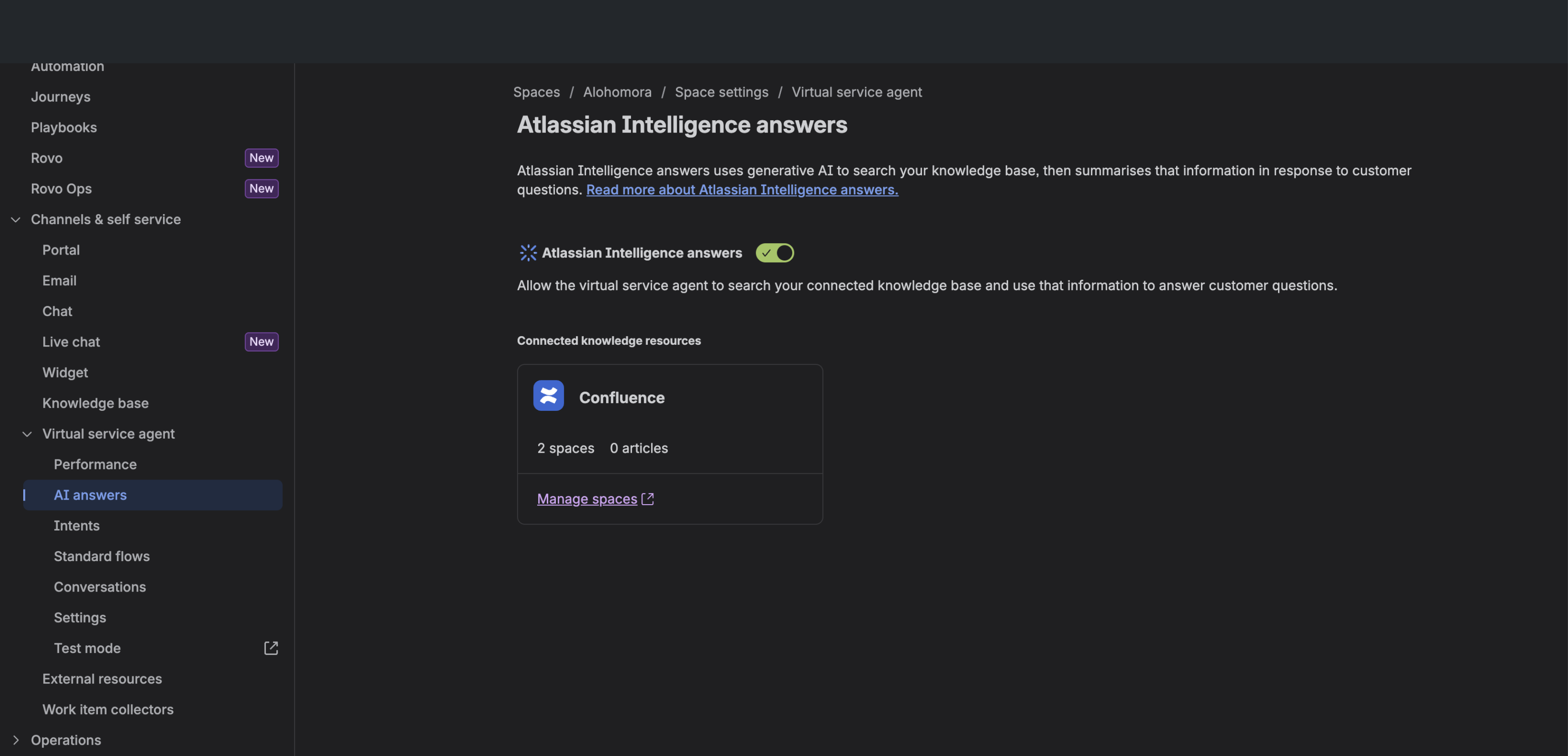
Locate the AI answers toggle and switch it to Off.
Return to the Knowledge base settings and unlink the Confluence space.
Once these steps are completed, the chat widget will no longer appear on your customer portal.
Was this helpful?