How to create a Jira Service Management project only with knowledge base articles
Platform Notice: Cloud Only - This article only applies to Atlassian apps on the cloud platform.
Summary
In Jira Service Management Cloud, some customers want to create a service project only using knowledge base articles (not with any request types to be shown in the portal). This page explains how to achieve this.
Environment
Jira Service Management Cloud.
Solution
You have two options.
Option 1: Hide all the request types from the portal, then create knowledge base categories and tag the articles.
In this method, you have to have one allocated service project for publishing articles. You can't use this service project for raising requests(Request types are un-assigned from the portal groups). You can have articles from the multiple Confluence spaces that you have linked through the knowledge base settings of the service project. Make sure to configure who can view for "All logged-in users" otherwise portal-only users will not be able to see the articles.
You can hide request types from the portal and create categories.
Go to Request types (Project settings → Request management → Request types) of the intended project you like to publish only with the knowledge base articles.
Un-assign all the request types from the portal groups (Action -> portal group -> Edit)
Go back to the knowledge base under the knowledge section of the project.
Create categories and add articles under the relevant categories.
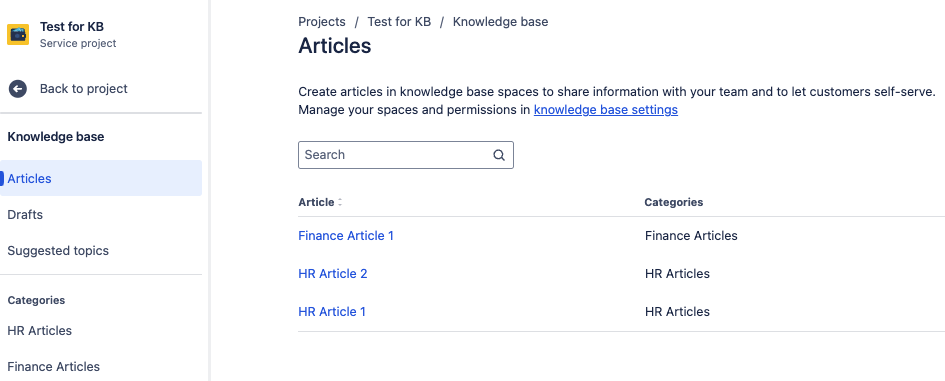
Go to the portal. Now it will be listed down only the articles under the concerned portal.

Option 2: Create a Topic in the Help Centre and add the knowledge base articles.
You can create a Topic in the Help Center and attach only the knowledge base articles from the relevant project(s) to the topic and publish it. When you configure a topic you can add articles from multiple service projects.
To create a topic please follow the steps here.
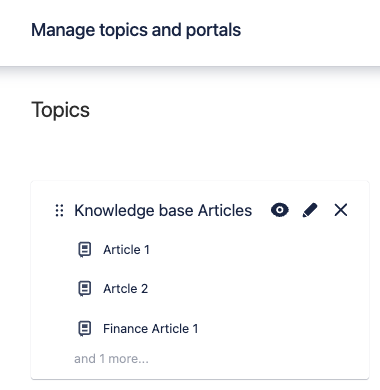
Once topic created with knowledge base articles from the intended service project(s), publish it.
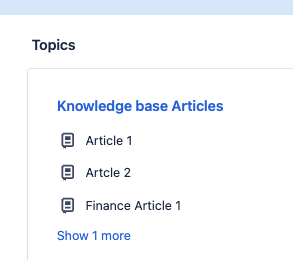
Now go to the Help Centre and you will see the topic with knowledge base articles.
Was this helpful?