How to bulk update FROM email address under notifications for projects ?
Platform Notice: Data Center Only - This article only applies to Atlassian apps on the Data Center platform.
Note that this KB was created for the Data Center version of the product. Data Center KBs for non-Data-Center-specific features may also work for Server versions of the product, however they have not been tested. Support for Server* products ended on February 15th 2024. If you are running a Server product, you can visit the Atlassian Server end of support announcement to review your migration options.
*Except Fisheye and Crucible
Summary
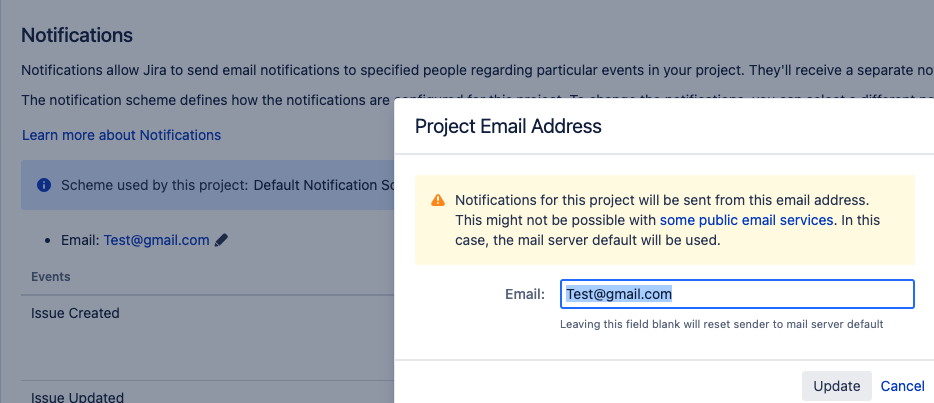
How to bulk update the from email address under Project Notifications ?
Environment
All Jira Versions
Diagnosis
Due to change in the email address that is common to all the projects, one need to manually update each project as there is no API to perform bulk operation for all the projects.
Solution
Warning: Backup your database before proceeding.
Before running any SQL in this article, create a full backup of your database. This is a database-level operation with no undo other than a backup restore. Only proceed if you're comfortable running SQL directly against the database, and test on a staging or cloned environment first, wherever possible.
Since there is no bulk update operation, you may want to update the Database entry holding the from email address for notifications of the projects manually by following the steps mentioned below.
Take complete database backup of your JIRA
Stop JIRA
Execute below SQL to fetch the list of projects having the email address that needs to be bulk updated.
select * from project_key pk where pk.project_id in (select p3.entity_id from propertyentry p3 where p3.id in (select id from propertystring p2 where p2.propertyvalue like '%Test@gmail.com%')) Update the email address of the all the projects email from notification.
update propertystring set propertyvalue='TestApple@gmail.com' where propertyvalue='Test@gmail.com'Start Jira
NOTE: In case you wish to exclude the projects list of the archived projects you can fetch those from the SQL below
select pe.entity_id,* from propertyentry pe where pe.property_key ='jira.archiving.projects.archived.by' and pe.entity_name ='Project' Was this helpful?