How to add validation for date entries on form fields on the portal?
Platform Notice: Cloud Only - This article only applies to Atlassian apps on the cloud platform.
Summary
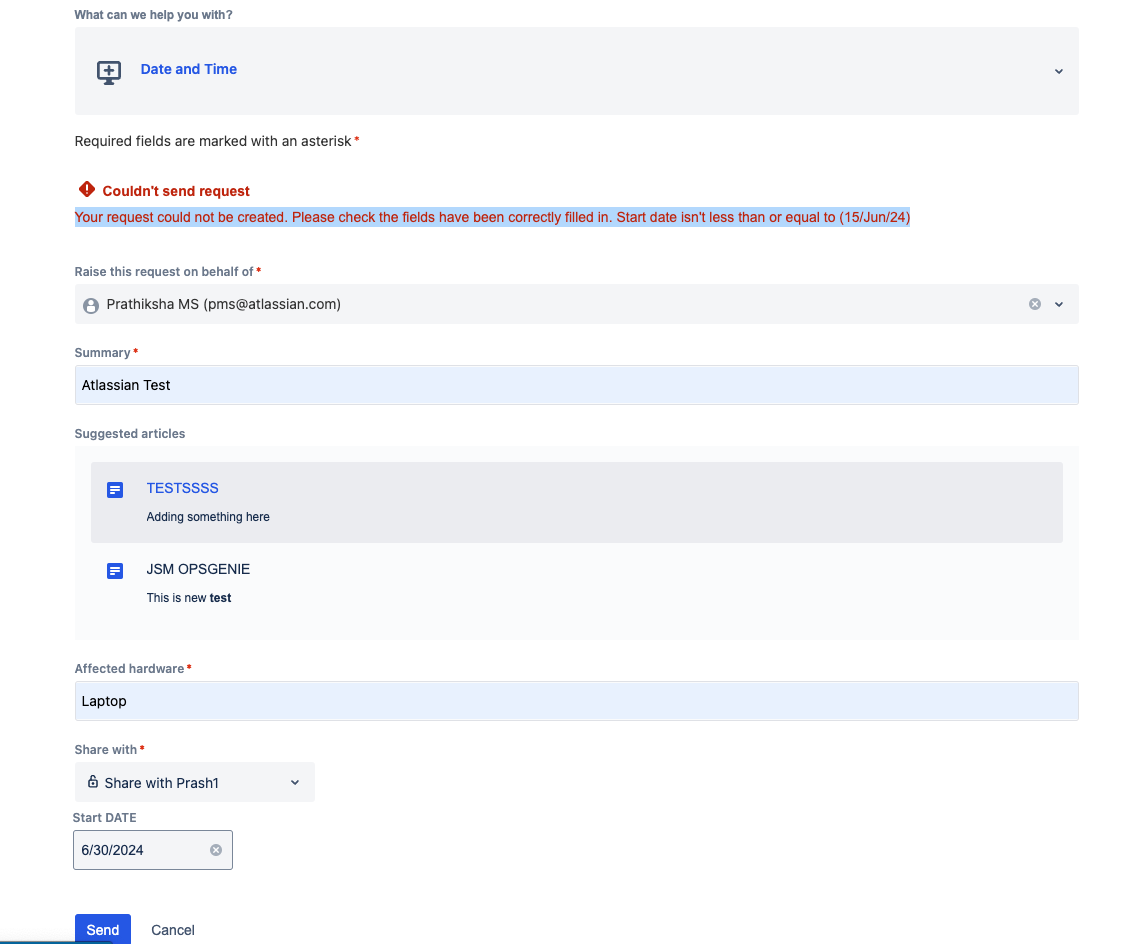
Jira Forms doesn't validate date/time according to a date range.
This article can serve as a workaround until the suggestion is implemented.
Solution
This validator compares the form's date field against a fixed relative offset from today (for example, "2w") — it does not support validating a date against another user-selected date field (a true date-range-between-two-fields check), so if your use case needs that, this workaround won't fully cover it.
You achieve something similar by linking the Form date field to any of your Date picker Jira fields, for example:
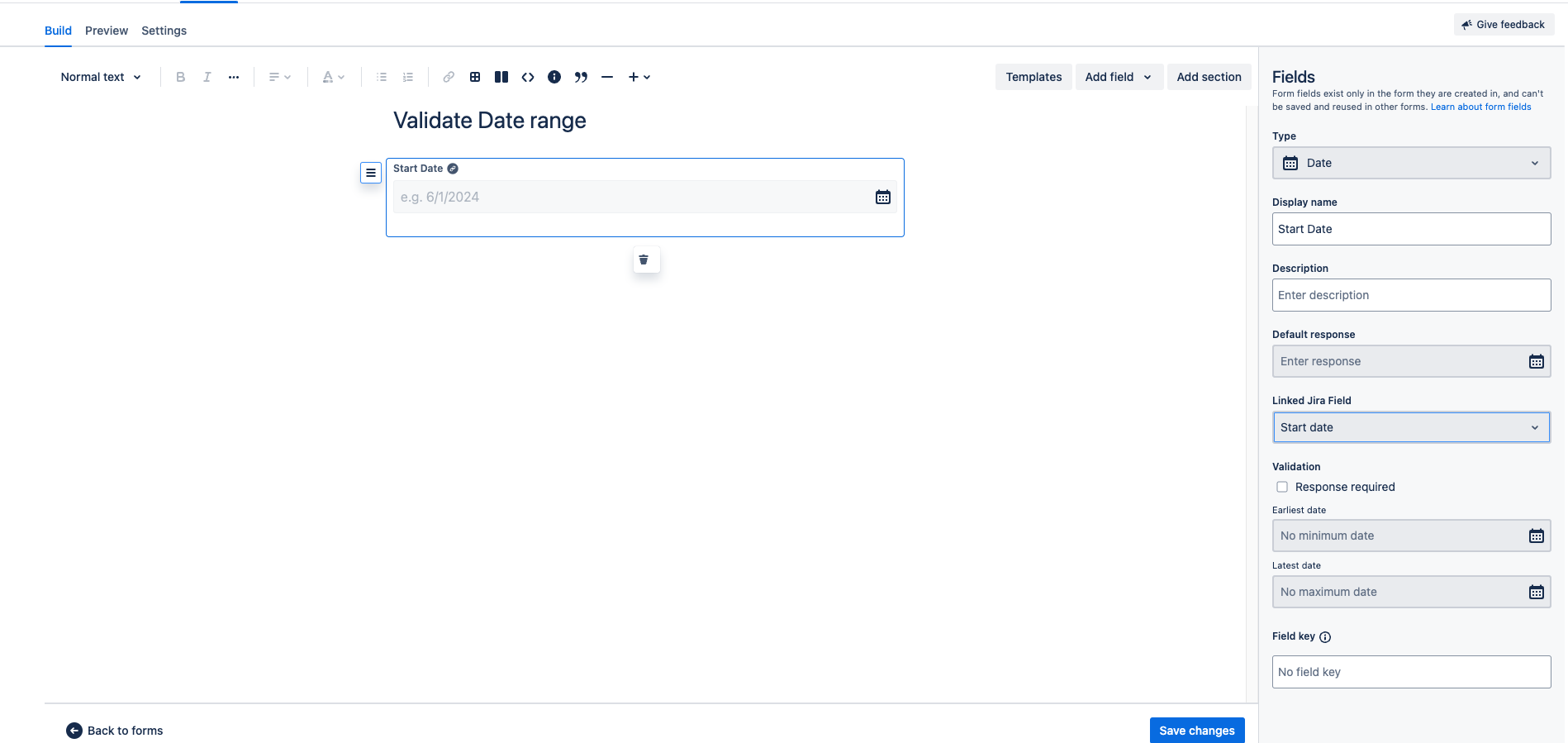
Then, on the "Settings" tab, associate the form with an existing request type:
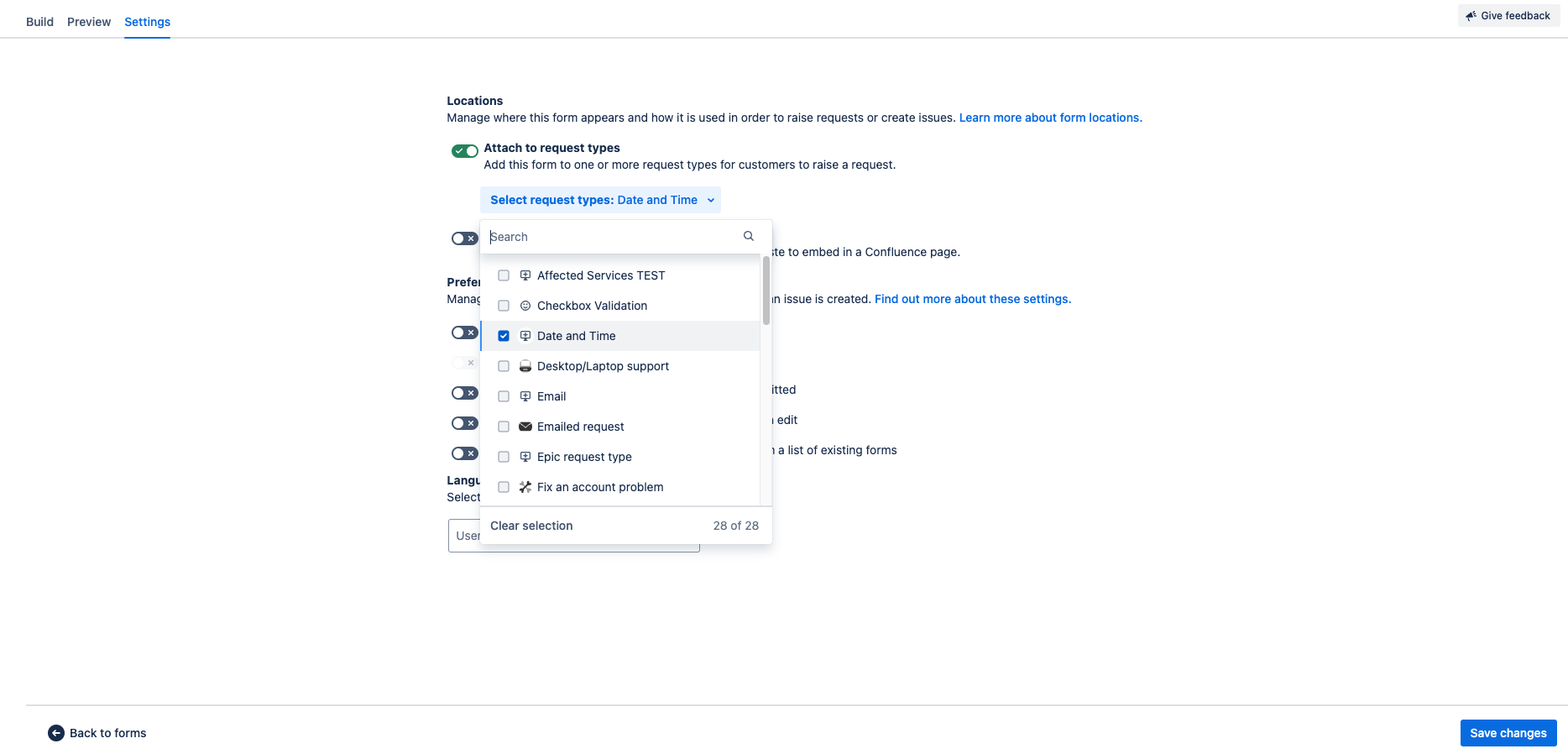
Depending on the Request type associated with your Form, you'll need to add a validator to the issue-type workflow based on the request type used.
1) Go to Project settings > Workflows > Editthe correspondent issue type workflow > Select thediagram mode > select the "Create" transition > Validators. For example:
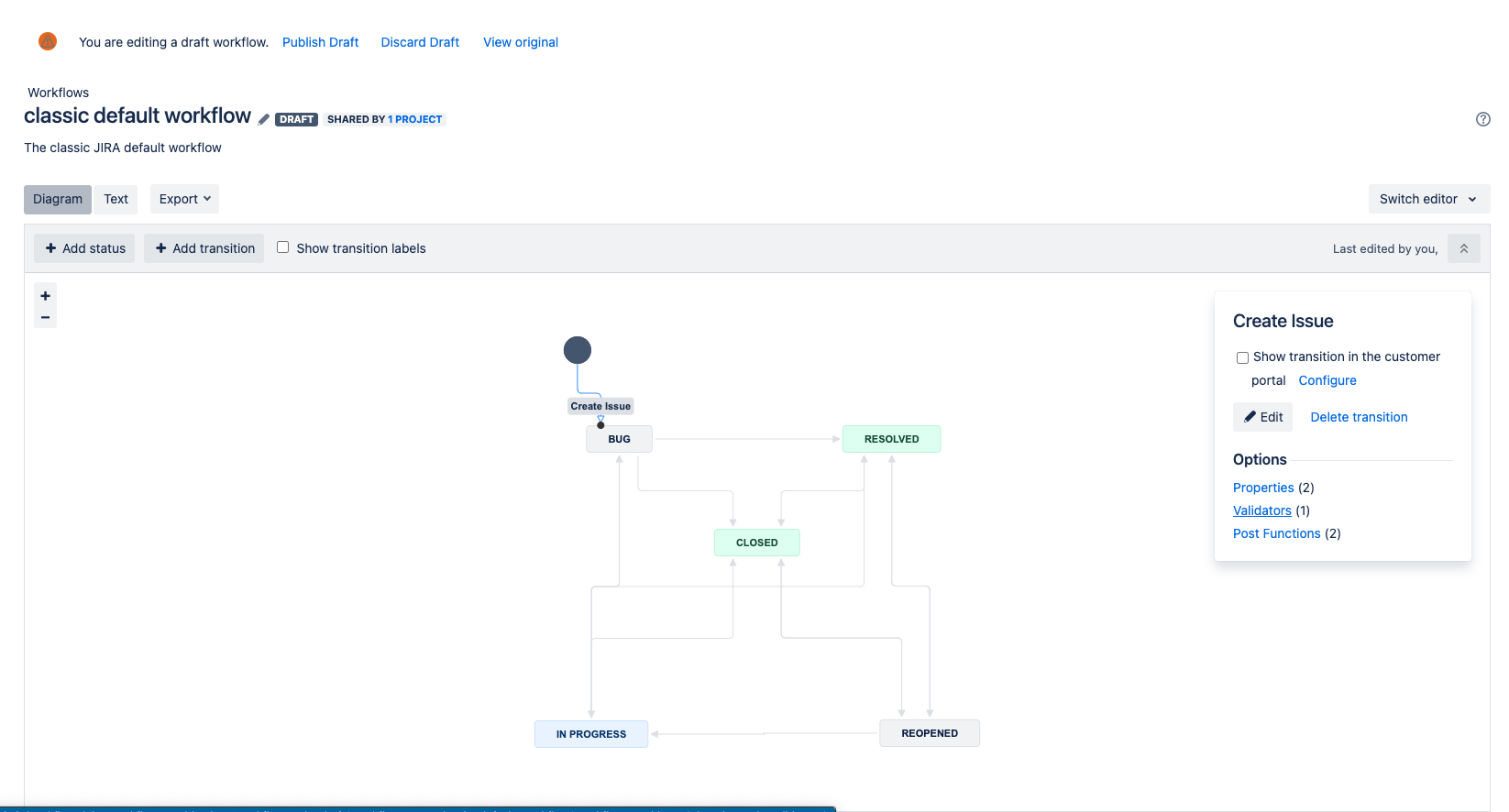
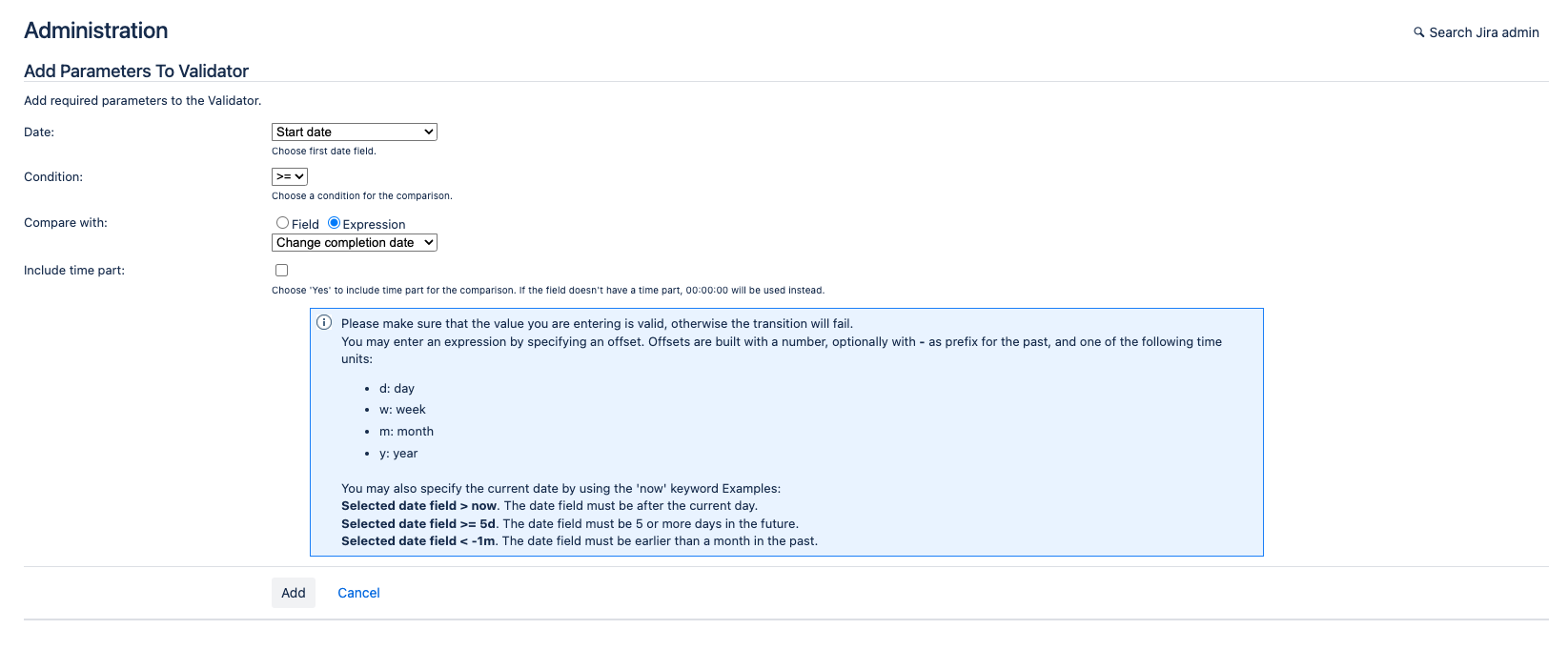
2) On the next page, click on "Add validator" and choose the Date Compare validator, then fill in the following information:
Date: select the linked Jira field used on your Form.
Condition: Select Compare with: (Choose Expression) and input 2w value
Click on Save
Test the Date Compare validator with a submission date exactly at the boundary of the configured window (for example, exactly 2 weeks out) to confirm whether the boundary date itself is accepted or rejected, since this determines whether to document the range as inclusive or exclusive for your team.
Was this helpful?