Fields not visible or missing on Jira Cloud work items
Platform Notice: Cloud Only - This article only applies to Atlassian apps on the cloud platform.
Summary
Some fields might not appear for some work items, even if they've been added to the screen. This can happen due to various reasons, such as missing context or configuration settings.
Solution
Add a context to a custom field
Don't worry! If your field isn't showing up or you encounter errors while creating it, such as 'Field not created. Something went wrong. Please try again,' it might be due to missing permissions or a missing context. Here's how to fix it:
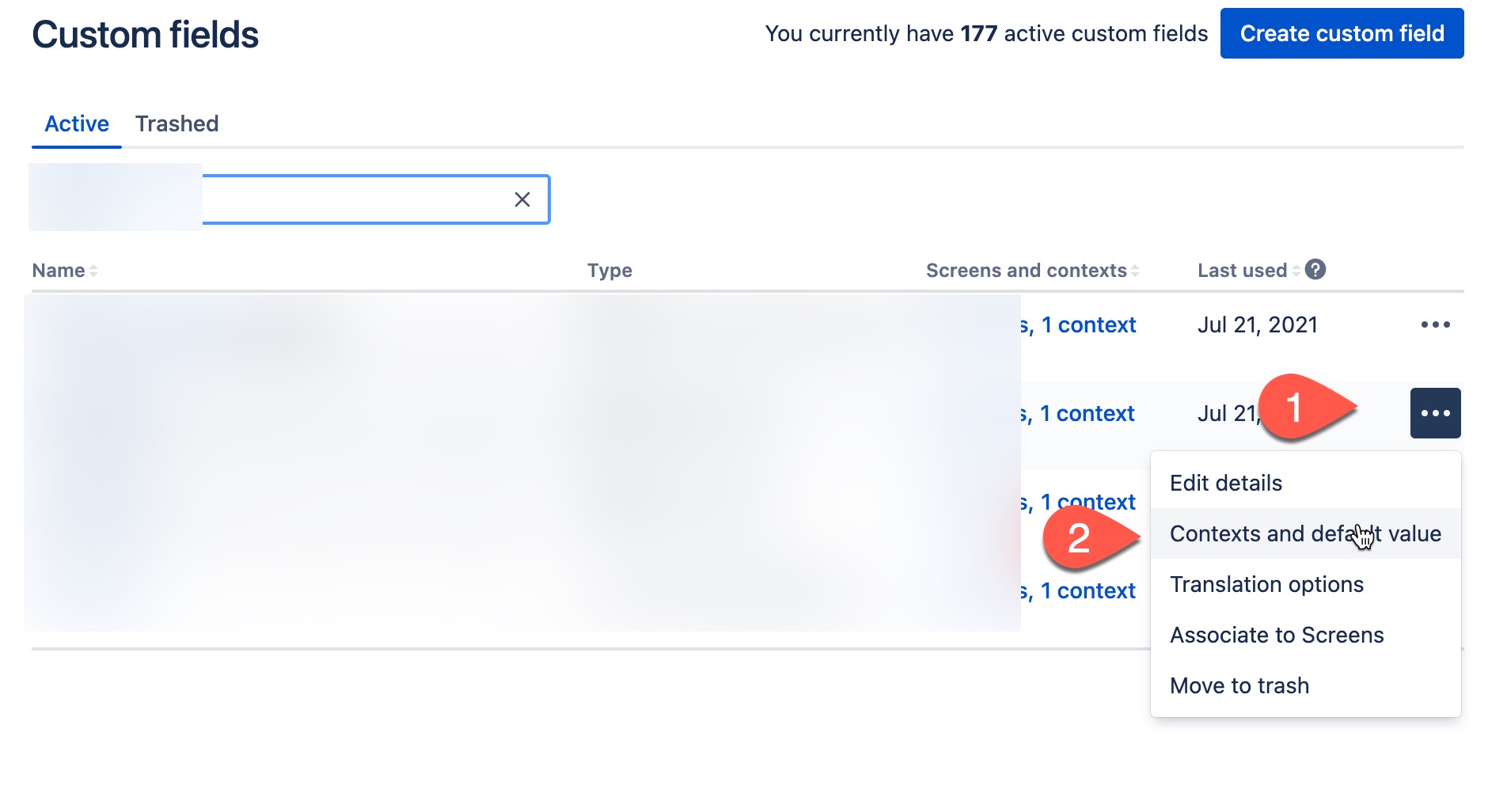
Access the field from ⚙ → Work Items → Custom fields
Find the custom field you want to configure, select More actions (•••), Contexts and default value as seen in the following screenshot:
Select "Edit configuration" under the default configuration scheme
Choose the applicable work item types in the next screen
Select "Modify"
For more background and details, please refer to our documentation: Configure a custom field.
Was this helpful?