Export portal only customers list
Platform Notice: Cloud Only - This article only applies to Atlassian apps on the cloud platform.
Summary
Admins often need to export a complete list of portal-only customer accounts present on the instance.
Solution
Choose the procedure that matches your admin experience. Use Original user management if you reach Jira Service Management from User Management. Use Centralized user management if you select your organization, Products, and a site before opening Jira Service Management.
Admin experience | Procedure |
|---|---|
Original user management | admin.atlassian.com → User Management → Jira Service Management → Export customers |
Centralized user management | admin.atlassian.com → select organization → Products → site → Jira Service Management → Portal customers → Export customers |
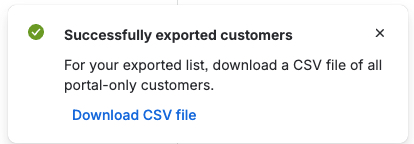
When the file is ready, use the download link in the success message(below) to retrieve the exported customer list.
Was this helpful?