Error editing issues in Automation - <IssueID> (Specify a valid 'id' or 'key' for Test Project (customfield_10074))
Platform Notice: Cloud Only - This article only applies to Atlassian apps on the cloud platform.
Summary
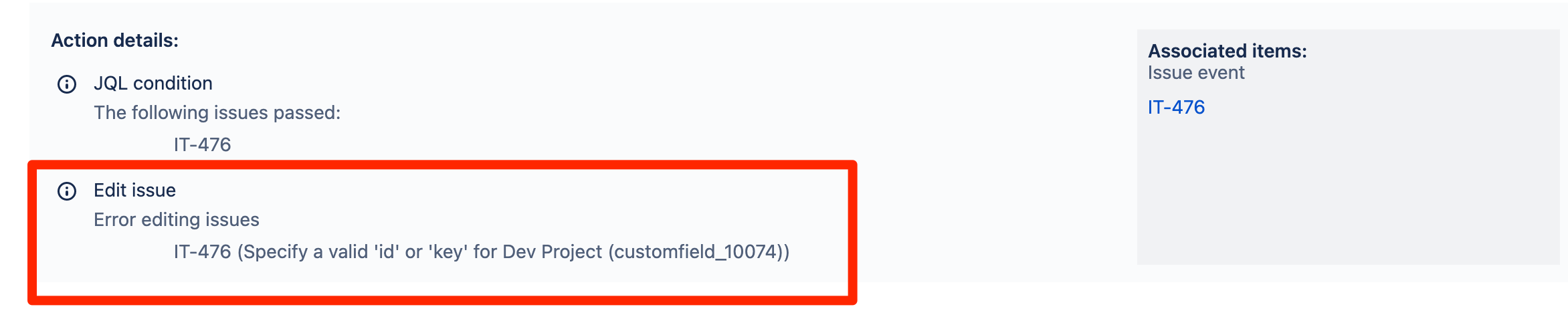
While editing an issue via Automation "Edit issue" action by specifying additional field values to be set using a JSON object as documented, we get an error below:
Cause
In above scenario, the error is referring to the "Dev Project" custom field in "IT" project, which needed to be updated with the reference (id or key) from another project per Automation configuration. So, we will have to use 'id' or 'key' values to update the custom field.
Solution
Change the advanced fields with either of the options below:
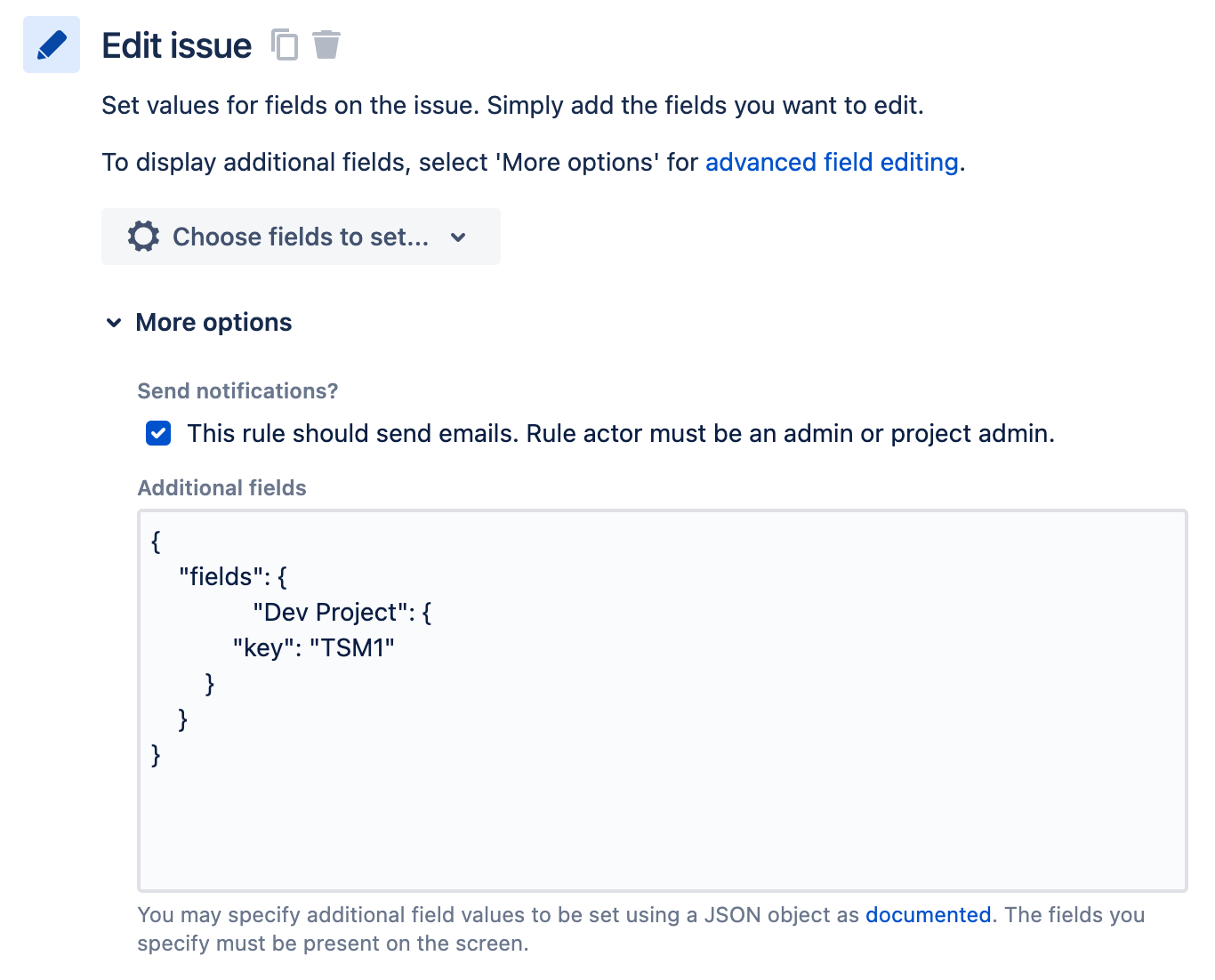
Option 1:
Copy Additional fields
{
    "fields": {
               "Dev Project": {
            "key": "TSM1"
        }
    }
}
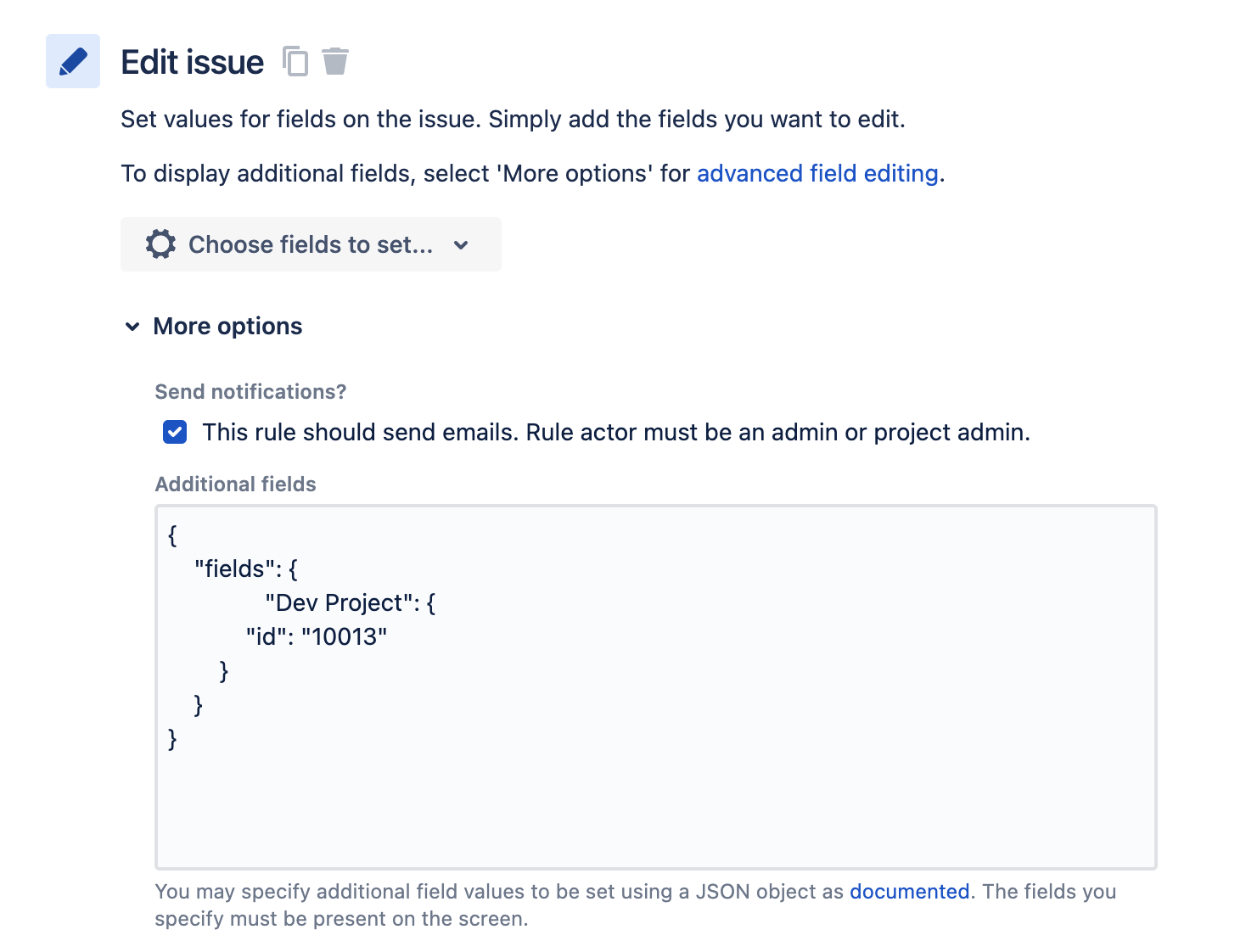
Option 2:
Copy Additional fields
{
    "fields": {
               "Dev Project": {
            "id": "12174"
        }
    }
} 
Updated on April 21, 2026
Was this helpful?
Still need help?
The Atlassian Community is here for you.