Enable HTML tag usage in Jira Data Center text fields
Platform Notice: Data Center Only - This article only applies to Atlassian apps on the Data Center platform.
Note that this KB was created for the Data Center version of the product. Data Center KBs for non-Data-Center-specific features may also work for Server versions of the product, however they have not been tested. Support for Server* products ended on February 15th 2024. If you are running a Server product, you can visit the Atlassian Server end of support announcement to review your migration options.
*Except Fisheye and Crucible
Summary
Atlassian Support does not provide any support for the steps described on this page. Please be aware that this material is provided for your information only and that you use it at your own risk.
HTML is disabled by default because it is a potential security risk, as it can contain arbitrary HTML which could potentially make your JIRA system vulnerable toCross-site scripting (XSS) attacks.
To allow HTML tags in Jira issue for text fields.
Environment
Jira Data Center
Solution
Go to the page ⚙ > Manage apps > Manage apps
Select System in the drop down menu
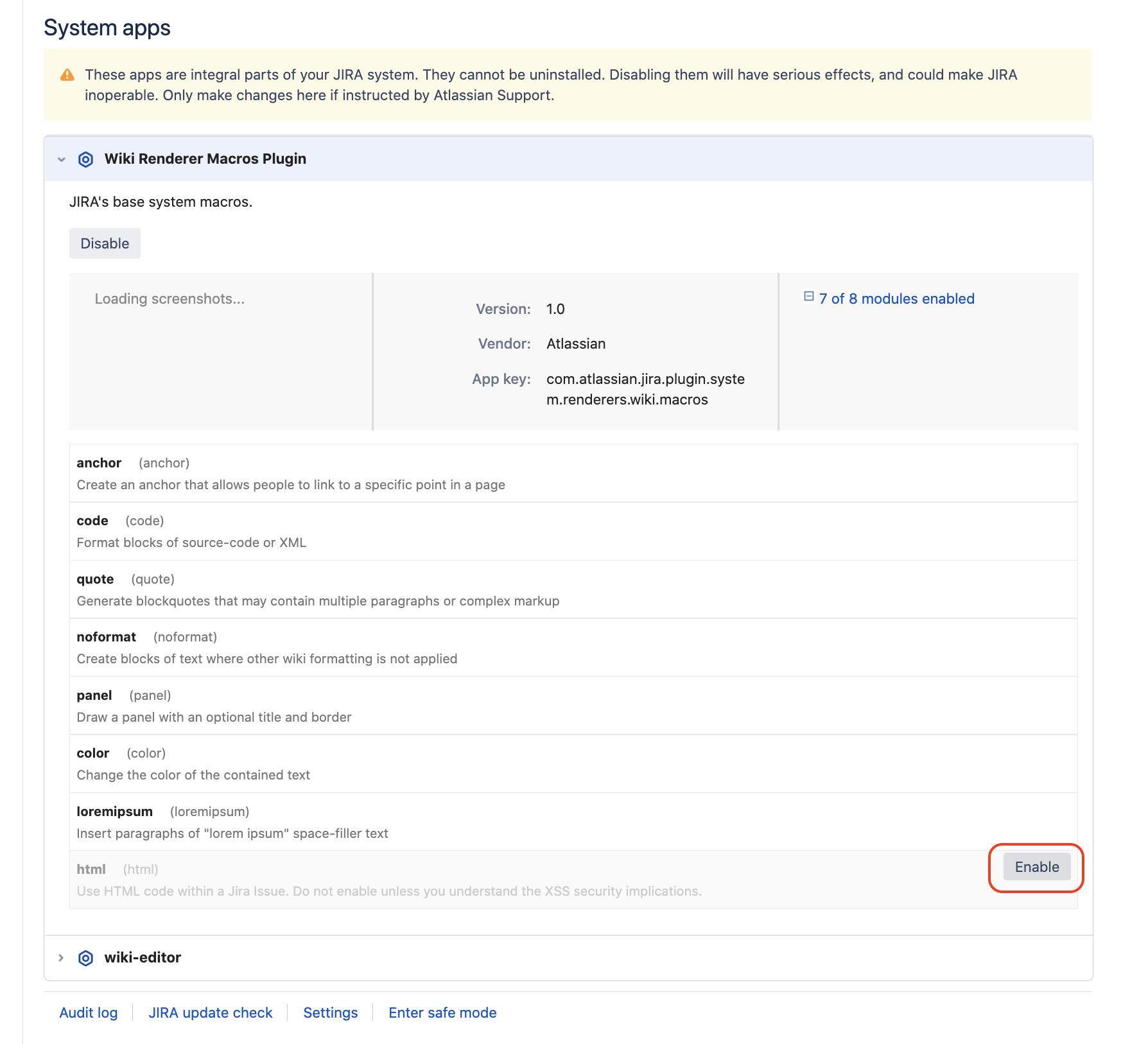
Browse to the Wiki Renderer Macros Plugin app and click on the item to open it
Click on the plus sign "+" to open the list of modules from this app
Hover over the html module and click the enable button that will appear:
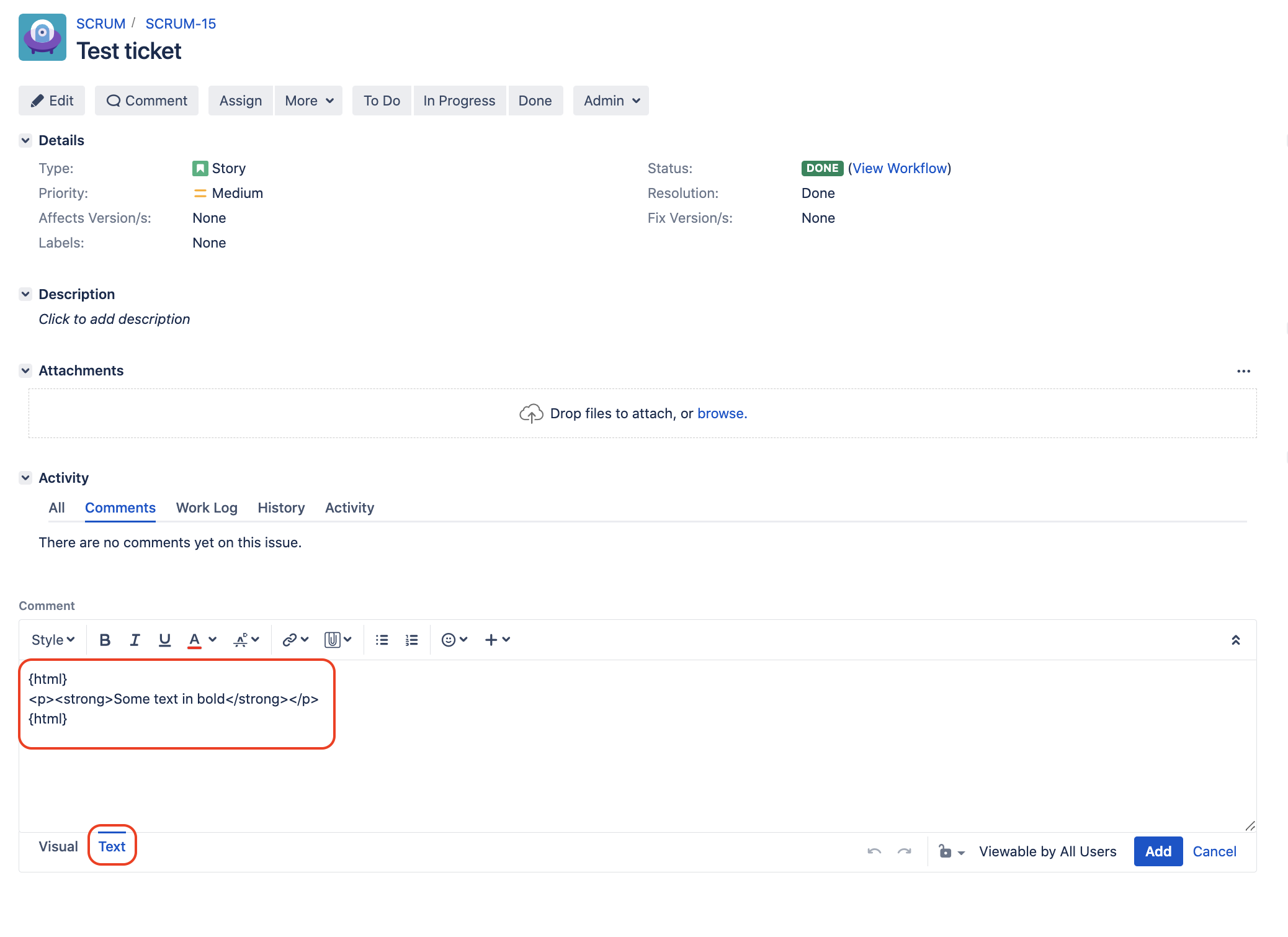
HTML can now be added to text fields (or comments) using the tag {html}
Let's take Jira comments as an example. Here is what needs to be done to add HTML code:
Open the comment field in Text view, add an opening tag {html}, add the HTML code there, and then add a closing tag {html}
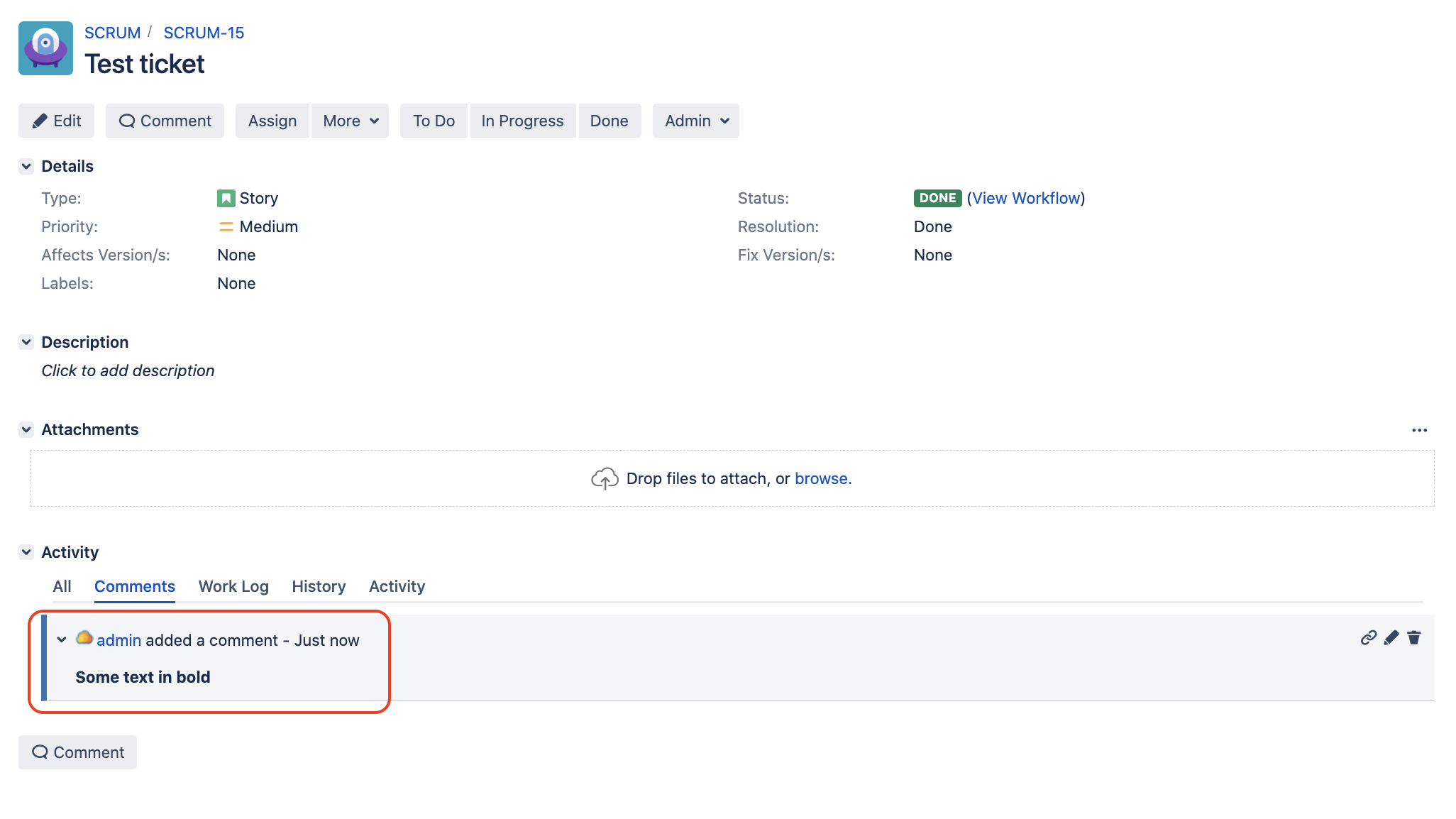
After the comment is added, the HTML code will be rendered:
Was this helpful?