Date time is inconsistent in Jira Cloud fields
Platform Notice: Cloud Only - This article only applies to Atlassian apps on the cloud platform.
Summary
Setting an incorrect date picker format in the Advanced settings will not allow users to change the date and time in the custom fields as expected.
Environment
Jira Cloud
Diagnosis
'jira.date.picker.*' and 'jira.date.time.picker.*' aren't supported in the new work item view. The new work item view formats your dates and times based on your language preferences.
As per this public documentation, the Issue fields with dates and times, including Date Picker and Date Time Picker custom fields, are formatted based on your language preferences. While that is true, it is expected to provide a supported date time picker format in the Advanced settings. Some examples of the accepted date/time formats are discussed in Changing the Due Date Input Format.
In the below example, the Due Date is selected to be set to 12/14/2021(14th Dec 2021)
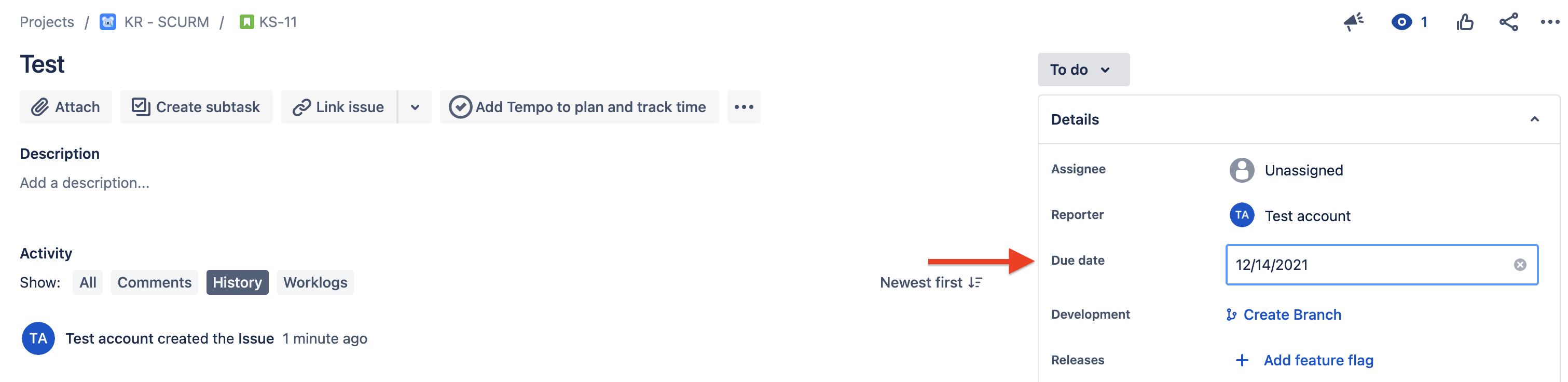
After reloading the page, we can see the Due Date is set to Jan 14, 2021
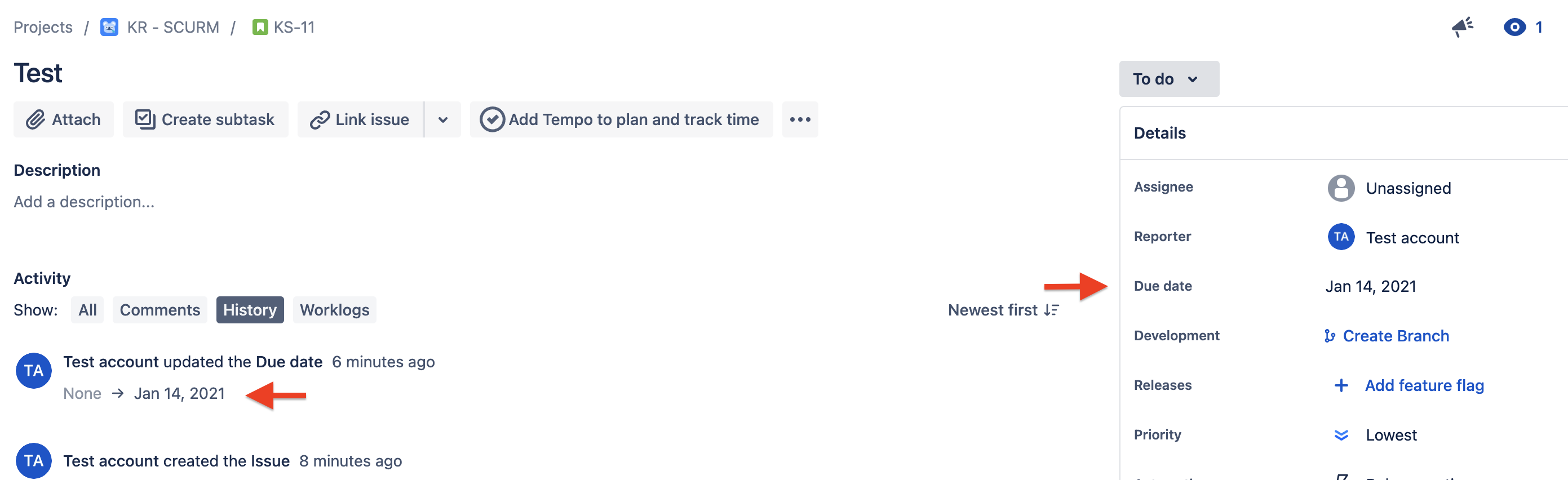
Note: The new work item view formats dates and times based on your language preferences. Even so, the format you set in Advanced Settings must be a supported one, or your dates will not save as entered.
Cause
Unsupported Date and Time format in the Advanced settings (System > General Configuration > Advanced Settings).
Solution
Go to Settings > System > General Configuration > Advanced Settings.
Set the date and time picker formats to a supported value, following Changing the Due Date Input Format.
If you prefer, revert the formats to their previous default values instead.
Reload the work item and confirm the date now saves as entered.
Was this helpful?