Resolve Email Notification Issues for Comment Changes in JSM Cloud
Platform Notice: Cloud Only - This article only applies to Atlassian apps on the cloud platform.
Summary
In Jira Service Management, JSM agents and collaborators can add internal comments to requests created in service spaces, and the system won't notify customers. More details on JSM project roles can be found here: What are project roles in Jira Service Management?
When the JSM agent converts this internal comment to a public comment by editing it and switching it to Reply for customers, customers won't receive an update on this comment and will only be able to see it when they view the request in the customer portal.
Cause
It happens when the Public comment edited notification is turned off under Project settings > Customer notifications. You might have turned it off so as not to receive any notifications about minor edits to the comment. When an internal comment is changed to a public comment, it is treated as an edited public comment.
Solution
To fix this, you need to enable the Public comment edited notification under Space settings > Customer notifications.
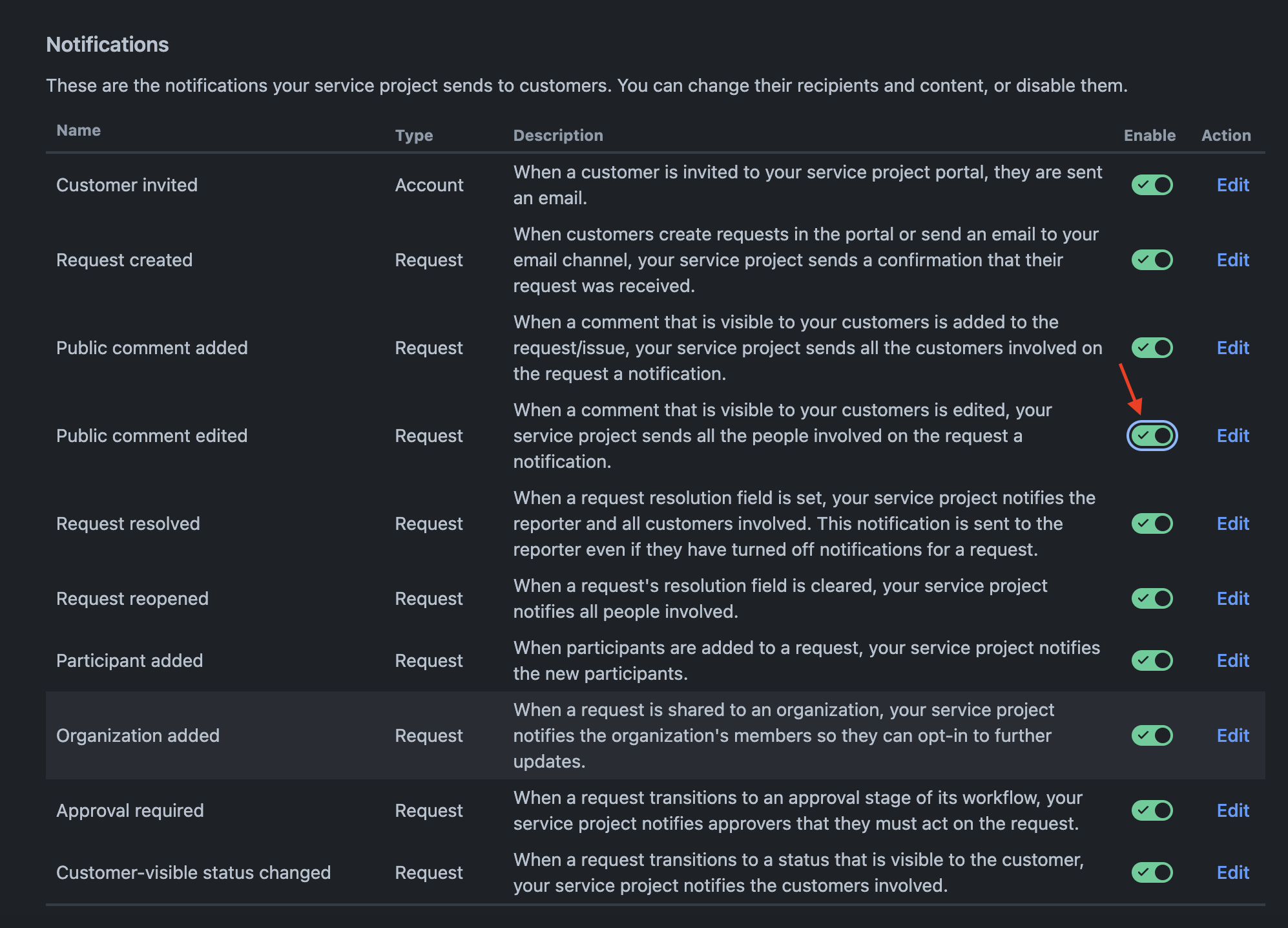
After enabling the Public comment edited notification, convert a test internal comment to a public comment, and confirm that the customer receives an email notification and can view the comment in the portal without needing to log in or check manually.
Enabling this notification also triggers emails for minor edits to already-public comments (e.g. a typo fix) — if that volume of notifications is undesirable, weigh it against the current issue of silently-converted comments before enabling it project-wide.
Was this helpful?