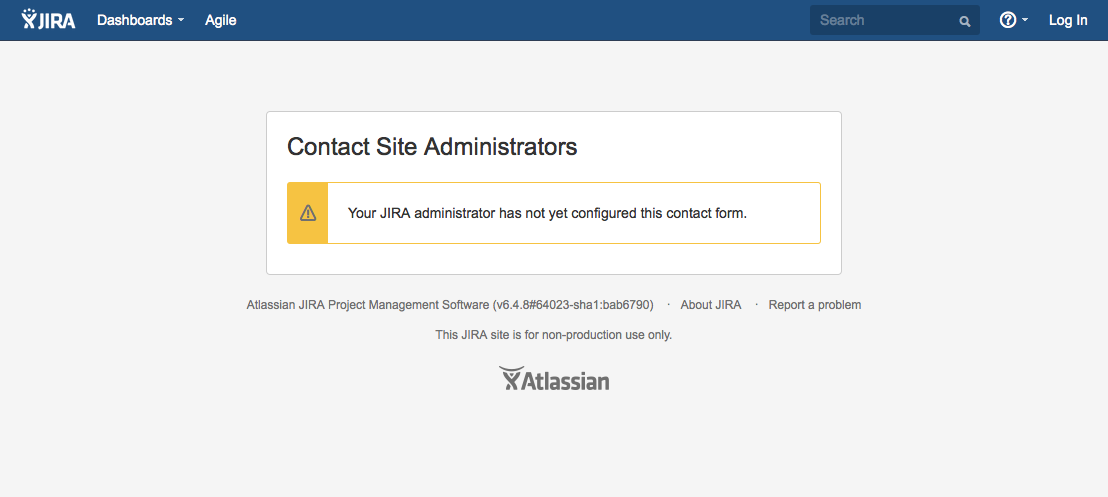
Contact JIRA Administrators page shows "Your JIRA administrator has not yet configured this contact form."
Platform Notice: Data Center Only - This article only applies to Atlassian apps on the Data Center platform.
Note that this KB was created for the Data Center version of the product. Data Center KBs for non-Data-Center-specific features may also work for Server versions of the product, however they have not been tested. Support for Server* products ended on February 15th 2024. If you are running a Server product, you can visit the Atlassian Server end of support announcement to review your migration options.
*Except Fisheye and Crucible
Problem
When accessing the Contact your JIRA Administrators page, the following is displayed:
Environment
Jira Data Center
Cause
This is displayed when the Contact the Jira Administrators form is not correctly configured as per Configuring Jira Options.
Resolution
In order to display this form, please ensure the following are configured in Jira:
The Contact Administrators Form option in the Administration > System > General Configuration page is set to ON.
Outgoing Mail is enabled on the Administration > System > Outgoing Mail page.
An SMTP Mail Server is configured, so Jira can send messages to the Administrators – see Configuring an SMTP mail server to send notifications.
Was this helpful?