Can't delete attachments from Jira tickets
Platform Notice: Cloud Only - This article only applies to Atlassian apps on the cloud platform.
Summary
Site-admin users and other project admins could not delete attachments from Jira issues.
Environment
Jira Cloud
Diagnosis
Choose the matching attachment symptom
Before you start, check which symptom matches what you see in the work item:
No delete option: The attachment was added through the Description field or a comment, so the Attachments section doesn't show a delete option for it. Follow Scenario 1 and remove the attachment from the field or comment where it was added.
Delete option appears, but deletion fails: You select Delete and see the error "Attachment could not be deleted." Follow Scenario 2 and check whether the current workflow status makes the work item non-editable.
The Scenario 2 error mentions a connection problem, but the cause described in this article is the workflow status, not your network connection.
Scenario 1: Attachments are visible on the Jira ticket, but no delete option exists.
Steps to Reproduce-
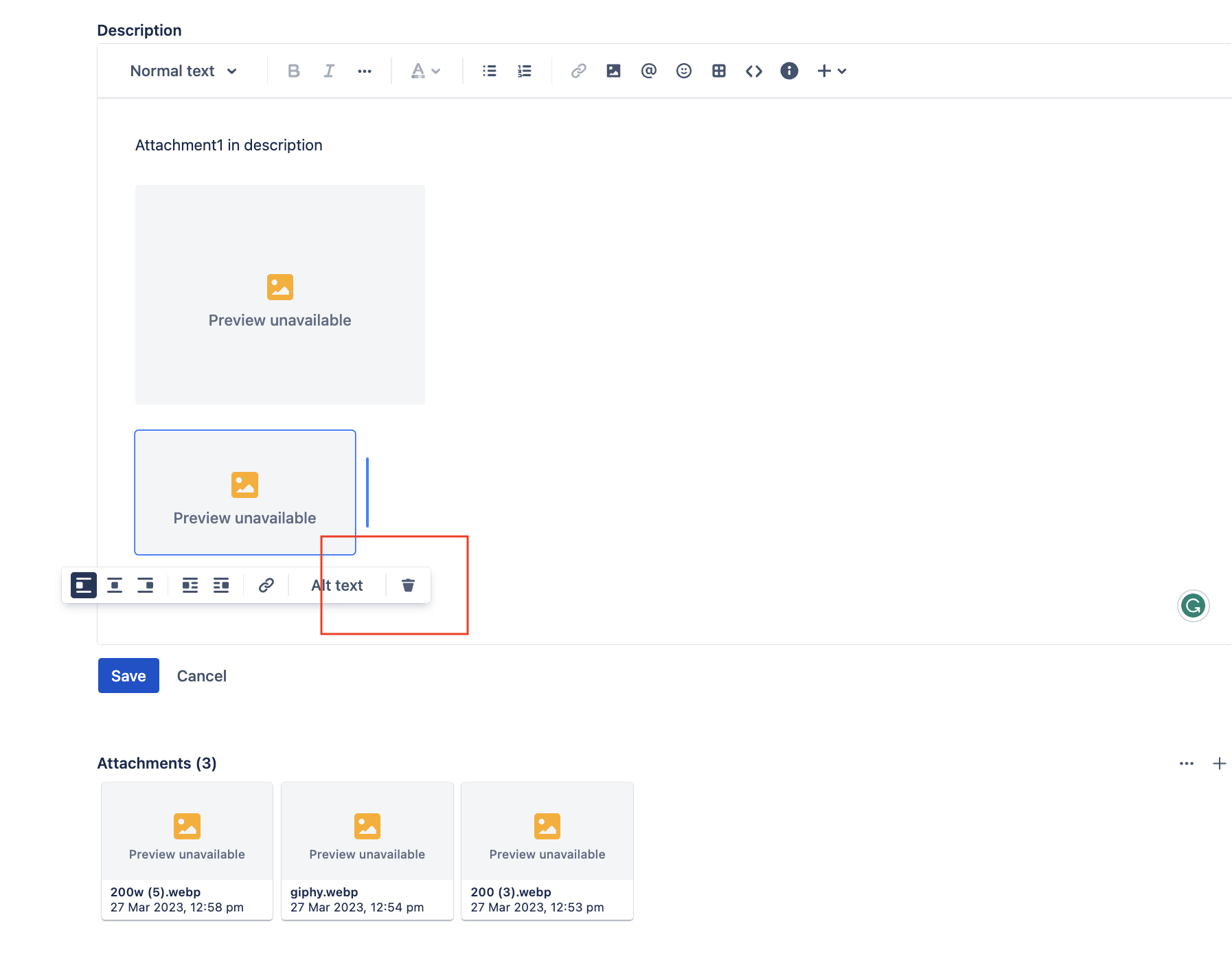
Create an issue with attachment(s) in the description field.
Once the issue is created, add another attachment to the description field or the Comments on the same issue.
Delete option/icon is not present.
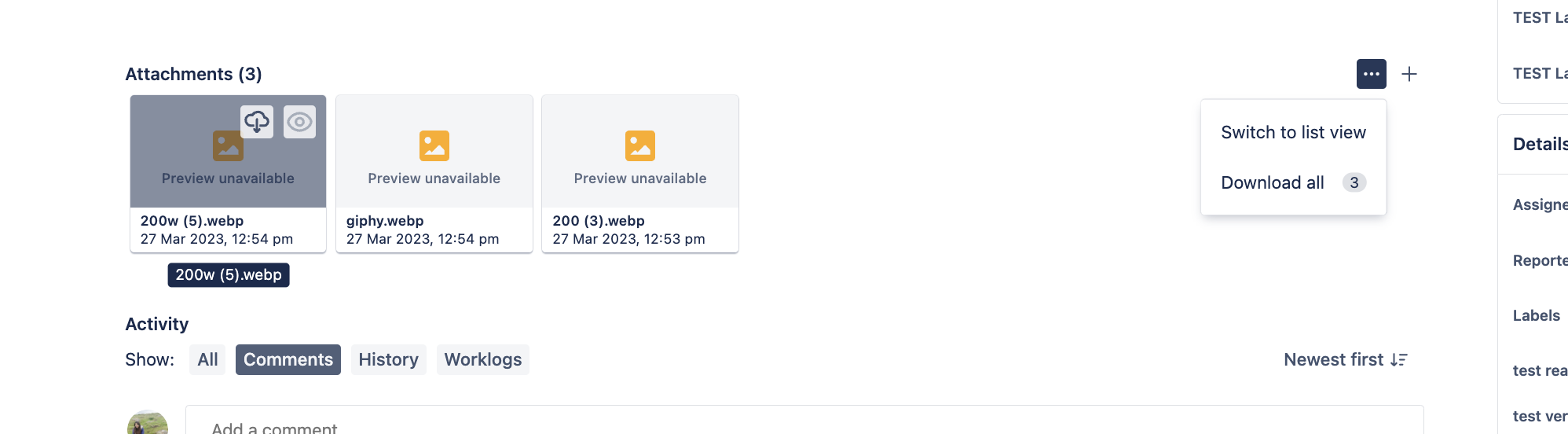
The attachment added in the description and comments field does not have a delete option.
Scenario 2: The attachment delete option is present on the Jira ticket, but users can't delete it.
Steps to Reproduce-
Create an issue with attachment(s) in the description or Attachment field.
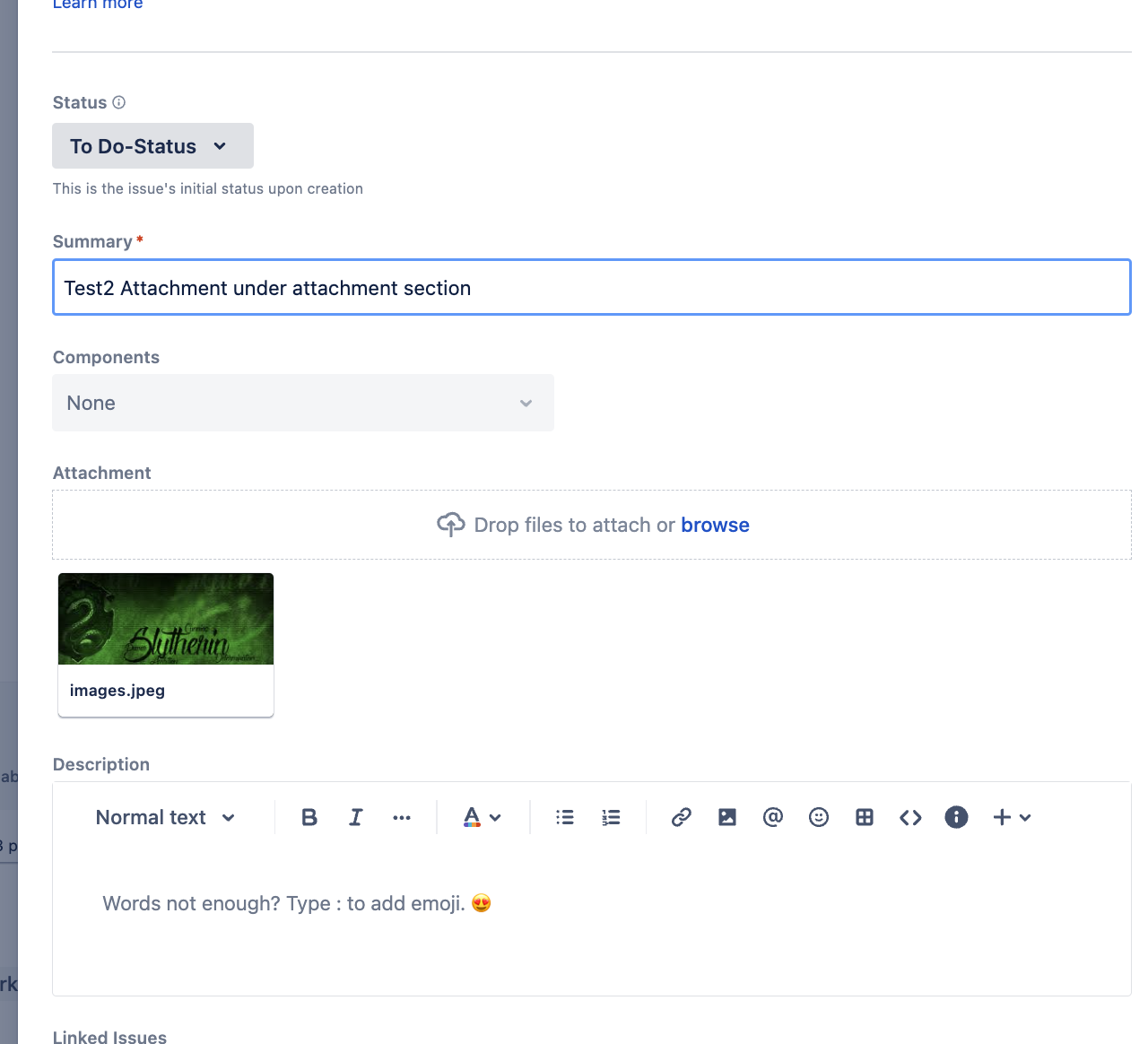
Change the status (In progress-status) in this example.
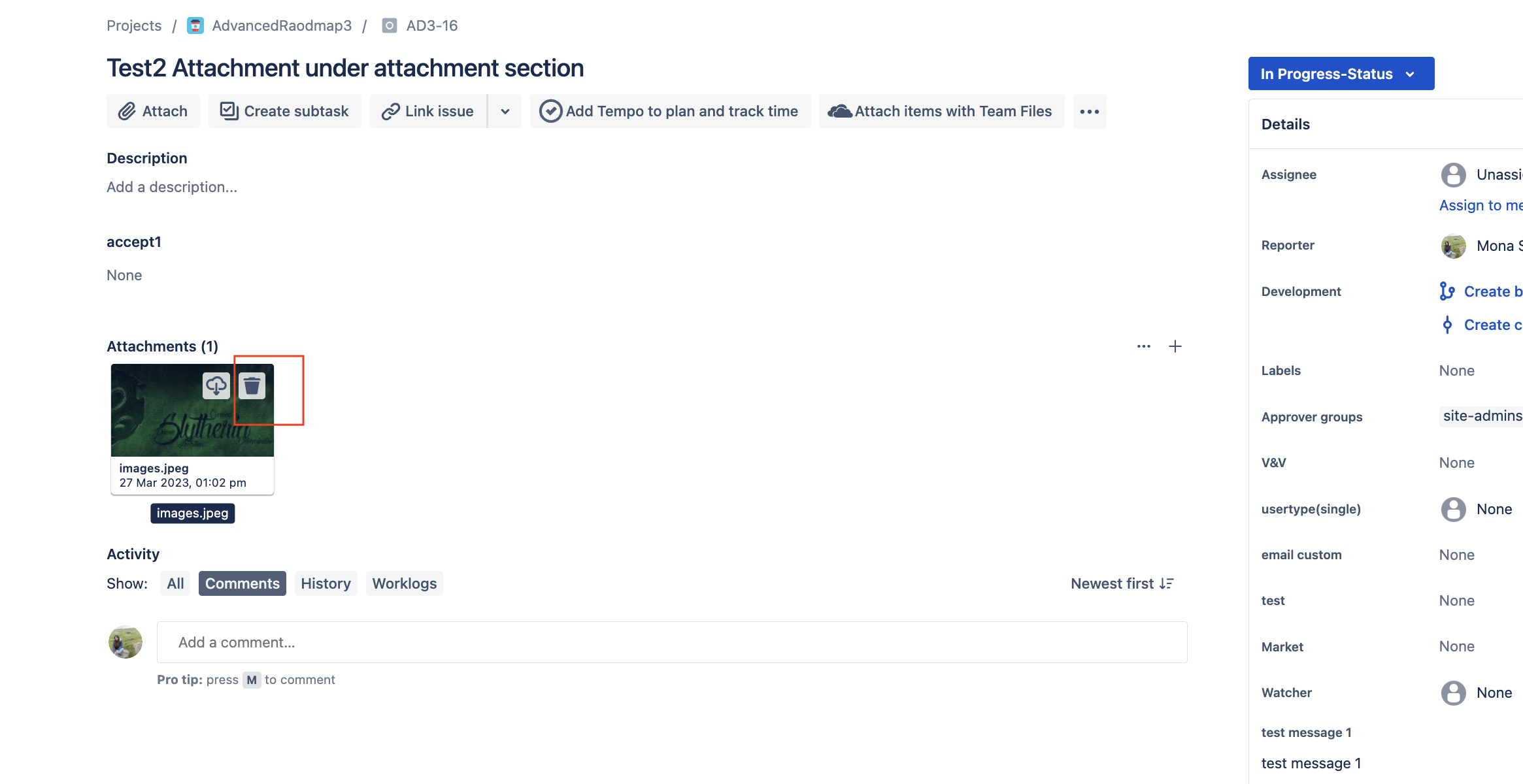
The delete option/icon is present in the attachment.
Proceeding further displays a message:
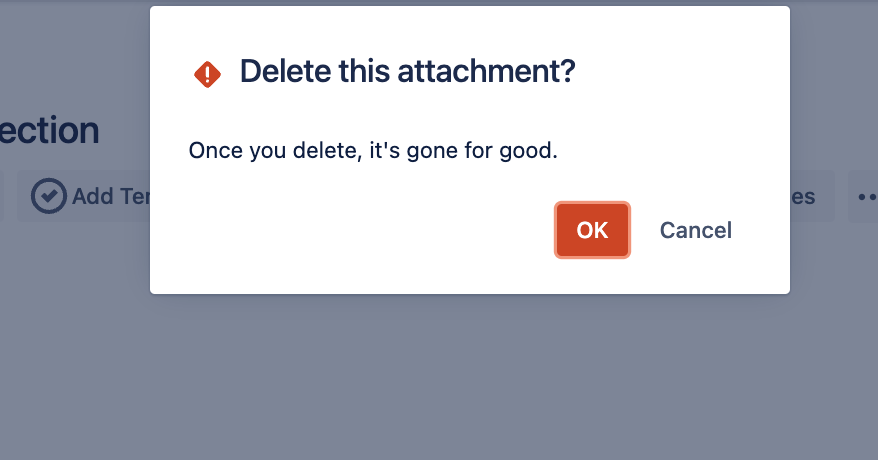
Click 'Ok' returns an error message:
Attachment could not be deleted
There was a connection problem and the attachment was not successfully deleted. Try checking your network connection.
Cause
Scenario 1: This is working as expected per the current design. Attachments under comment/Description or other text fields should be deleted from that field, not the Attachment section.
User should have 'issue edit' permission.
Scenario 2:
Through browser logs, we can check the error/response on deleting attachments:
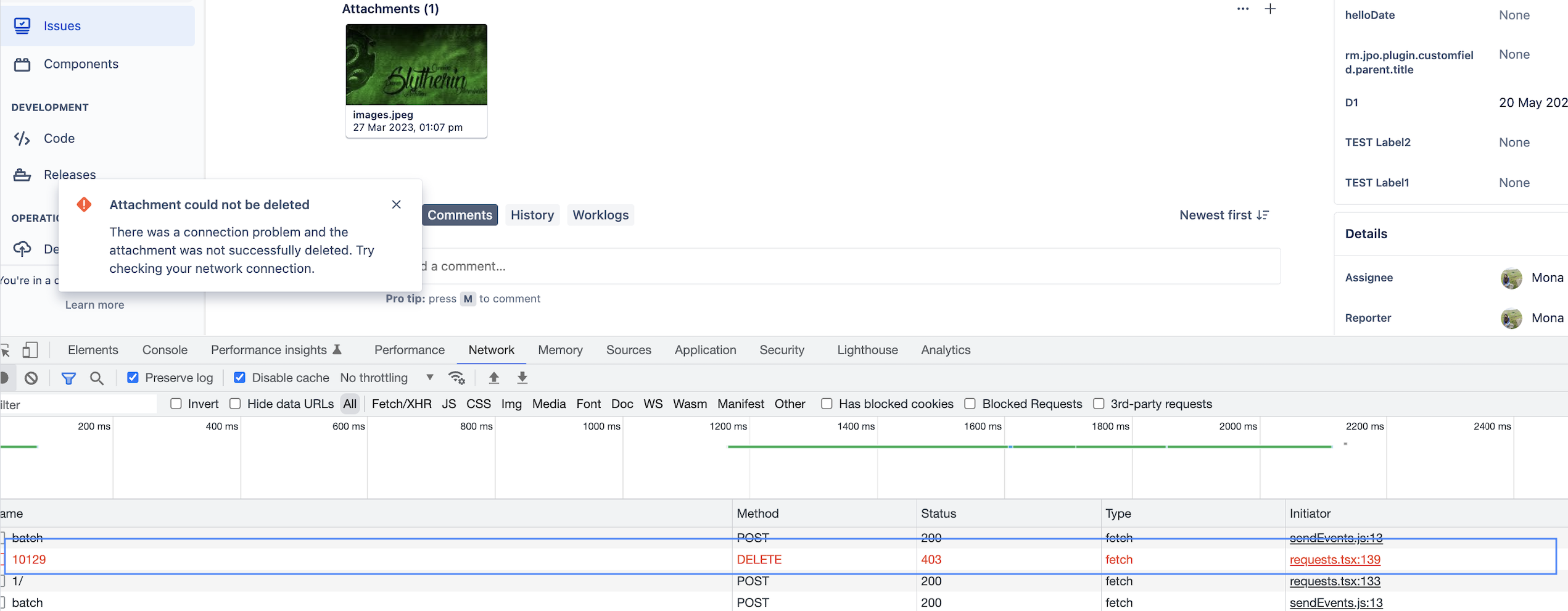
The error occurred due to properties set on workflow status (In progress-status in this example), meaning a Jira ticket with this status is no longer editable.
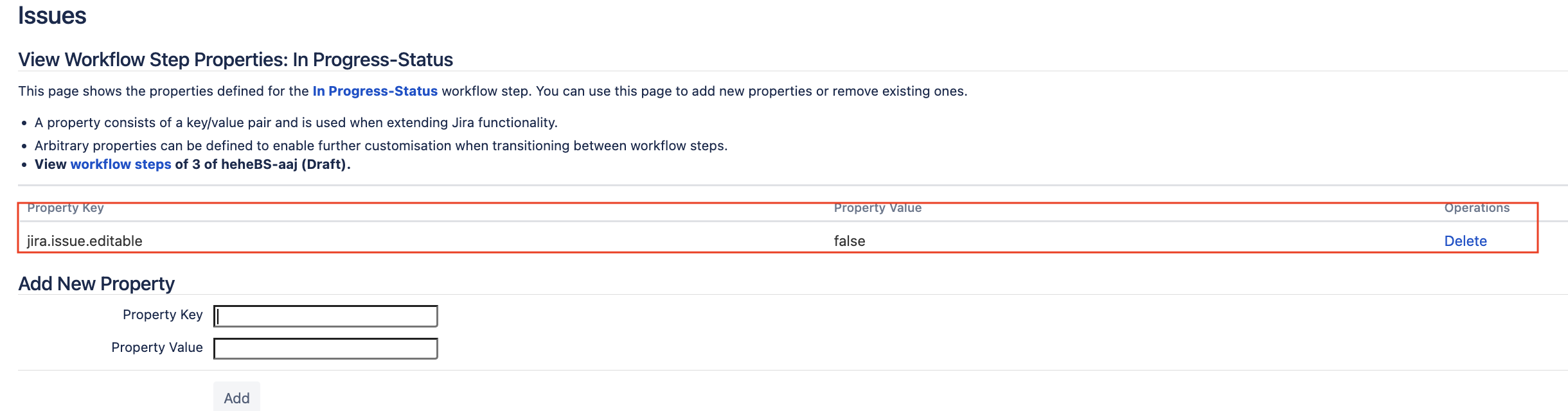
Solution
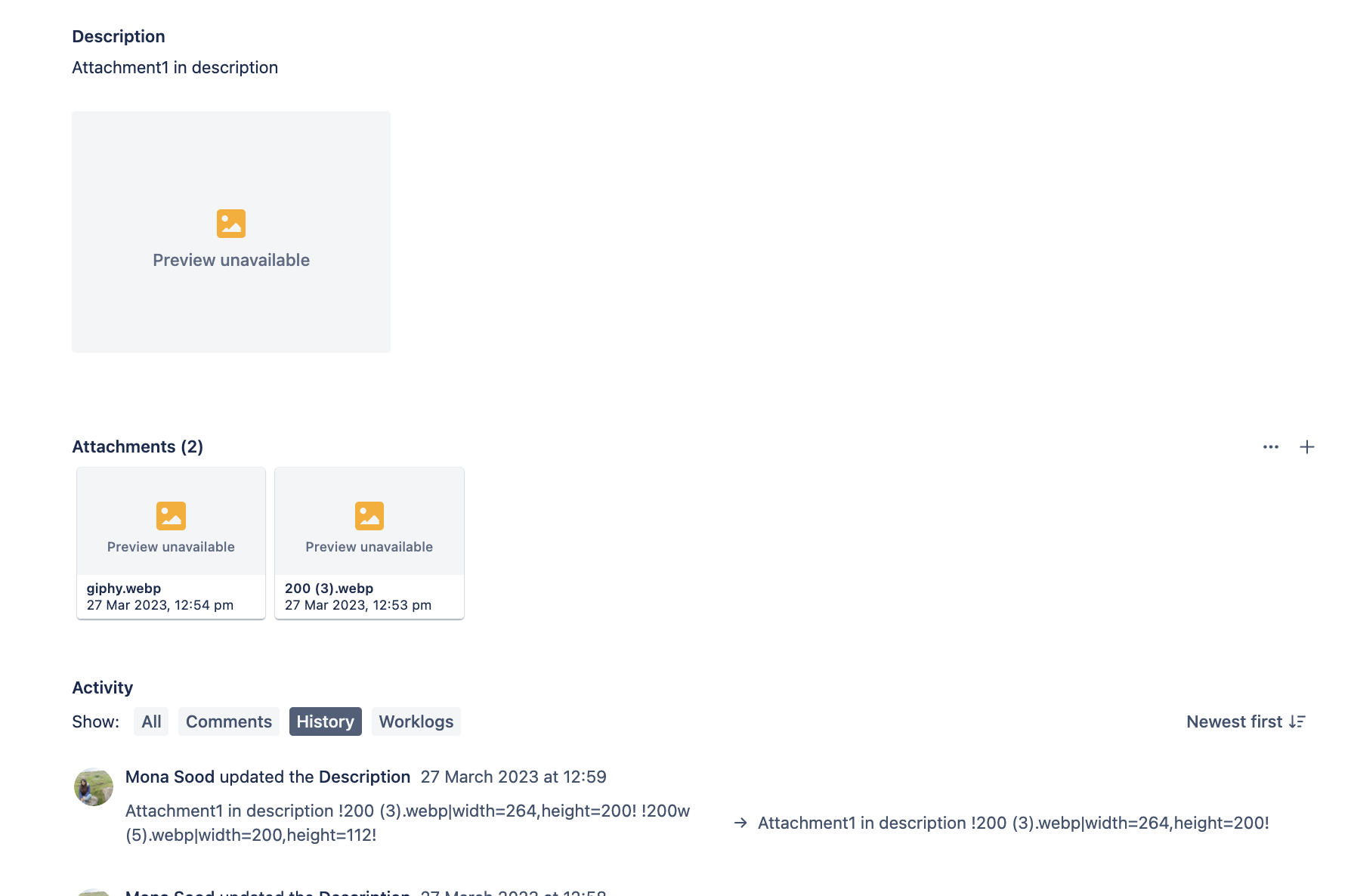
Scenario 1: Delete the attachment from the Description or Comments to remove it from the Attachment section of the Jira ticket.
Scenario 2: Either transition the issue to an editable workflow status or remove the property from the workflow status (In progress-status in this example).
To check the workflow status properties:
In the space, select Space settings, then Workflows.
Find the workflow used by the affected work type and select Edit workflow.
Select the status where the deletion fails (for example, In Progress).
Review the status Properties:
If
jira.issue.editableis set tofalse, delete the property or set the value totrue.If a
jira.permissionproperty restrictsattachdeleteallorattachdeleteown, remove it or add the affected users, groups, or space roles to it.
Update the workflow.
Was this helpful?