Assets objects and attributes not loading for an Object Type
Platform Notice: Data Center Only - This article only applies to Atlassian apps on the Data Center platform.
Note that this KB was created for the Data Center version of the product. Data Center KBs for non-Data-Center-specific features may also work for Server versions of the product, however they have not been tested. Support for Server* products ended on February 15th 2024. If you are running a Server product, you can visit the Atlassian Server end of support announcement to review your migration options.
*Except Fisheye and Crucible
Summary
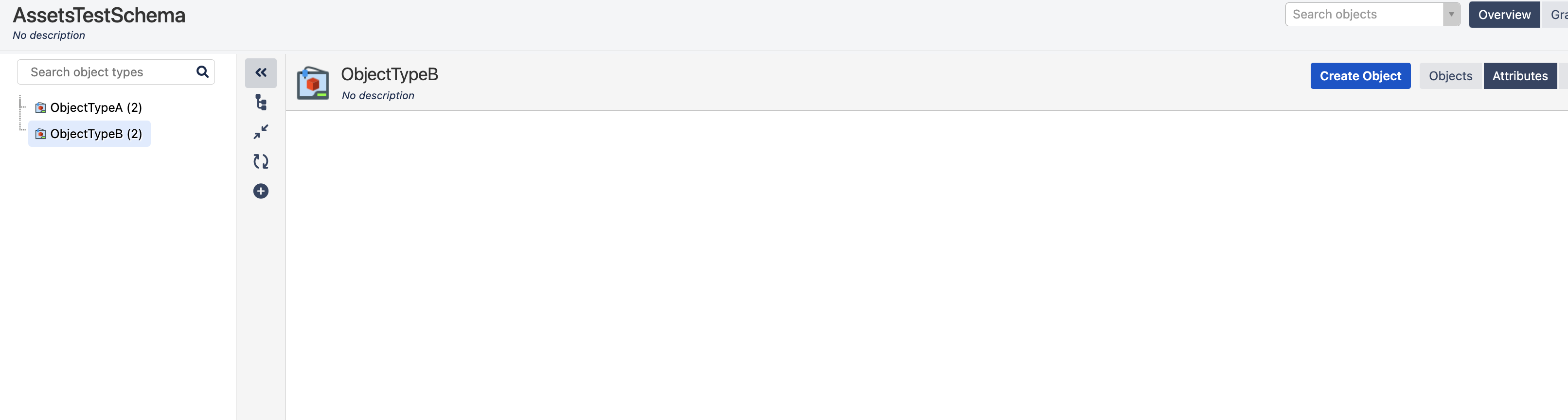
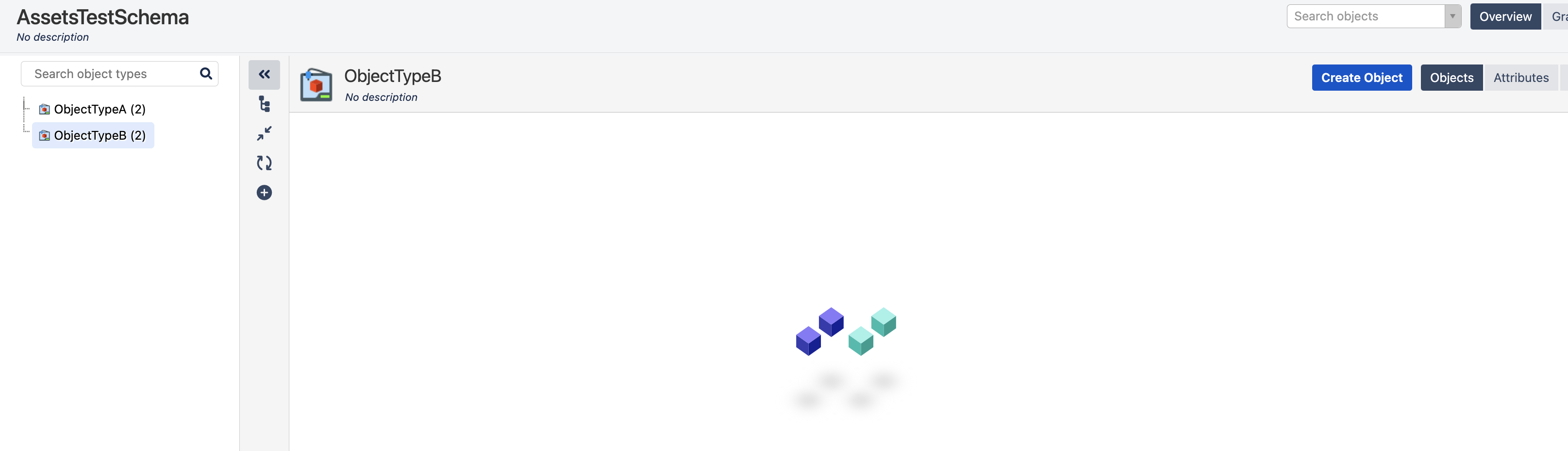
The object and attribute details for an Object Type are not loading in the Assets schema view. The screen just keeps loading forever, or it shows a blank screen. The issue is with only one Object Type, where other Object Type attributes and objects are loading fine.
Environment
All Jira Service Management versions with Assets.
Diagnosis
1. Open the developer tools in your browser and check console logs. Then verify if you see the below error:
Error from the Browser Console Log
Uncaught TypeError: Cannot read properties of undefined (reading 'id')
    at Object.<anonymous> (com.riadalabs.jira.plugins.insight:rlabs-insight-general.js?locale=en-IN:1890:63)
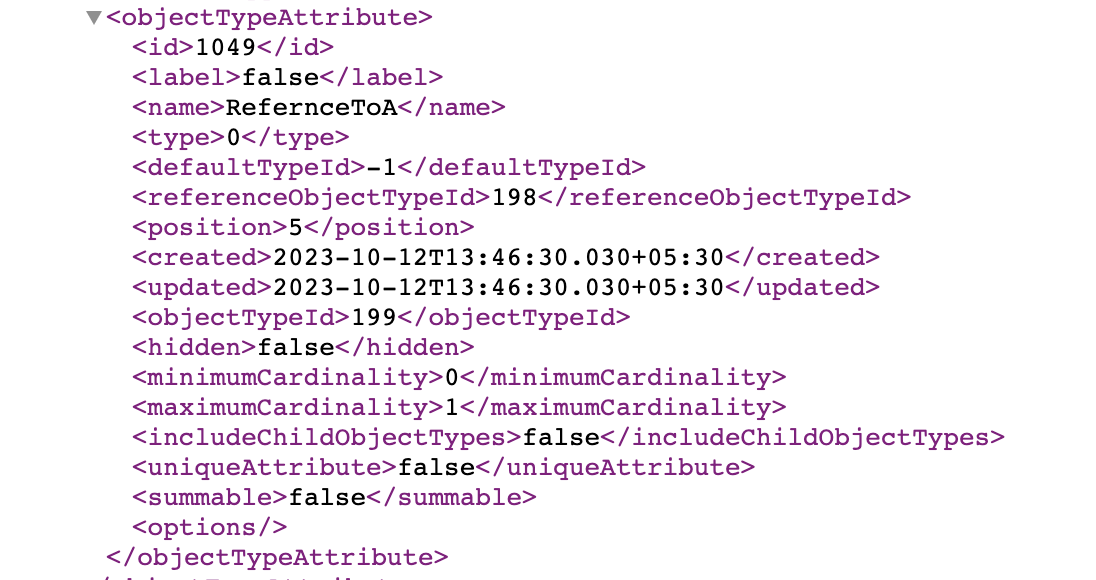
2. Export the affected object schema, decompress the exported zip file and open the schema.xml file contained. Verify all the attributes for the affected Object Type. If you see that there is any tag with the defaultTypeId set to -1, and with the type set to 0, then this KB applies:
Example schema.xml for a corrupted attribute.
3. There could be some incompatible field values in the table "AO_8542F1_IFJ_OBJ_TYPE_ATTR" for the records corresponding to the object type.
The<type> tag in the XML screenshot above is set to 0, indicating that we are capturing Text. Text is a Default Attribute type. In the above scenario, we see the defaultTypeId for the attribute is set to -1, which is non-default. This is incompatible with the Text Type 0. Note that can also happen the opposite situation where an attribute of type object (reference and non-standard) has instead defaultTypeId set to 0 and type non equal to 0.
Run the below query to identify all such corrupted records:
Identify corrupted records
select "ID","DEFAULT_TYPE_ID" ,"NAME","REFERENCE_OBJECT_TYPE_ID","REFERENCE_TYPE_ID", "TYPE" from "AO_8542F1_IFJ_OBJ_TYPE_ATTR" where "OBJECT_TYPE_ID" = <OBJECT_TYPE_ID> and "TYPE" = 0 and "DEFAULT_TYPE_ID"= -1In case you did not see any results for the above query. Please raise a support request with Atlassian and share the output of the query below with Atlassian Support so they can check for other possible data issues that may be causing this problem.
Get all records
select "ID","DEFAULT_TYPE_ID" ,"NAME","REFERENCE_OBJECT_TYPE_ID","REFERENCE_TYPE_ID", "TYPE" from "AO_8542F1_IFJ_OBJ_TYPE_ATTR" where "OBJECT_TYPE_ID" = <OBJECT_TYPE_ID> Also, gather and share the data below for further troubleshooting :
HAR trace of the failing schema load.
Export the affected Object Type's schema.xml (per Diagnosis step 2).
Jira Support.zip.
Cause
Unsure about the exact root cause of this scenario. However, it seems to be due to data modifications directly applied to the Jira database.
If there are differences between the <type> tag in the XML and the result for the "TYPE" from the database query this will be caused by a corrupted cache. Following the steps outlined in How to clear Jira Data Center / Server plugin cache
Solution
We need to correct the data for the attribute that has incorrect values. We can convert the attribute to Text or a Reference to Object, depending on which attribute was the original one.
Warning: Backup your database before proceeding.
Before running any SQL in this article, create a full backup of your Jira database. Test the queries in a staging environment first if possible.
To convert the attribute to Text, please run the SQL query below.
Change the attribute to Text type
update "AO_8542F1_IFJ_OBJ_TYPE_ATTR" set "DEFAULT_TYPE_ID" = 0 , "TYPE" = 0 where "ID" = <XX>To convert the attribute to an object reference, please run the SQL below.
Change the attribute to a reference. ( Type Object)
update "AO_8542F1_IFJ_OBJ_TYPE_ATTR" set "DEFAULT_TYPE_ID"= -1 ,"TYPE" = 1 , "REFERENCE_OBJECT_TYPE_ID" = <EXAMPLE> , "REFERENCE_TYPE_ID" = <LINKTYPEID> where "ID" = <XX> ;Please update the below in the SQL -
XX to reflect the actual attribute ID that's impacted.
EXAMPLE - Value to the objectType ID that you want to reference.
LINKTYPEID - This is the ID of the link type to be used. eg: Dependency, Link, Reference, etc.
Perform a clean Assets reindex, and refresh the page to see the attributes on the impacted Object Type.
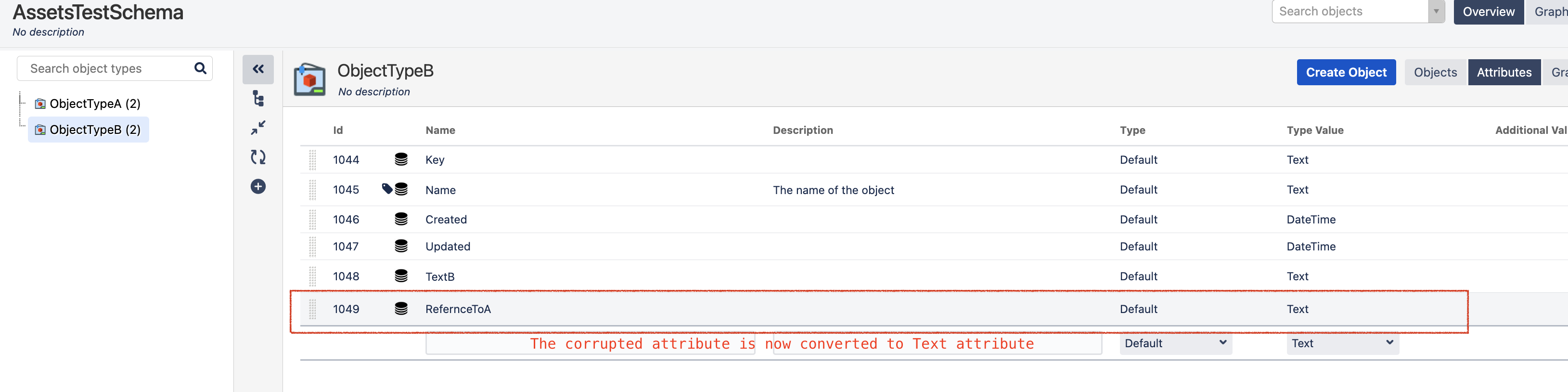
If the corrupted attribute is converted to Text type, the attributes appear like below:
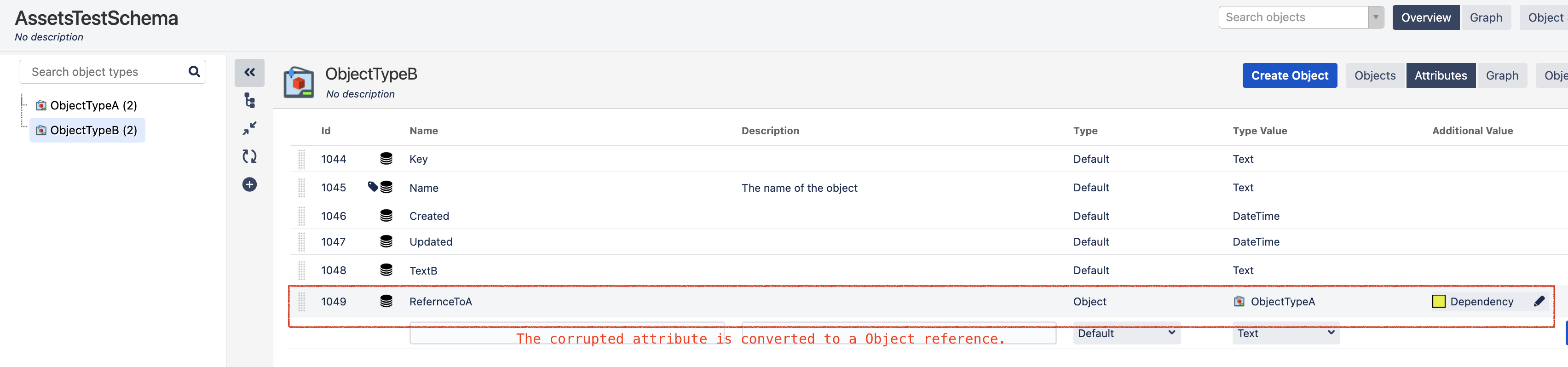
If converted to a Reference attribute, the attributes appear as below:
Verification:
After applying the fix:
Re-run the diagnostic SQL to confirm no records remain with
type=0, defaultTypeId=-1for the affected Object Type ID.Reload the Assets schema view in the browser (hard refresh: Cmd/Ctrl + Shift + R). The objects and attributes should now load. If the screen still hangs, clear the browser cache and try in a private/incognito window.
Spot-check 3-5 individual objects in the affected Object Type — confirm they open and display attributes correctly.
Was this helpful?