Agents unable to "Mention" users in comments in Jira Cloud
Platform Notice: Cloud Only - This article only applies to Atlassian apps on the cloud platform.
Summary
Jira Service Management agent is unable to "@" mention agents and collaborators in the comments field in Jira.
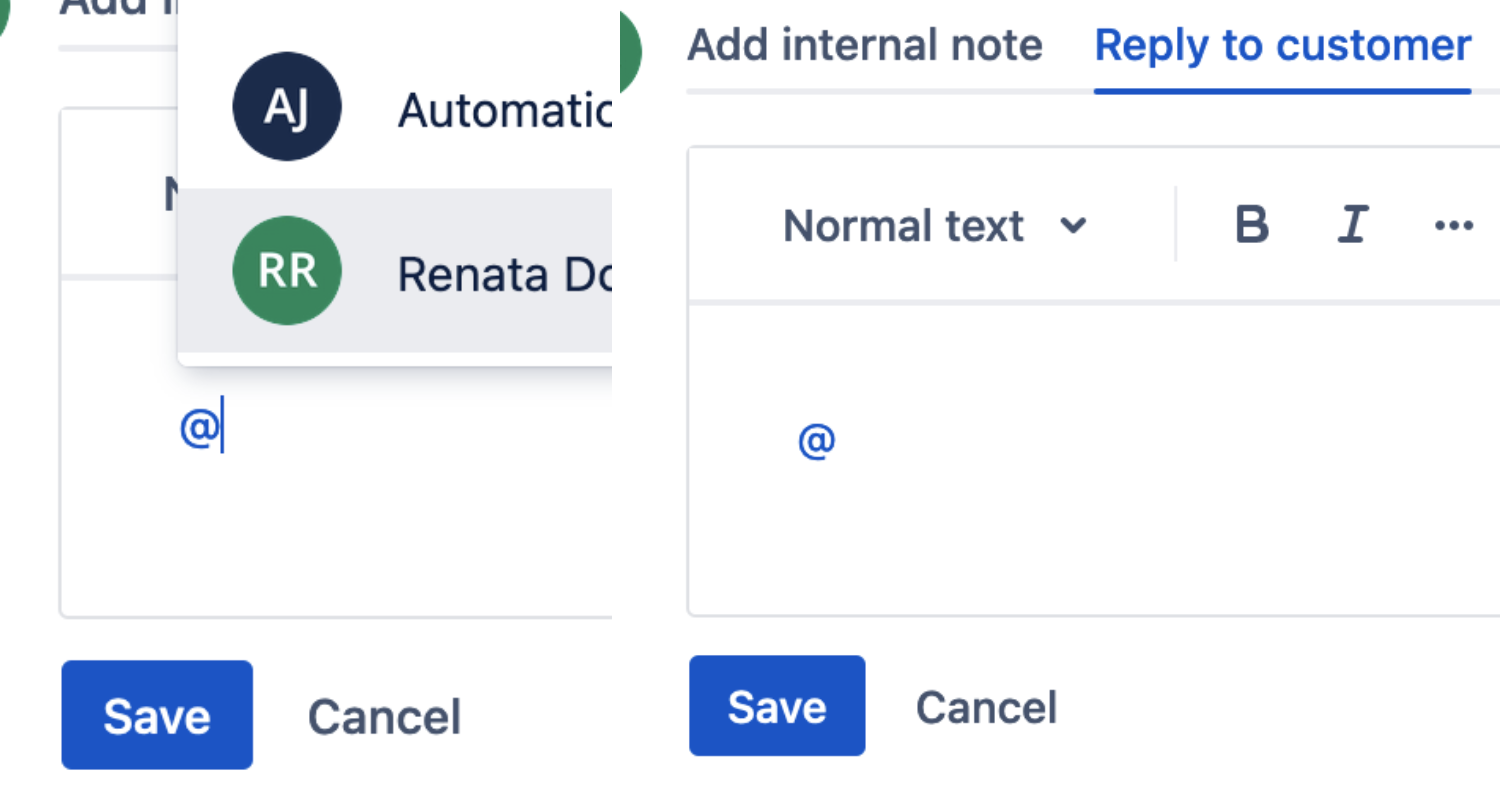
When trying to mention users, a dropdown with user names should appear, however, no dropdown appears.
Solution
Browse users and groups permission
If no user dropdown appears when an agent types @ in a comment, check the global Browse users and groups permission. Agents need access to this permission to look up users and groups for mentions.
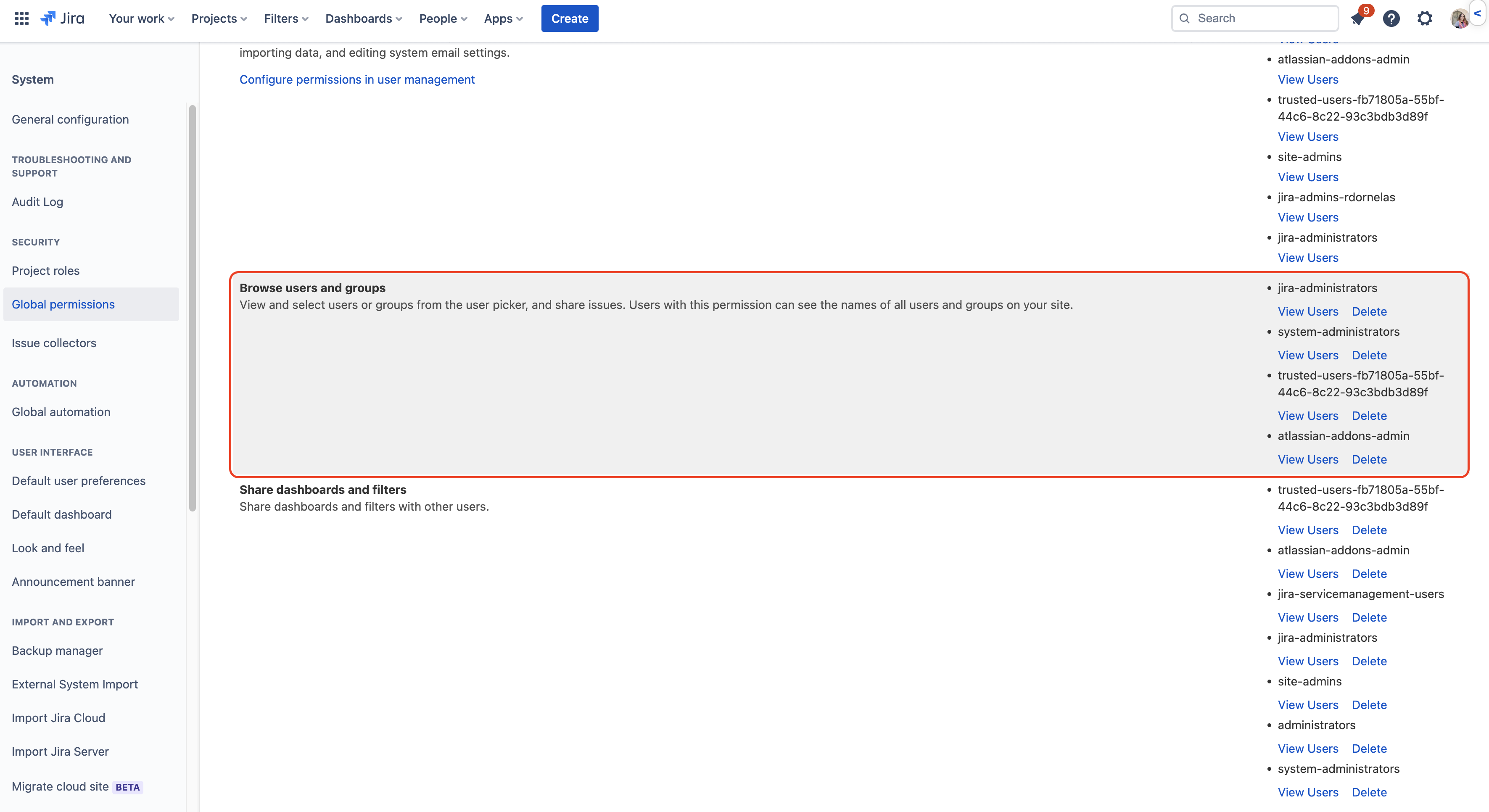
Granting permissions to allow users to mention other users
Select Settings > System.
In the left navigation menu, select Global permissions.
Scroll to the bottom of the page to the Grant permission section.
From the Permission dropdown, select Browse users and groups.
From the Group dropdown, select your Jira Service Management default access group (or other intended group).
Select Add.
Verify mentions
After adding the group to the global permissions, open a test comment as an affected agent, type @, and confirm that the user lookup dropdown appears. If it does not, verify group membership and the global permission.
Was this helpful?