Add GitHub organization repositories to Jira Software
Platform Notice: Data Center Only - This article only applies to Atlassian apps on the Data Center platform.
Note that this KB was created for the Data Center version of the product. Data Center KBs for non-Data-Center-specific features may also work for Server versions of the product, however they have not been tested. Support for Server* products ended on February 15th 2024. If you are running a Server product, you can visit the Atlassian Server end of support announcement to review your migration options.
*Except Fisheye and Crucible
Problem
When linking GitHub account on Jira (DVCS accounts), it does not include repositories from other GitHub Organizations associated to your GitHub account.
Cause
The DVCS connector in Jira will only show repositories where the Team or User Account entered is the owner of the organization ( owns this application ). You check this at the organization page on GitHub for example :
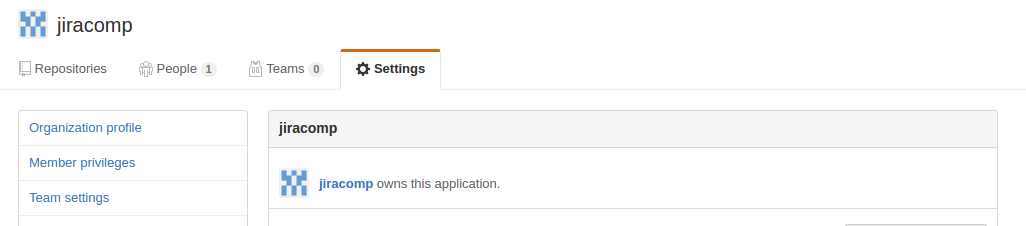
notice that it says jiracomp owns this application (organization). This is the name that you need to enter on the Jira DVCS Team or User Account field.
Resolution
Here is the step you can take to add a GitHub organization repository to Jira:
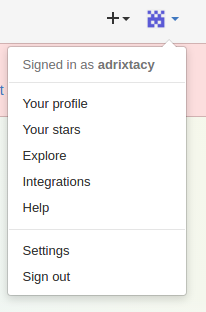
On GitHub, click on Your Profile
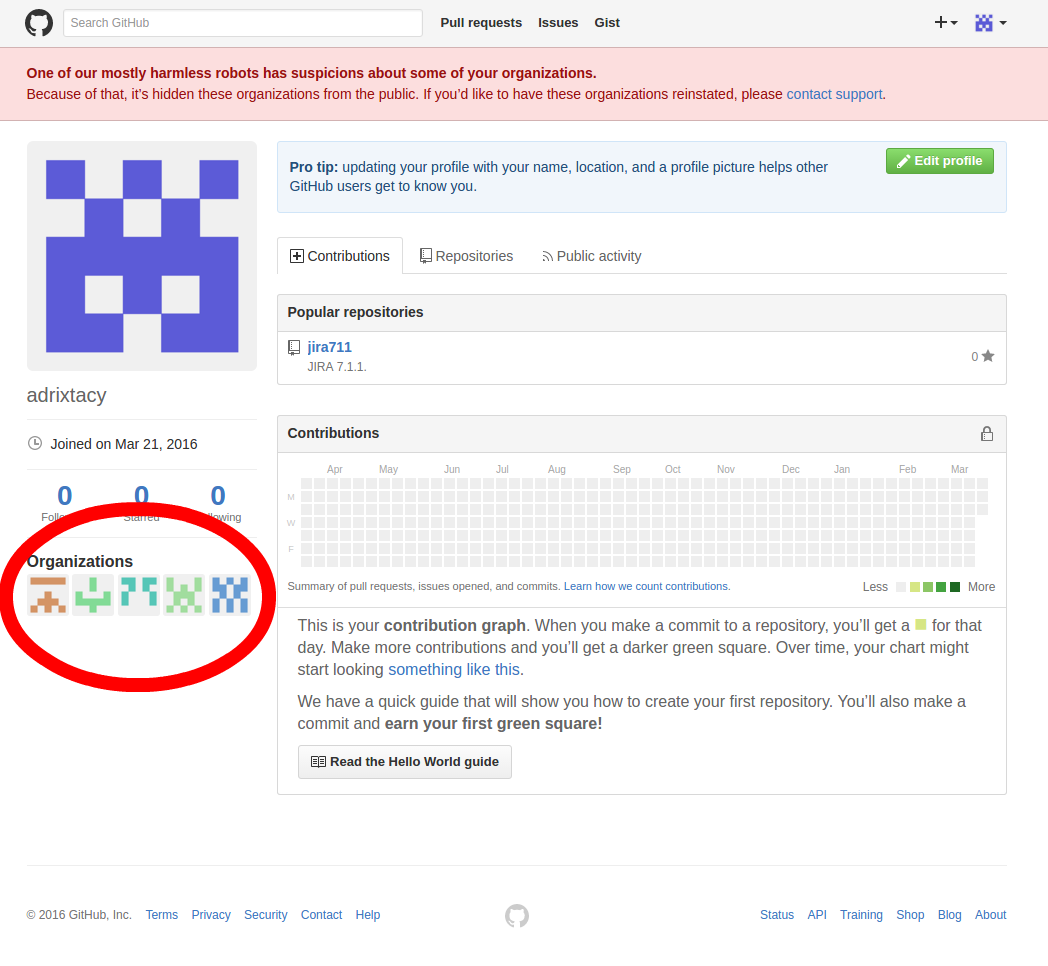
On your profile locate the organization that you would like to add into Jira and then click on it
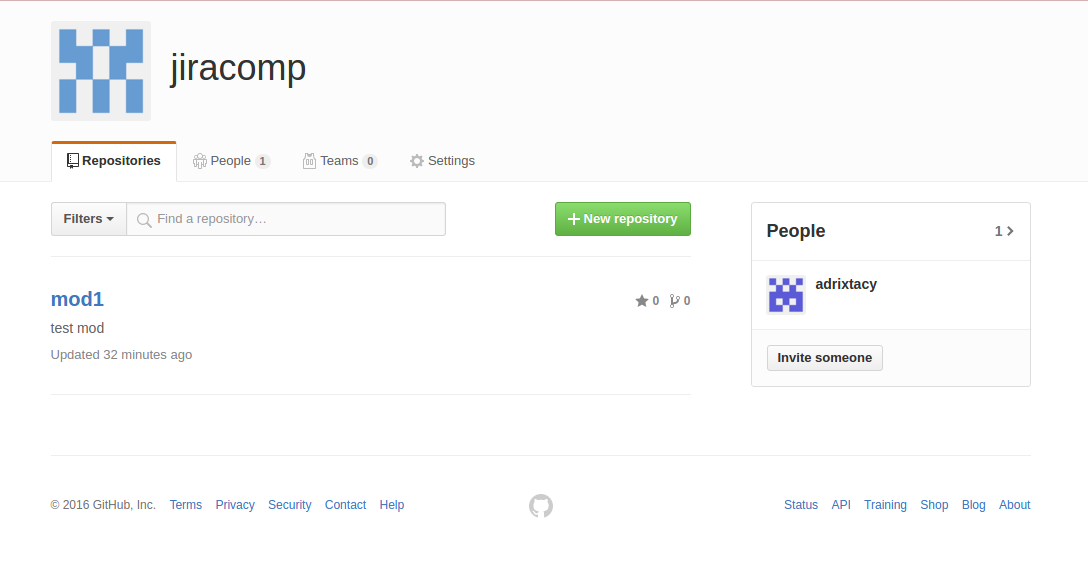
On the organization page, click on the Settings tab.
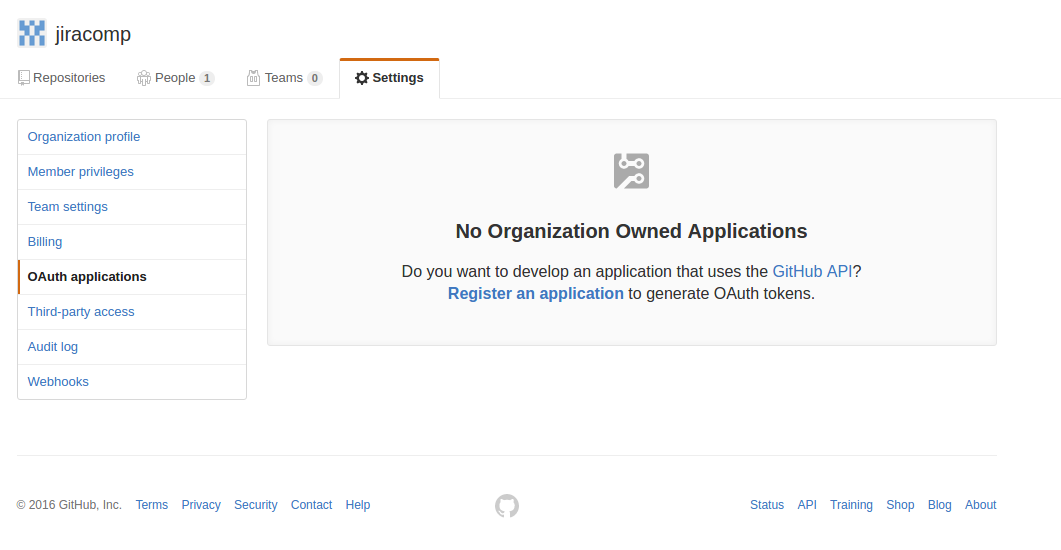
Select the Developer Settings > OAuth apps and click on Register a new OAuth application
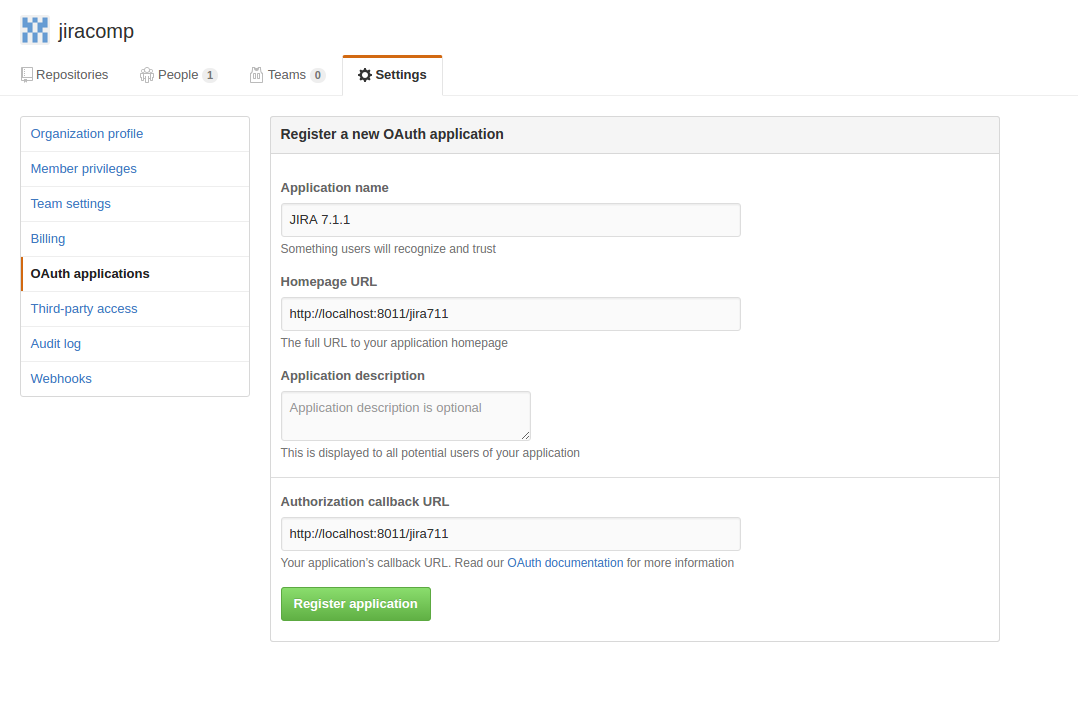
Enter Jira's details and Register application
Take note of the Client ID & Client Secret on the next screen. These details will be used to connect the GitHub organization on Jira
On Jira, go to to the DVCS page > Click on LinkGitHub account
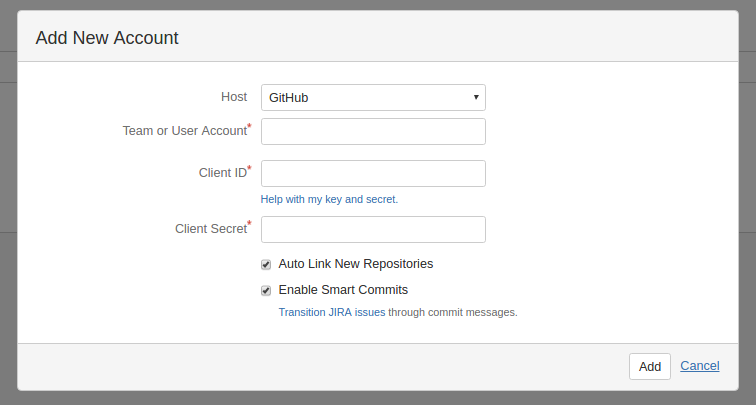
Enter the details as such
Host: GitHub
Team or User Account: Name of the organization.
When creating the OAuth tokens, this is displayed on top of the page, for example in the screenshot below, it is jiracomp :
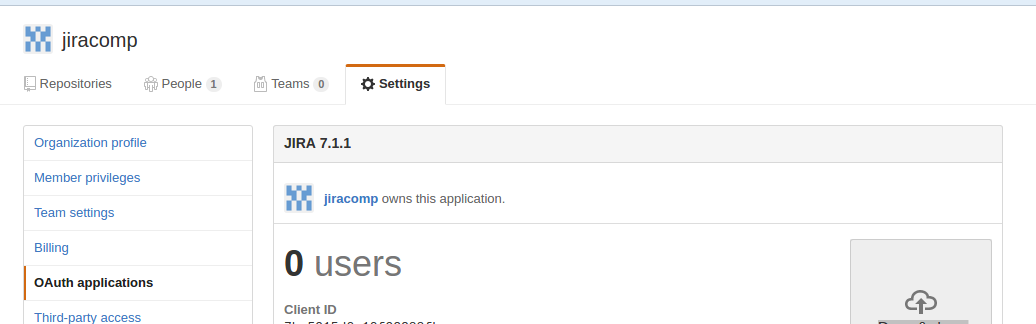
Client ID: From the OAuth application page on GitHub
Client Secret: From the OAuth application page on GitHub
Click Add
Click Authorize application when the reciprocal link is created.
Now the Organizations repository should be visible on the DVCS Account page :

Was this helpful?