Populate the different types of Ranking in Jira Align Backlog and Roadmap
Summary
This article explains how to populate the Global Program Rank, Global Portfolio Rank and the Global Rank shown in the Backlog and Roadmap screens of Jira Align.
Overview
On the Backlog page, we see:
Global Program rank—an item’s rank relative to work items of its type within a specified program.
Global Portfolio rank—an item’s rank relative to work items of its type within a specified portfolio.
The one we have on the Roadmap page is:
Global rank—an item’s rank relative to all work items of its type (for example, epics or features).
The screenshots below illustrate the differences:
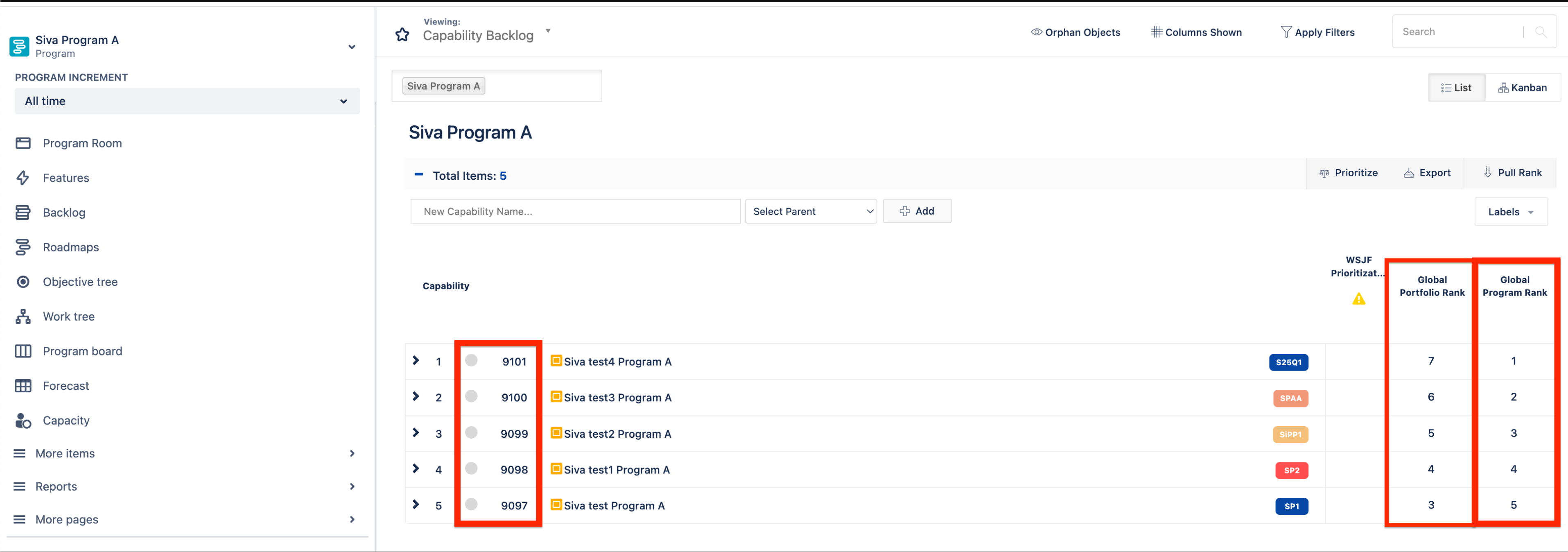
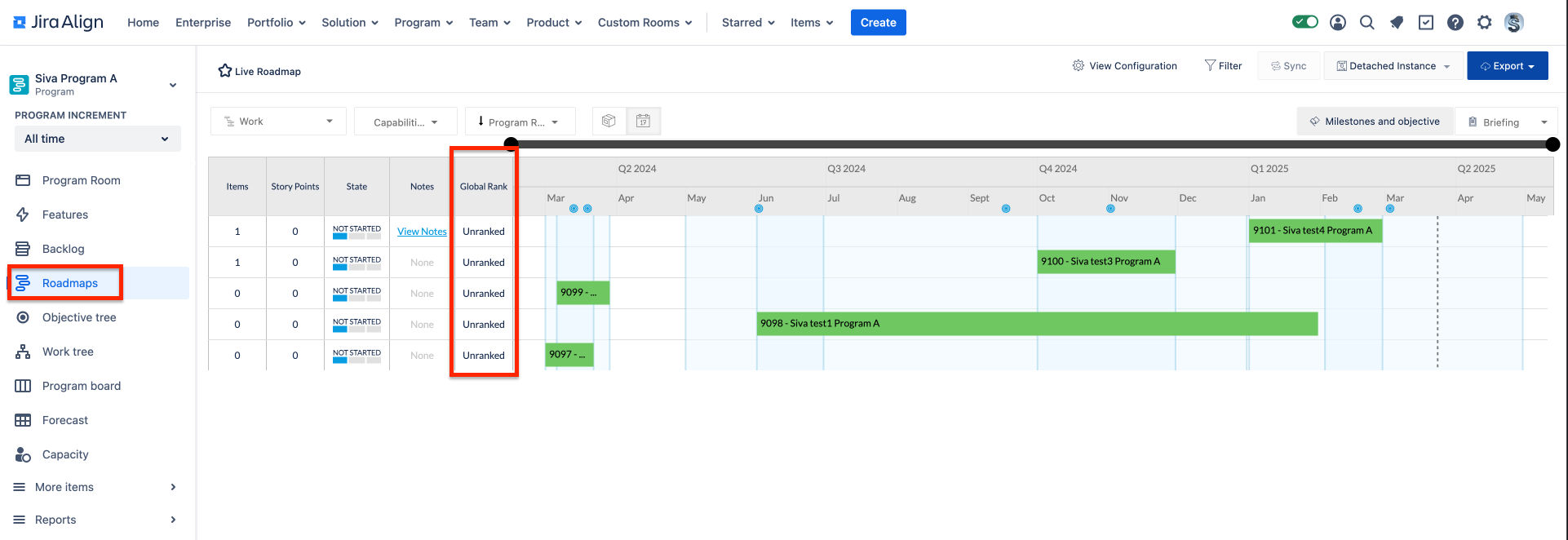
Several different types of ranking are explained in this article: Prioritize/rank work items in the backlog.
Solution
Populate Global Program Rank on the Backlog screen
Navigate to a specific Program
Choose the backlog screen
Filter by the work items backlog
For example, Capability or Epic backlog
Start to order them by dragging and dropping
Populate a Global Portfolio Rank on the Backlog screen
Navigate to a specific Portfolio
Choose the backlog screen
Filter by the work items backlog
For example, Capability or Feature backlog
Start to order them by dragging and dropping
Populate a Global Rank on the Roadmap screen
Navigate to Enterprise > Backlog
Filter by the work items backlog
For example, Capability or Epic backlog
Start to order them by dragging and dropping
Navigate back to Roadmap screen and now the Global Rank filters
FAQs
I don't see the Global Program Rank or Global Portfolio Rank on the Backlog screen and the Global Rank on the Roadmap screen. How do I enable them?
On the Backlog screen, select view columns > navigate to the work item (For example, Capability or Epic) > enable the Program Rank or Portfolio Rank.
On the Roadmap screen, select view configuration > custom column > enable the Global Rank column.
A user has prioritised their Capability Backlog using 'Global Program Rank' under Program Room -> Backlog -> set viewing by Capability Backlog. However, when they view them on the Roadmap, 'Global Rank' shows them all as 'Unranked'. Are these independent ranks with different values?
Yes, they are independent fields with different values.
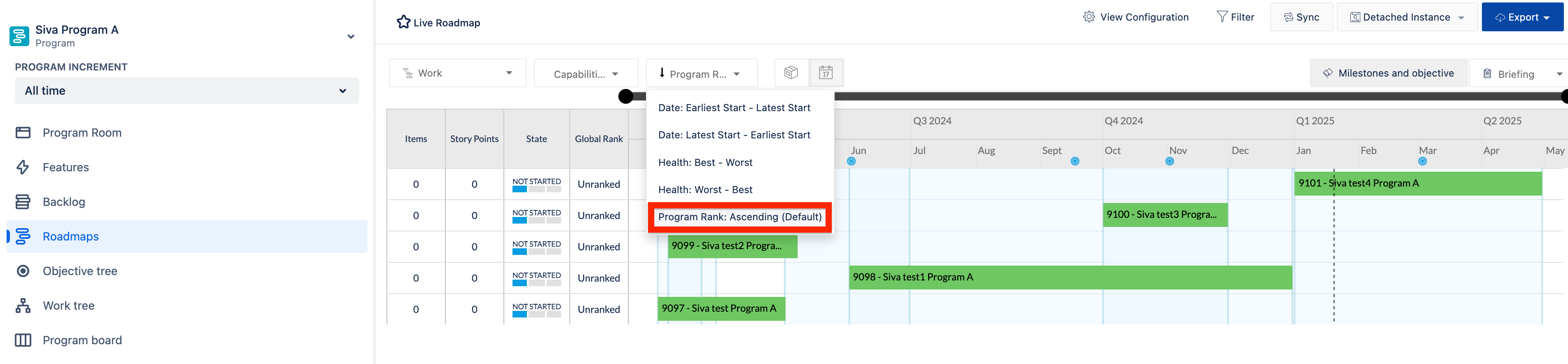
How do we show the Global Program Rank on the Roadmap?
We can't have a column view of the Global Program Rank on the Roadmap screen; however, we can sort the view by rank as shown in the screenshot below.
Was this helpful?